
Google Workspace Marketplace


Skedbee
Skedbee for calendar, time tracking, tasks and notes. A simple add-on to add notes, schedule activities, appointment and meetings based on your preferences.
Listing updated:৬ আগস্ট, ২০২২
Works with:

১ হা+





এক নজরে
Skedbee is a simple to use add-on, that learns your schedule and helps you organize emails as activities in your calendar. It helps you find the best time for your meetings or appointments.

How Skedbee add-on can help you?
1. Displays all your best available time slots from your Google Calendar™ to help you schedule an activity or a meeting.
2. Turns emails into tasks and schedule it in your calendar based on your schedule preferences.
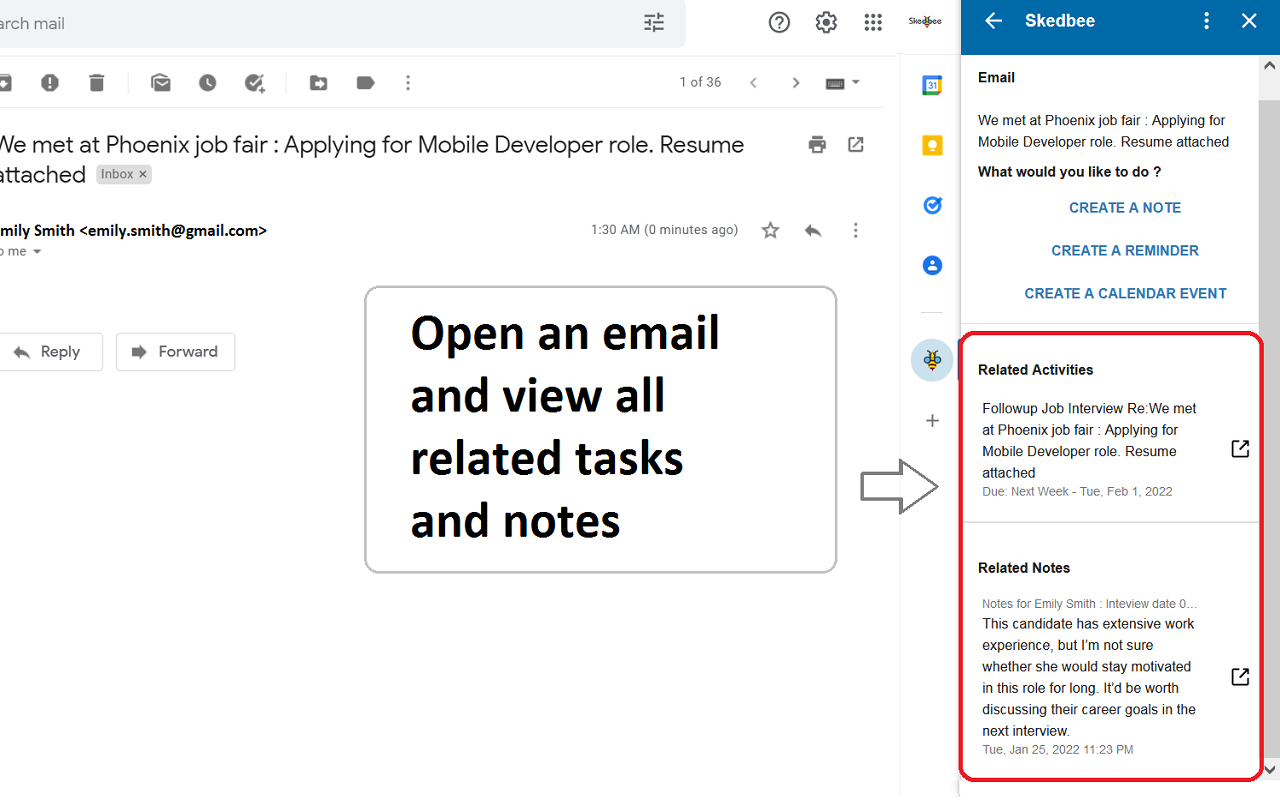
3. Displays all related tasks for an email.
4. Add notes and view related notes.
5. Track time spent on emails and generate report. Time Tracker is built-in Skedbee feature.
6. Helps find free time slots in calendar and view your calendar availability.

How the add-on works?
1. Install the add-on and provide all the requested permissions.
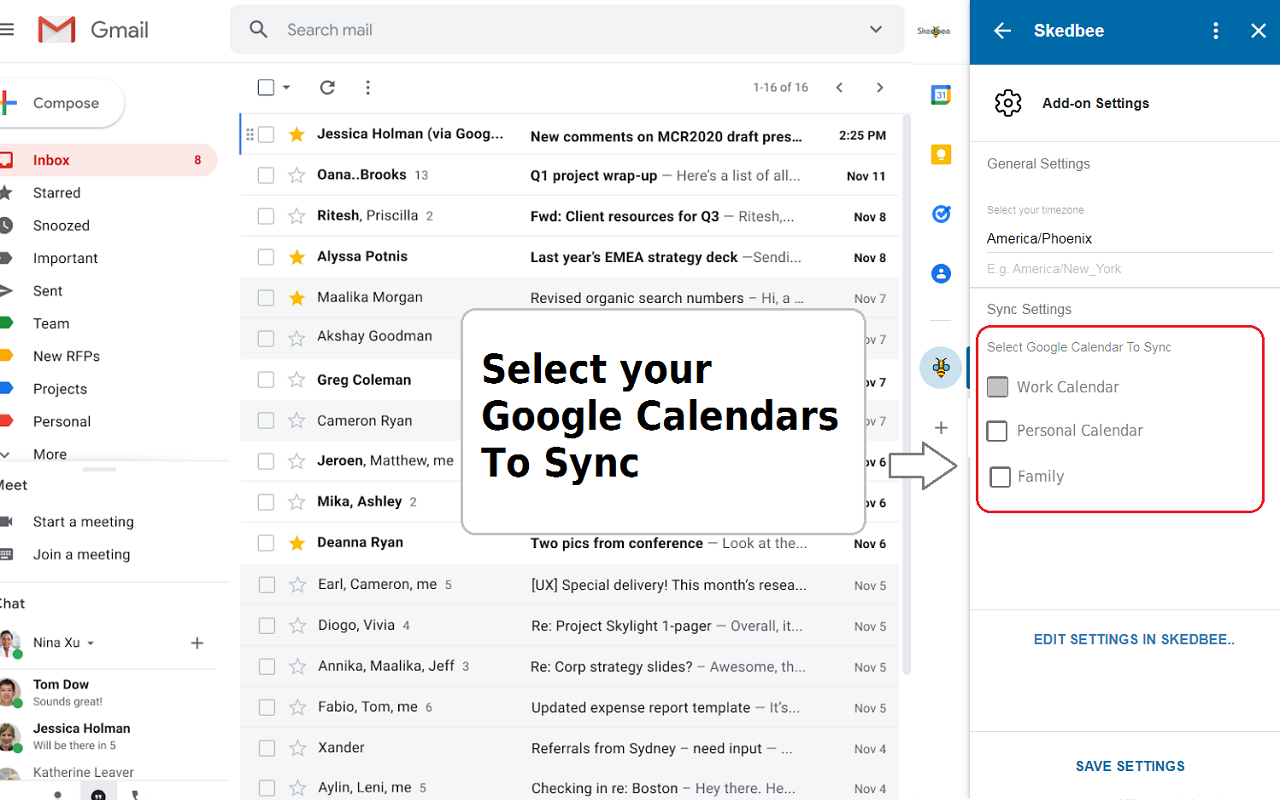
2. Complete your add-on settings. Here, you can choose the Google Calendar™ to work with.
3. Open any email and then click the Skedbee icon on add-on bar. Skedbee displays options for you to set a reminder or book an appointment.

Skedbee platform helps you plan your day efficiently and explore activities. For list of all features please visit https://www.skedbee.com
We will be adding more features to Gmail™ and Google Calendar™ Workspace in coming weeks.
Additional information
sell
PricingPaid
code
Developer
Trader status unspecified
email
সমর্থন
lock
গোপনীয়তা নীতি
description
পরিষেবার শর্তাদি
flag
রিপোর্ট করুনFlag as inappropriate



সার্চ করুন
সার্চ মুছুন
সার্চ বন্ধ করুন
Google অ্যাপ্লিকেশানগুলি
প্রধান মেনু