
Google Workspace Marketplace

Slides Translator - AI Translate
AI-powered Google Slides™ translator. Instantly translate presentation text, charts, and image menus into 40+ languages while keeping perfectly formatted slides.
Fiche mise à jour le :4 mai 2026
Compatible avec :
Aucun avis
19 k+



Présentation
Effortlessly Translate Google Slides™ Text and Images with AI Technology

Revolutionize your presentations with this cutting-edge app powered by AI. Break language barriers and connect with a global audience by seamlessly translating your Google Slides™ into any language—now with advanced image translation capabilities!

🌟 Key Features:

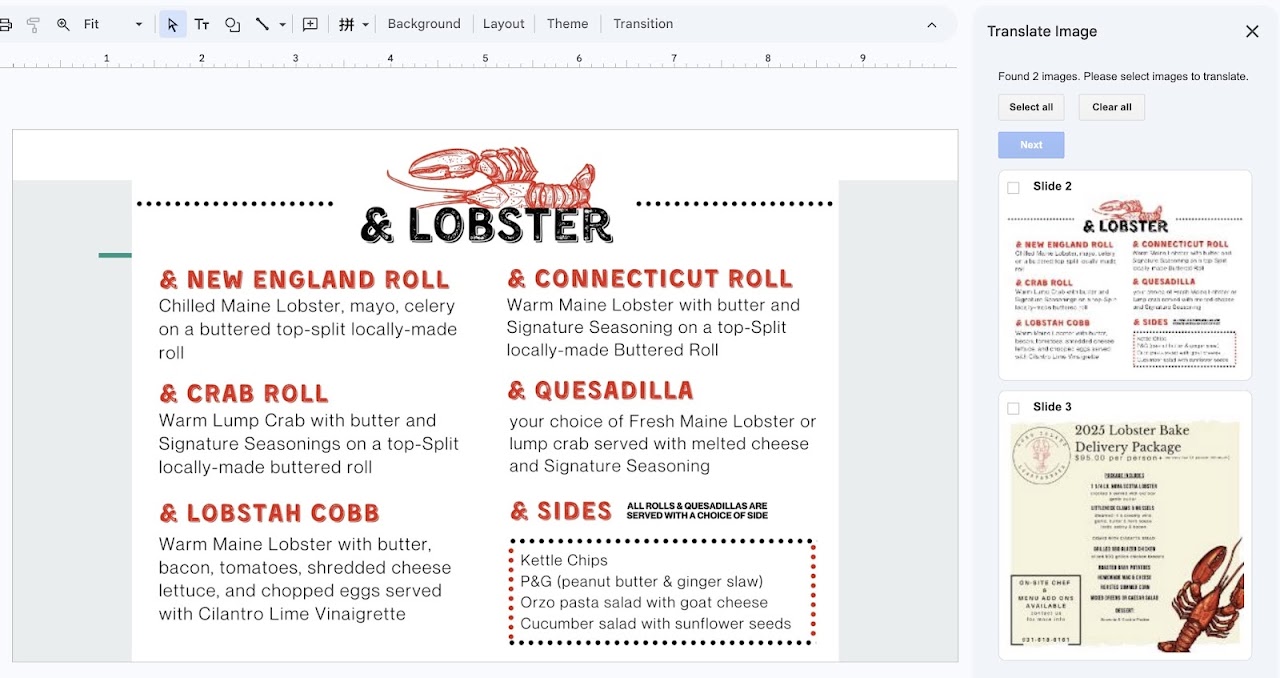
Powerful Image Translation: Go beyond standard text. Our app detects and translates text embedded directly within images (like menus, infographics, or charts) while flawlessly preserving the original visual layout and design.

In-Place Translation: Keep your Google Drive organized. Translations directly modify your current slide deck, meaning no messy duplicate files or new presentations are created.

Preserve Formatting: Maintain your hard work. The AI carefully replaces the original text with the translated language without breaking your slide's layout or design elements.

Extensive Language Support: Translate your content into 40+ different languages with just a few clicks.

Flexible Selection: Choose exactly what you want to translate—whether it's specific slides, selected images within a slide, or the entire presentation.

Free & Premium Plans: Get started for free! The Free plan includes translation for your first 5 slides. Upgrade to Premium to instantly translate entire presentations (up to 50,00 slide translations per month) and unlock 500 image translations.

Enhance communication, broaden your reach, and leave a lasting impression with AI-driven translation.

Google Slides™ is a trademark of Google LLC.
Informations supplémentaires
sell
TarifsEssai sans frais
code
Développeur
Non-professionnel
email
Assistance
lock
Règles de confidentialité
description
Conditions d'utilisation
flag
SignalerSignaler comme inappropriée




Recherche
Effacer la recherche
Fermer le champ de recherche
Applications Google
Menu principal