
Google Workspace Marketplace

Smart Quotes Localizer
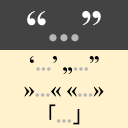
Replace American typographical (curly, curved, book or smart) quotation marks with their correct form based on the document’s language, supports almost all languages supported by Google Docs.
Works with:
৯ হা+

এক নজরে
Replace American typographical (curly, curved, book or smart) quotation marks with their correct form based on the document’s language, supports almost all languages supported by Google Docs.

1. Enable the “Use typographical quotation marks” feature.
2. Write your text, the quotation marks will be typographic with “”.
3. Run the localizer from the Add-Ons menu (Smart Quotes Localizer → Localize Quotation Marks).
Additional information
sell
Pricingউপলভ্য নয়
code
Developer
Trader status unspecified
email
সমর্থন
lock
গোপনীয়তা নীতি
description
পরিষেবার শর্তাদি
flag
রিপোর্ট করুনFlag as inappropriate


সার্চ করুন
সার্চ মুছুন
সার্চ বন্ধ করুন
Google অ্যাপ্লিকেশানগুলি
প্রধান মেনু