
Google Workspace Marketplace
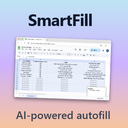

SmartFill
Turn simple headings into full spreadsheets in Google Sheets™ using Gemini™
Autor:
Ficha actualizada:22 de noviembre de 2025
Compatible con:
Sin reseñas
82


Información general
SmartFill instantly populates your Google Sheets™ with consistent, realistic data. Type your column headers, select the rows to fill, and let our AI do the rest. Go from a blank sheet to a complete data table in seconds.

WHAT IT DOES

• Intelligent, consistent rows: Uses Gemini™ via the Gemini API. If your headers are Country, Capital, and Population, SmartFill returns matching values per row.

• Natural-language sorting: Put instructions in your headers, for example:
    •  Countries by GDP (high to low)
    • Top 20 Largest US Cities by Population
    • Nobel Prize Winners in Physics (2000–2010)

• Finite sets respected: If the real list is smaller than your selection (for example, U.S. states), SmartFill fills the valid items and leaves the remaining rows blank.

HOW IT WORKS (3 STEPS)

1. Define headers: Type the column titles you want.
2. Select range: Highlight your headers and the number of empty rows to fill.
3. Generate: Go to Extensions → SmartFill → Generate Data and watch the table fill in.

WHO IT’S FOR

• Market research, lead lists, and competitive landscaping
• Students and academics compiling reference tables
• Sales and marketing teams drafting structured lists
• Anyone who wants to save time in Google Sheets™

PERMISSIONS AND DATA USE

• spreadsheets.currentonly: Read the selected header row and write generated rows directly beneath it in the same open spreadsheet.
• script.external_request: Call the Gemini API over HTTPS to retrieve CSV data.
• Data sent externally is limited to the selected headers, the requested row count, and an optional sort instruction.

LEGAL ATTRIBUTION
Google Sheets™ and Gemini™ are trademarks of Google LLC. SmartFill isn’t affiliated with or endorsed by Google.Información adicional
sell
PrecioSin coste
code
Desarrollador
email
Asistencia
lock
Política de privacidad
description
Términos del Servicio
flag
DenunciarMarcar como inapropiada




Búsqueda
Borrar búsqueda
Cerrar búsqueda
Aplicaciones de Google
Menú principal