
Google Workspace Marketplace


Songbook
Plugin which can turn your Google Drive into a guitar songbook with chords.
You can import, organize, highlight chords and print your songs there.
Разработчик:
Данные обновлены:6 апреля 2024 г.
Совместимо с:
9 тыс.+




Общие сведения
This plugin is meant to turn your Google Drive into a songbook with chords.  Google Drive and Docs offer a simple way to modify the songs format for print, organize the songs in an arbitrary folder structure, share it with friends, and it’s already optimized for any devices even with native applications.

Features:
 - Generate table of contents of all the songs in your directory
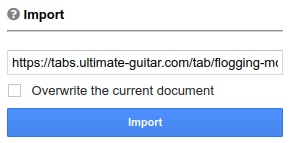
 - Import songs from supported external songs servers such as ultimate-guitar.com
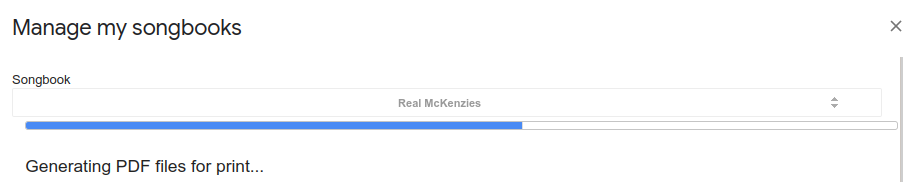
 - Create songbooks as a subset of songs for printing with TOC
 - Chords highlighting
 - Transposing of chords
 - Adding chord diagrams
 - Adding QR code with a chosen link (such as Spotify, Youtube)

How to use:
The plugin can be used after opening any document as a Google Docs plugin.
After installation, you can find it in the menu Add-ons -> Songbook -> Show panel. As a first thing create some folder where you want to save the songs and choose it in the top of the panel. Then every button should have help explaining what it does after hovering over the `?` sign.
Fore more information please refer to the documentation at https://songbook.fusakla.cz.
Дополнительная информация
sell
ЦеныБесплатно
code
Разработчик
Не продавец
email
Поддержка
lock
Политика конфиденциальности
description
Условия использования
flag
ЖалобаПожаловаться




Поиск
Очистить поле поиска
Закрыть поиск
Приложения Google
Главное меню