
Google Workspace Marketplace


Synap Document Viewer
You can quickly and easily view documents in various formats (hwp, doc, xls, ppt, zip… etc.) in a web browser.
דף האפליקציה עודכן בתאריך:29 באוגוסט 2025
האפליקציה פועלת עם:
+832K



סקירה כללית
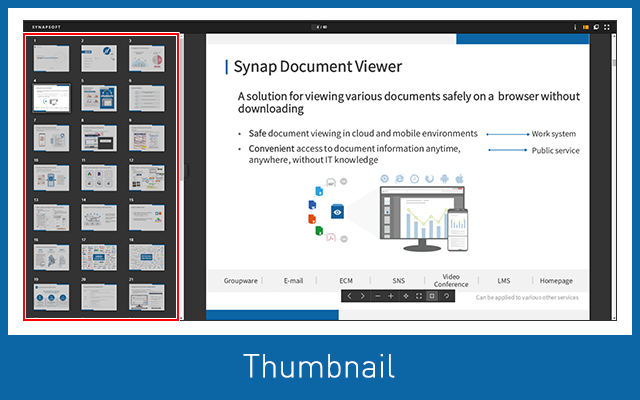
Synap Document Viewer for Google Workspace™ is a document viewer solution that allows you to directly view documents such as MS Word/Excel, HWP and PDF stored in Google Drive™ with a web browser. Chrome, Edge, IE10 +, Firefox, Safari, Opera browsers are supported, and documents can be viewed easily and quickly in PC as well as mobile environments.

Synap Document Viewer for Google Workspace™ goes through the process of converting documents so that they can be viewed in a web browser. During this process, the converted documents will be permanently deleted after being archived in Google Cloud™ for 24 hours. Converted documents cannot be opened because they are encrypted and saved.

This web app contains advertisements.

Supported formats:
•  HWP 2010, 2014, 2018, 2020, 2022, 2024(HWPX)
•  HWP 96, 97, 2002, 2004, 2005, 2007, 2010, 2014, 2018, 2020, 2022, 2024(HWP, HWPML)
•  MS Office 97~2003(DOC, DOT, DOTX, PPT, POT, PPS, XLS, XLT)
•  MS Office 2007~2024(DOCX, DOCM, DOTM, PPTX, PPTM, POTX, POTM, PPSX, THMX, XLSX, XLSM, XLTX, XLTM, XLSB)
•  ODT, PDF, TXT, HWX, XML, CSV
•  PNG, JPEG, TIFF, GIF, BMP, WEBP
•  MHT, EML, MSG
•  ZIP

Google Docs, Google Slides, and Google Sheets formats are not supported.
מידע נוסף



חיפוש
ניקוי החיפוש
סגירת החיפוש
אפליקציות Google
התפריט הראשי