
Google Workspace Marketplace


Sync2Sheets - Notion to Google Sheets™ 2-Way Sync
Real-time 2-way sync between Notion databases and Google Sheets™. Edit either side, both stay updated. Then build the charts, pivots, and dashboards Notion can't.
Oppføring oppdatert:27. juli 2026
Fungerer med:
192k+



Oversikt
Sync your Notion databases with Google Sheets™ in real time, in both directions. Edit in Notion and the change lands in Sheets seconds later. Edit in Sheets and Notion follows. Then do the things Notion can't do on its own: charts, pivot tables, formulas across thousands of rows, backups, live-updating dashboards that embed back into Notion.

No code. No manual exports. No broken CSVs to rebuild every Monday.

👇 How it works

1. Connect your Notion workspace
2. Pick the databases you want to sync
3. They appear in Google Sheets™ within seconds, and stay in sync both ways from there

━━━━━━━━━━━━━━━━━━━━━━━━━━━━━━━━━━━━━━━

🔁 Real-time 2-way sync

Bidirectional database sync, no schedules to wait on. Notion edits arrive in Sheets within seconds through Notion's official API, and Sheets edits flow back into Notion just as fast. Add rows, archive rows, rename columns, or change property types, and the sync follows.

🎛️ You pick the direction, column by column

Every column can sync Notion to Sheets, Sheets to Notion, or Both ways. Keep one column safe from accidental edits and open another for your whole team. Read-only Notion types (formulas, rollups, created time) stay Notion to Sheets automatically.

━━━━━━━━━━━━━━━━━━━━━━━━━━━━━━━━━━━━━━━

🧠 Every Notion property type is covered

📄 Text, rich text, hyperlinks
📅 Dates and date ranges (split into Start/End columns)
🔽 Select, multi-select, status (with data validation and conditional formatting in Sheets)
#️⃣ Numbers (your Notion number formats are preserved)
✅ Checkboxes and URLs
↗️ Relations (with clickable links to the Notion page) and rollups
∑ Formulas
📎 Files, 📧 emails, 👥 people
🕛 Created time, edited time, created by, edited by

Plus every other property type we haven't listed here.

━━━━━━━━━━━━━━━━━━━━━━━━━━━━━━━━━━━━━━━

🚀 Things Notion can't do on its own

📈 Real charts and pivot tables
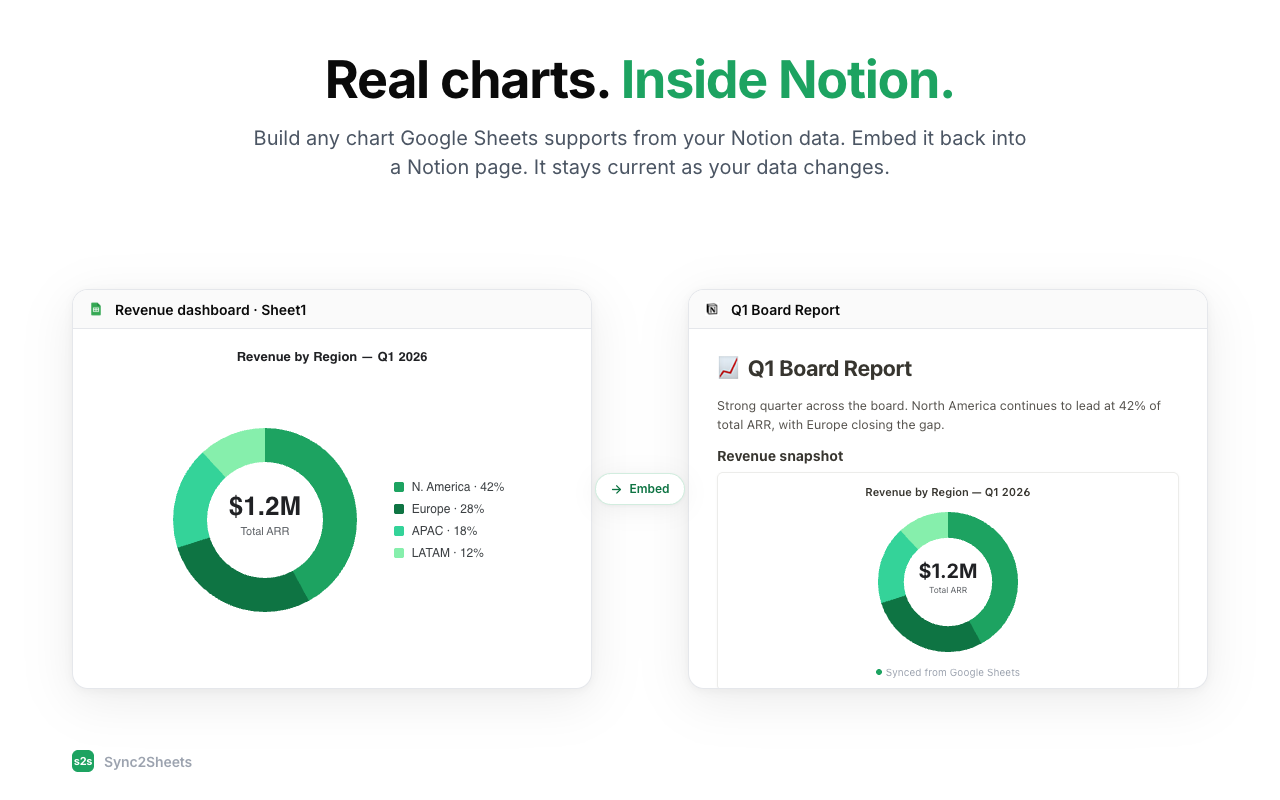
🔄 Dashboards that embed back into Notion and keep updating
📤 Any Google Sheets™ add-on you already use (email, CRM, reporting)
🗂️ Formulas across thousands of rows without Notion slowing to a crawl
🧾 A live Sheets backup of every database. The Notion export you never have to run again.

━━━━━━━━━━━━━━━━━━━━━━━━━━━━━━━━━━━━━━━

📤 Sheets formulas that write into Notion

Set a column to Sheets to Notion and any formula can drive it:

=GOOGLEFINANCE() for live prices
=IMPORTXML() for scraped values
=IMPORTRANGE() for cross-sheet pulls
=GOOGLETRANSLATE() for quick translations
Anything you can write, really

🆕 New rows become new Notion pages

Type NEW (or DRAFT) in a fresh row and Sync2Sheets creates the Notion page for you. Good for bulk imports from Sheets into Notion.

━━━━━━━━━━━━━━━━━━━━━━━━━━━━━━━━━━━━━━━

📊 Sheets cells that drive Notion blocks

Block updates connect a single cell in Sheets to a block in Notion: a heading, a callout, an equation. Handy for KPI summaries at the top of a project page, or status lines you want to set once and stop thinking about.

━━━━━━━━━━━━━━━━━━━━━━━━━━━━━━━━━━━━━━━

🏢 184,000+ installs, 4.8★ on the Marketplace

An official Notion integration. Revenue ops teams at WeTransfer, Canva, and UPS use it. So do plenty of solo founders tracking investments or clients in Notion.

━━━━━━━━━━━━━━━━━━━━━━━━━━━━━━━━━━━━━━━

👇 More details
https://sync2sheets.com

🎓 FAQ
https://sync2sheets.com/faq/

🙏 Questions or feedback
https://sync2sheets.com/contact/
Tilleggsinformasjon
sell
PriserKostnadsfri prøveperiode
code
Utvikler
email
Brukerstøtte
lock
Personvernregler
description
Vilkår for bruk
flag
RapportérRapporter som upassende






Søk
Slett søket
Lukk søkefunksjonen
Google-apper
Hovedmeny