
Google Workspace Marketplace


Sync for Google Sheets™ and Mailchimp™
Automatically sync and integrate your Google Sheets™ data with Mailchimp™ audiences.
วันที่อัปเดตข้อมูล:8 กรกฎาคม 2569
ใช้งานได้กับ
ไม่มีรีวิว
282


ภาพรวม
Sync for Google Sheets™ and Mailchimp™ lets you automatically sync your spreadsheet data with your email marketing audiences.

Add new subscribers, update existing contacts, and keep your Mailchimp™ audience always up to date — directly from your spreadsheet. No more manual CSV exports and imports.

### How to use it
- Once the add-on is installed, open any sheet. Go to the right-side panel and click the new button to get started.

### What you can do
- Sync subscribers from Google Sheets™ to Mailchimp™
- Add or update contacts automatically
- Map spreadsheet columns to Mailchimp™ fields
- Sync custom Mailchimp™ merge fields (birthday, company, and more)
- Sync GDPR marketing permissions (email consent, direct mail, and more)
- Avoid duplicate subscribers
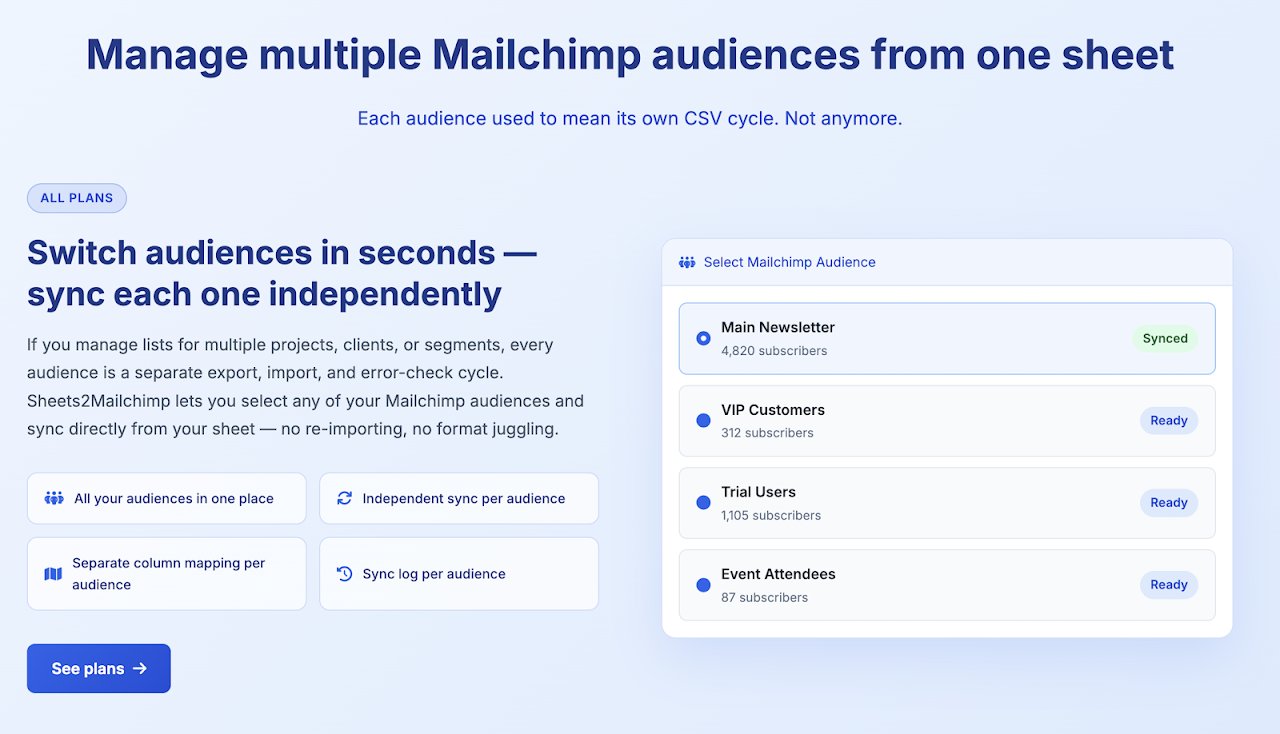
- Work with audiences and tags
- Run manual or scheduled syncs
- Pull campaign performance reports (opens, clicks, unsubscribes) directly into your sheet
- Detect spam and suspicious email addresses in your list with one click

### Why use our Sync for Google Sheets™ and Mailchimp™
- Built specifically for Mailchimp™ (not a generic connector)
- Simple setup in just a few minutes
- No code required
- Lightweight, fast, and reliable
- Perfect for marketers, freelancers, and small teams

If you manage your contacts in Google Sheets™ and use Mailchimp™ for email marketing, this add-on saves you time and eliminates manual work. Need to report on campaign performance? Import opens, clicks, and unsubscribe data for any date range into a sheet tab with one click. Worried about list bombing or fake sign-ups? Use the built-in Spam Detector to scan your audience for disposable domains, suspicious TLDs, and role-based addresses — and flag them directly in your spreadsheet.

Install the add-on, connect your Mailchimp™ account, choose your spreadsheet, and sync — it's that simple.

---
Disclaimer: This independent integration is developed by Alex Manrique and is not affiliated, associated, authorized, endorsed by, or in any way officially connected with Mailchimp™, Intuit™ Inc, or Google LLC. Google Sheets™ is a trademark of Google LLC.

Aviso legal: Esta integración independiente ha sido desarrollada por Alex Manrique y no está afiliada, asociada, autorizada, respaldada ni conectada oficialmente de ninguna manera con Mailchimp™, Intuit™ Inc o Google LLC. Google Sheets™ es una marca comercial de Google LLC.
ข้อมูลเพิ่มเติม
sell
ราคาช่วงทดลองใช้แบบไม่มีค่าใช้จ่าย
code
นักพัฒนาซอฟต์แวร์
ไม่เป็นผู้ค้า
email
การสนับสนุน
lock
นโยบายความเป็นส่วนตัว
description
ข้อกำหนดในการให้บริการ
flag




ค้นหา
ล้างการค้นหา
ปิดการค้นหา
แอป Google
เมนูหลัก