
Google Workspace Marketplace


Tasneef AI
Search and insert Quran verses into Google Docs™ by meaning, reference, or Arabic text.
デベロッパー:
リスト更新日:2026年5月3日
対応デバイス:
160



概要
Tasneef AI: Quran Search for Google Docs™

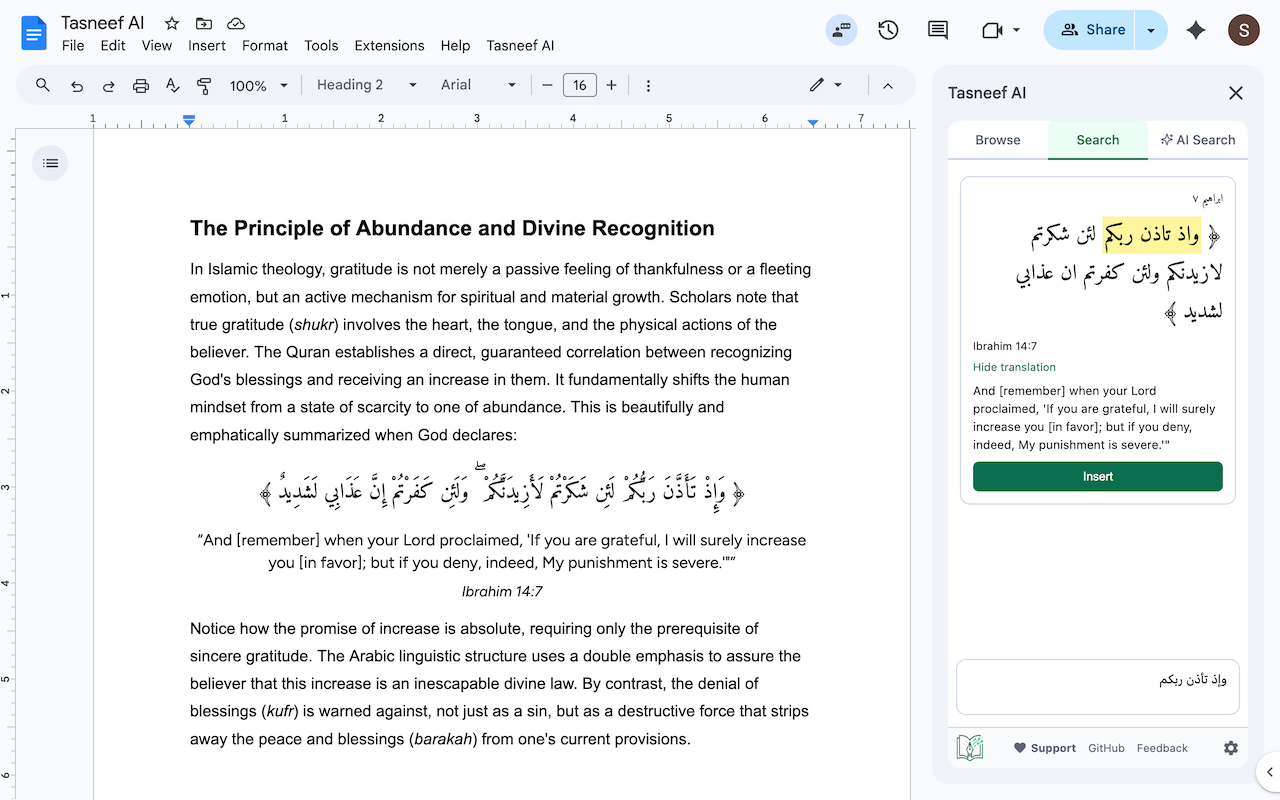
Insert Quran verses into your Google Docs without leaving the page. Search by meaning, by exact Arabic, or browse by Surah and Ayah — then insert with one click, properly formatted with right-to-left alignment.


🔍 Key Features

AI Semantic Search — Don't remember the exact wording? Ask in plain English ("verses about gratitude," "ayahs on patience during hardship") and get relevant ayahs ranked by meaning.

Exact Arabic Search — Search by Arabic keywords with full diacritics handling.

Browse by Surah & Ayah — Navigate the Quran directly when you know what you're looking for.

One-click insertion — Choose between bilingual (Arabic + English translation) or Arabic-only output. RTL alignment is handled automatically.

Multiple insertion styles — Plain text or quote blocks for visual emphasis.


✅ Designed for Accuracy

Tasneef AI uses Retrieval-Augmented Generation (RAG) to understand your search intent — but it never uses AI to generate Quranic text. AI is only used as a search engine. Every retrieved verse is validated against a verified Quran dataset before it appears, and any invalid references are silently dropped. The Arabic text inserted into your document is always the authentic, unaltered text from the source dataset.


👥 Built For

> Islamic scholars, researchers, and graduate students.

> Educators preparing course materials and syllabi.

> Authors, writers, and content creators.

> Anyone who regularly references the Quran in their writing.

------------

Google Docs is a trademark of Google LLC. Tasneef AI is an independent product and is not affiliated with or endorsed by Google.詳細情報



検索
検索をクリア
検索を終了
Google アプリ
メインメニュー