
Google Workspace Marketplace


Templify - Document Automation & Proposal Tracking
Turn Google Workspace™ templates into tracked proposal links.
Replace {{placeholders}}, publish client-ready proposals, and know when prospects engage.
Gawa ng:
Na-update ang listing noong:Agosto 17, 2026
Gumagana sa:


Walang review
9



Pangkalahatang-ideya
Turn Google Workspace™ templates into tracked client proposal links.

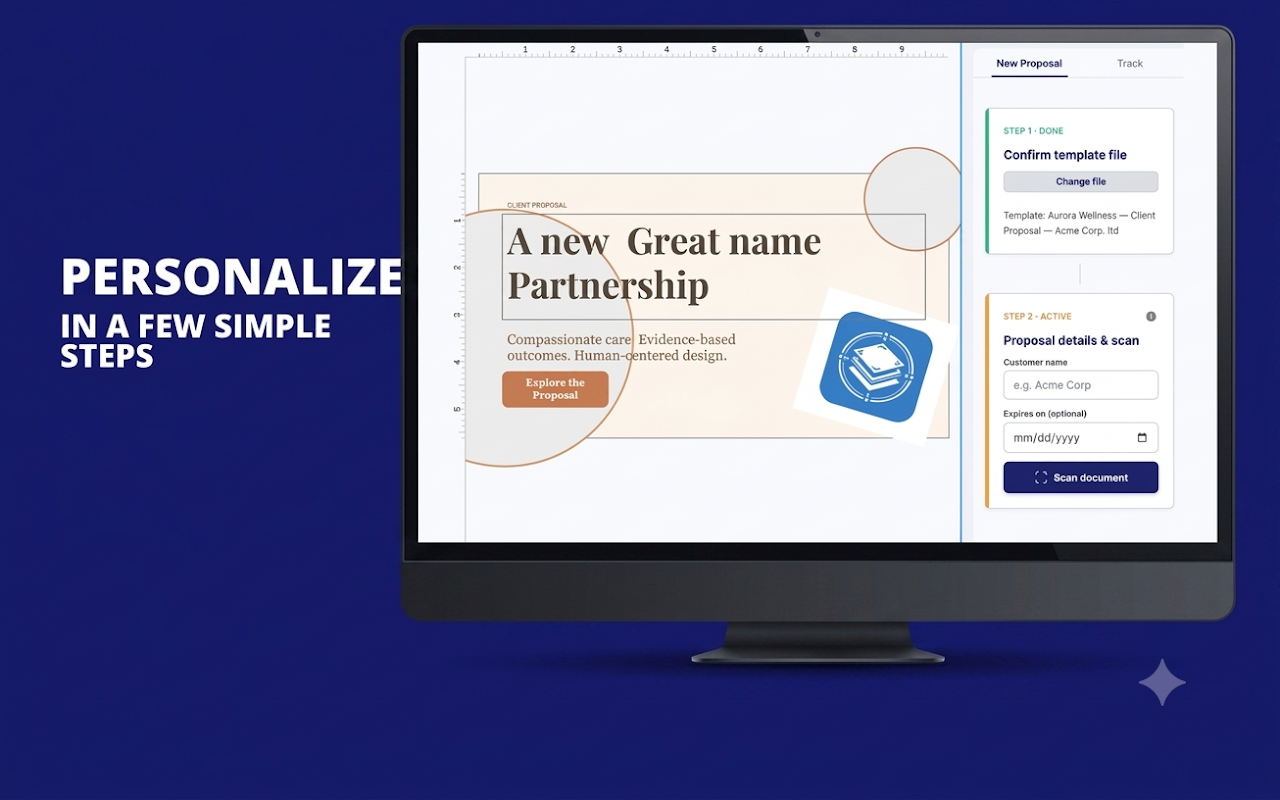
Templify helps teams personalize proposals from Google Docs™, Sheets™, Slides™, and Forms™, publish them as client-ready webpages, and see when prospects open them and which pages hold their attention.

Key Features:
    ✓ Works across Google Docs™, Sheets™, Slides™, and Forms™
    ✓ Auto-detects {{placeholders}} across your template files
    ✓ Replaces repeated client details in one clean workflow
    ✓ Publishes proposals as shareable web links
    ✓ Includes PDF download for clients
    ✓ Tracks proposal views, unique visitors, devices, referrers, and page engagement
    ✓ Supports expiry dates and one-click unpublishing
    ✓ Keeps your master templates reusable and unchanged

Perfect for:
    ✓ Sales teams sending proposals and quotes
    ✓ Agencies managing client proposal workflows
    ✓ Freelancers following up after sending estimates
    ✓ Marketing teams creating reusable client documents
    ✓ Operations teams producing repeatable business documents

Pricing:
    ✓ Start free with 5 proposal actions per month.
    ✓ Upgrade to Pro for $19/month to unlock unlimited monthly proposal actions, up to 50 active published proposals, full analytics, expiry controls, and one-click unpublishing.

Privacy & security:
    Templify works with the Google Workspace files you choose. It only publishes proposals when you explicitly create a tracked proposal webpage.

Stop sending proposal PDFs into the dark.
Install Templify and know when clients engage.

Google Docs™, Google Sheets™, Google Slides™, and Google Forms™ are trademarks of Google LLC.
Karagdagang impormasyon
sell
PagpepresyoLibre na may mga bayad na feature
code
Developer
Hindi trader
email
Suporta
lock
Patakaran sa privacy
description
Mga tuntunin ng serbisyo
flag






Search
I-clear ang paghahanap
Isara ang paghahanap
Mga app ng Google
Pangunahing menu