
Google Workspace Marketplace


Templify - Document Automation & Proposal Tracking
Turn Google Workspace™ templates into tracked proposal links.
Replace {{placeholders}}, publish client-ready proposals, and know when prospects engage.
Nhà phát triển:
Đã cập nhật trang thông tin:17 tháng 8, 2026
Hoạt động với:


Chưa có bài đánh giá
9



Tổng quan
Turn Google Workspace™ templates into tracked client proposal links.

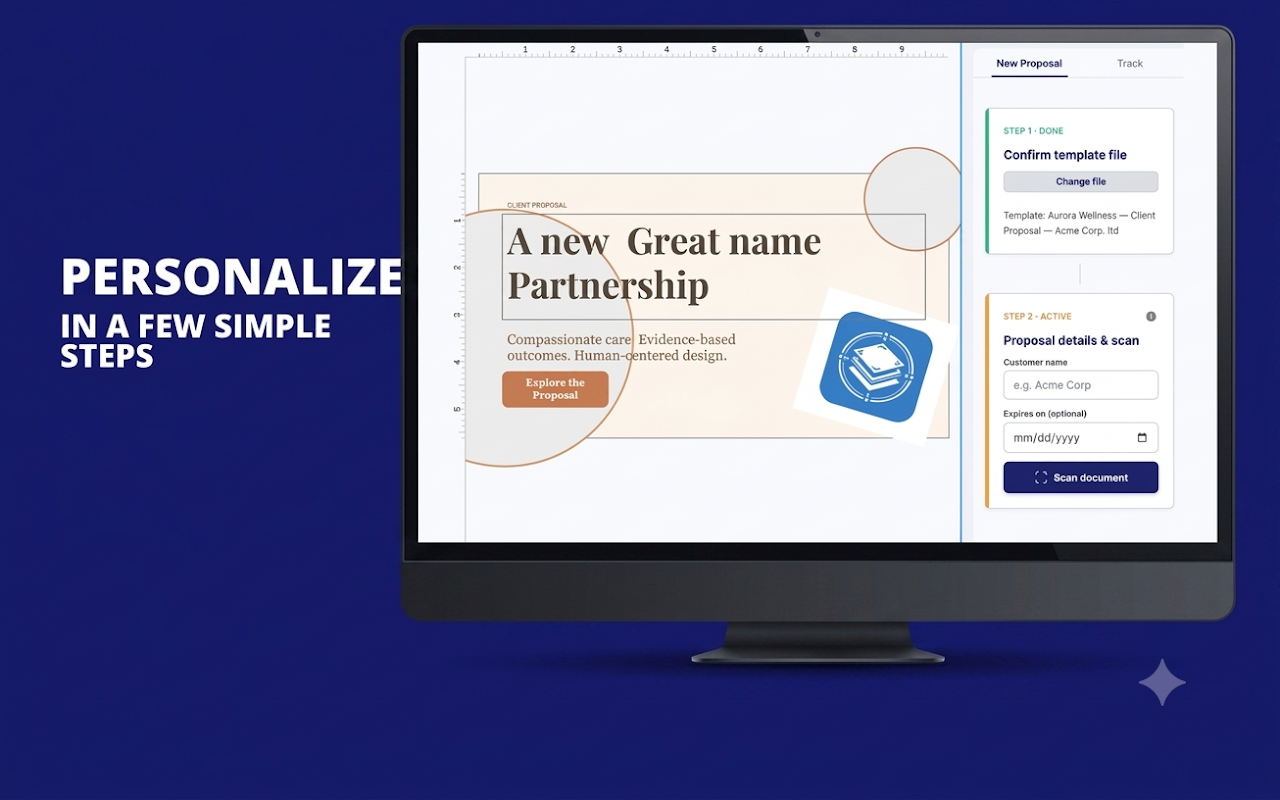
Templify helps teams personalize proposals from Google Docs™, Sheets™, Slides™, and Forms™, publish them as client-ready webpages, and see when prospects open them and which pages hold their attention.

Key Features:
    ✓ Works across Google Docs™, Sheets™, Slides™, and Forms™
    ✓ Auto-detects {{placeholders}} across your template files
    ✓ Replaces repeated client details in one clean workflow
    ✓ Publishes proposals as shareable web links
    ✓ Includes PDF download for clients
    ✓ Tracks proposal views, unique visitors, devices, referrers, and page engagement
    ✓ Supports expiry dates and one-click unpublishing
    ✓ Keeps your master templates reusable and unchanged

Perfect for:
    ✓ Sales teams sending proposals and quotes
    ✓ Agencies managing client proposal workflows
    ✓ Freelancers following up after sending estimates
    ✓ Marketing teams creating reusable client documents
    ✓ Operations teams producing repeatable business documents

Pricing:
    ✓ Start free with 5 proposal actions per month.
    ✓ Upgrade to Pro for $19/month to unlock unlimited monthly proposal actions, up to 50 active published proposals, full analytics, expiry controls, and one-click unpublishing.

Privacy & security:
    Templify works with the Google Workspace files you choose. It only publishes proposals when you explicitly create a tracked proposal webpage.

Stop sending proposal PDFs into the dark.
Install Templify and know when clients engage.

Google Docs™, Google Sheets™, Google Slides™, and Google Forms™ are trademarks of Google LLC.
Thông tin bổ sung
sell
GiáKhông mất phí khi dùng các tính năng có tính phí
code
Nhà phát triển
Không phải bên giao dịch
email
Hỗ trợ
lock
Chính sách quyền riêng tư
description
Điều khoản dịch vụ
flag
Báo cáoĐánh dấu là không phù hợp






Tìm kiếm
Xóa nội dung tìm kiếm
Đóng tìm kiếm
Các ứng dụng của Google
Trình đơn chính