
Google Workspace Marketplace


Timeneye
Track time directly from Google Workspace
Listing updated:১৮ এপ্রিল, ২০২৪
Works with:




৫ হা+




এক নজরে
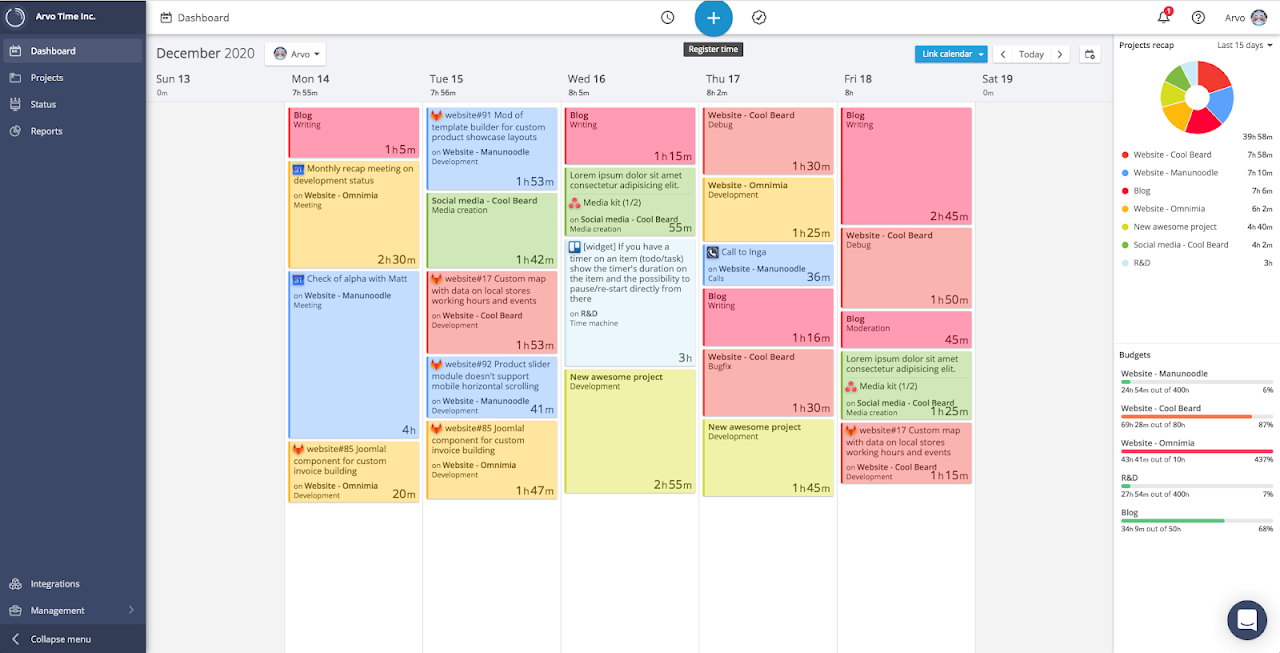
Timeneye provides an effective way to track your time using either an automated timer or manual entries. Track time for any of the projects you are working on. Create your weekly timesheet with a few clicks. Keep an eye on how your time is being used and improve your productivity.
Timeneye is the perfect solution for small/medius sized companies that want to know how their time is being spent on different tasks and projects.
What can you do with Timeneye:
- Create projects
- Create timers/ time entries on a project
- Run reports on tracked time
- Keep track of your billed/billable entries
A free trial or an active subscription to Timeneye is required to use the app.
What can you di with the Timeneye add-on for Google Workspace:
- Create timers/time entries
Additional information
sell
PricingPaid
code
Developer
email
সমর্থন
lock
গোপনীয়তা নীতি
description
পরিষেবার শর্তাদি
flag
রিপোর্ট করুনFlag as inappropriate




সার্চ করুন
সার্চ মুছুন
সার্চ বন্ধ করুন
Google অ্যাপ্লিকেশানগুলি
প্রধান মেনু