


Timer + AI Proctor Limiter for Forms | Quilgo
Quilgo adds a time limiter and AI proctoring in your online tests, exams and assessments. Enable camera and screen tracking to reduce cheating in your quizzes. Download reports and certificates.
Nhà phát triển:
Đã cập nhật trang thông tin:11 tháng 4, 2024
Hoạt động với:
59 Tr+


Tổng quan
• Transform your Google Forms™ into assessments, tests or exams.
• Perfect for education, recruiting, businesses & HR.
• Reduce cheating by auto-proctoring via camera and screen.
• Works on any device for students, job applicants and employees.
• GDPR compliant. DPA ready. Scalable and reliable.
▼ Click "Read more". ▶ HOW TO SETUP: https://youtu.be/6TBXa2y4k5k

WHY QUILGO?

If you use Google Forms™ and want to create online tests - Quilgo is your #1 choice. It is simple, reliable and trustworthy. So far, test makers conducted over 30 million online tests with Quilgo. Quilgo is free to try. It takes a few minutes to set up. Integrate a countdown and AI proctoring with our revolutionary addon today.

FEATURES

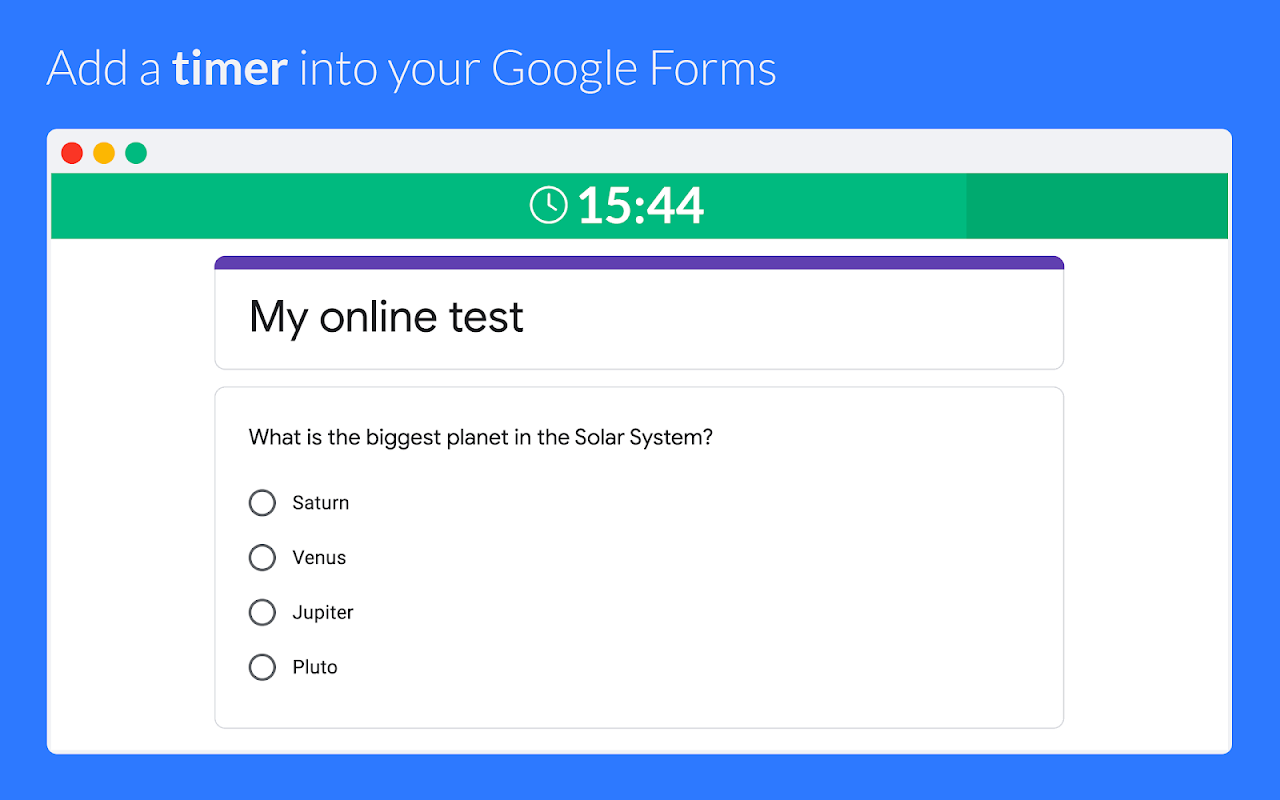
• Timer - Enable time limit in your tests. Perfect for online assessments and exams
• Camera Tracking - Reduce cheating by capturing the faces of test-takers
• Screen Recording - Track the screen activity for increased cheating protection.
• Enforce Tracking - Require all selected tracking methods to start a session.
• Behaviour Analysis - Track suspicious actions like tab switch or multiple faces.
• Deadlines - Set a start time and time frames for your assignment.
• Secure Tests - Ensure your respondents cannot use the same test twice.
• Trust Score - Get a single trust score based on click, screen and camera tracking.
• Auto Close - Automatically turn the quiz off and stop once the time is over.
• Exam Mode - Schedule a date and time for your test and turn it into an online assessment.
• Access Control - Restrict your quiz to specific people or enable registration.
• Easy Delivery - Send personal test links via email or post a group link.
• Analytics & Reports - See the score, marked confidence levels and responses. Export in PDF.
• Excel Export - Export reports in Excel or Spreadsheets for further analytics.
• Single Dashboard - Use a secure real-time dashboard to manage your online tests.
• Notifications - Receive real-time updates in your dashboard.
• Team Collaboration - Collaborate on forms and share results and reports.
• Classroom - Integrate with Google Classroom™ and import respondents in one click.
• Branding - Add your custom logo and customize colors to your test.
• Secure - Keep the data secure and in compliance with GDPR.
• Simple - Quilgo works like native Google Forms™ on any device and browser.
• User-friendly - Quilgo provides all needed instructions and tutorial videos to respondents.
• Compliance - Screen and camera tracking mechanisms require explicit approval from test-takers.
• No additional software - Quilgo is software as a service and does not require any additional software installation.
• Support - Speak with our team if you have any questions.

HOW TO SETUP

Watch this video: https://youtu.be/6TBXa2y4k5k

1. Install this add-on
2. Go to your Google Forms™ form, click the "puzzle" icon and choose "Quilgo". Click "Configure".
3. Click "Enable Quilgo", then "Go to your Dashboard".

Free trial. No card is required.

WHO USES QUILGO

• Teachers, Schools and Universities for Students: Harvard, MIT, Oxford, Stanford, Cambridge, etc.
• Businesses and Recruiters for Employees and Job Candidates and Applicants: Google, Microsoft, Dropbox, Amazon, Canva, and other organizations.

COMPARE QUILGO TO OTHERS

Watch this video to compare to Boloforms, Extended Forms, Autoproctor, Form Limiter, Presenter, AddonForge and other similar extensions:

https://youtu.be/GmmTHMpSJAg?feature=shared

Some of Quilgo's features are:
• Unlimited team size.
• Quiz bank
• Question randomization & shuffling
• Automatic submission
• Personal and group extended reporting
• GPT quiz generation.
• AI Proctoring works on all devices, including Android. iOS (iPhones/iPads) is coming soon.
• Public and restricted modes.
• No limits on tests per month. Unlimited proctored assessments.
• Scalability. Host assessments for 1000, 5000, 10000 and more people.
• Compliance. Read our DPA here: https://quilgo.com/dpa
• Security. Your forms and responses stay in Google if you use Google Forms.

USEFUL LINKS

Installation Guide - https://quilgo.com/google-forms-integration
Privacy Policy: https://quilgo.com/privacy
Compliance and DPA: https://quilgo.com/dpa

Book a call with our representative: https://calendly.com/quilgo-igor/30min

Our team would love to see you on board!

All Yours,
Quilgo Team

- - - - - - - - - - - - - - - - - - - - - -
Google Forms™, Google Classroom™, Android™, and YouTube™ are trademarks of Google LLC.
Thông tin bổ sung
sell
GiáDùng thử không mất phí
code
Nhà phát triển
email
Hỗ trợ
lock
Chính sách quyền riêng tư
description
Điều khoản dịch vụ
flag
Báo cáoĐánh dấu là không phù hợp





Tìm kiếm
Xóa nội dung tìm kiếm
Đóng tìm kiếm
Các ứng dụng của Google
Trình đơn chính