
Google Workspace Marketplace


TranslateSync AI
Two languages, one document. Edit a document in Google Docs™ and its translation stays in sync — text, formatting, and comments.
应用详情更新日期:2026年7月29日
适用于:
没有评价
1


概览
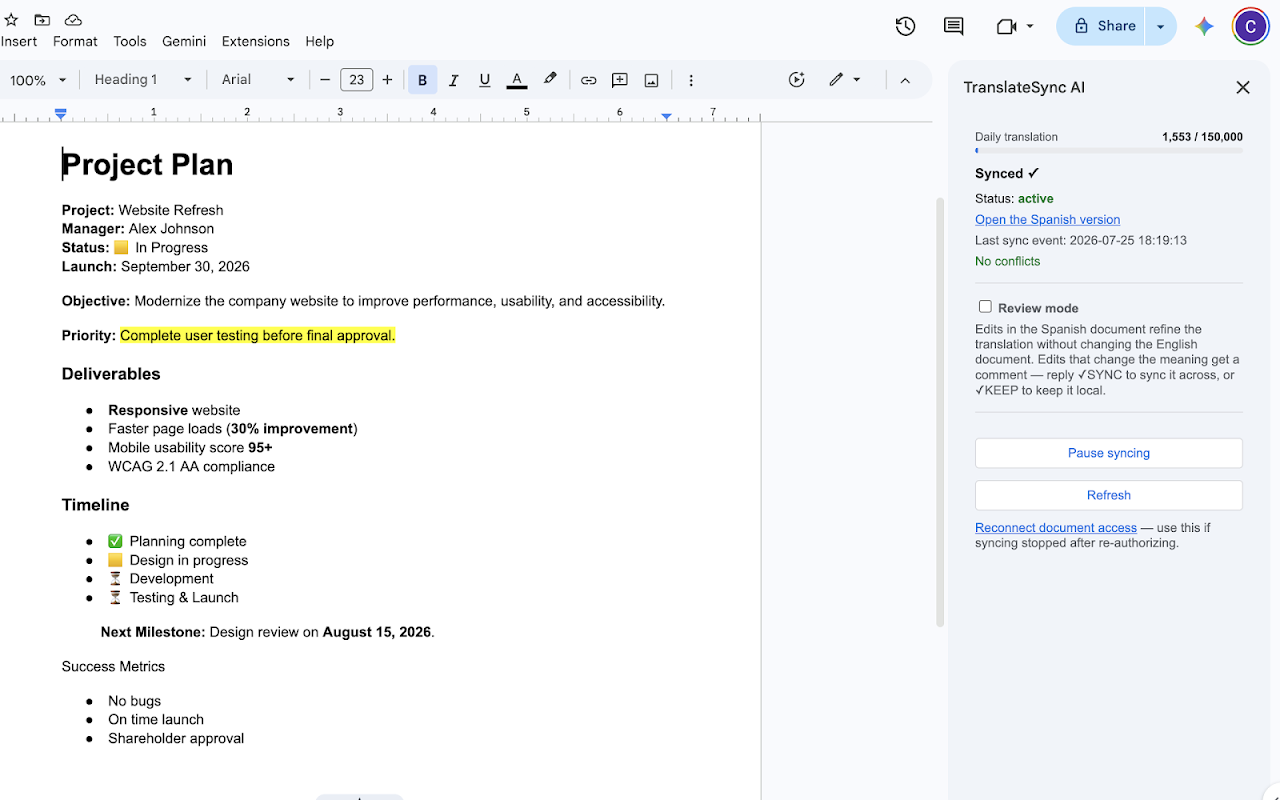
TranslateSync AI keeps a document in Google Docs™ and its translation synchronized, in both directions. Pair a document once, and two teams can each work in their own language: edits appear in the other document within seconds, translated by AI with your terminology respected.

• True two-way sync — either document can be edited
• Formatting carries over: bold, highlights, colors, links, headings, tables, lists
• Comments and replies mirror across, translated
• Conflict-safe: simultaneous edits are never overwritten — both versions are presented and a human picks
• 29 languages, any pairing
• Per-file access only: TranslateSync AI can only touch documents you explicitly connect

Setup takes under a minute: open a document in Google Docs™, open TranslateSync AI from the Extensions menu, choose a language, click once.

Google Docs™ is a trademark of Google LLC. TranslateSync AI is an independent product and is not affiliated with, endorsed by, or sponsored by Google LLC.
其他信息




搜索
清除搜索内容
关闭搜索框
Google 应用
主菜单