
Google Workspace Marketplace


TrioChat
Automate WhatsApp messages from Google Sheets™ with TrioChat
Listing updated:১০ সেপ্টেম্বর, ২০২৫
Works with:
৪০


এক নজরে
Automatically Send WhatsApp Messages from Your Google Sheets™
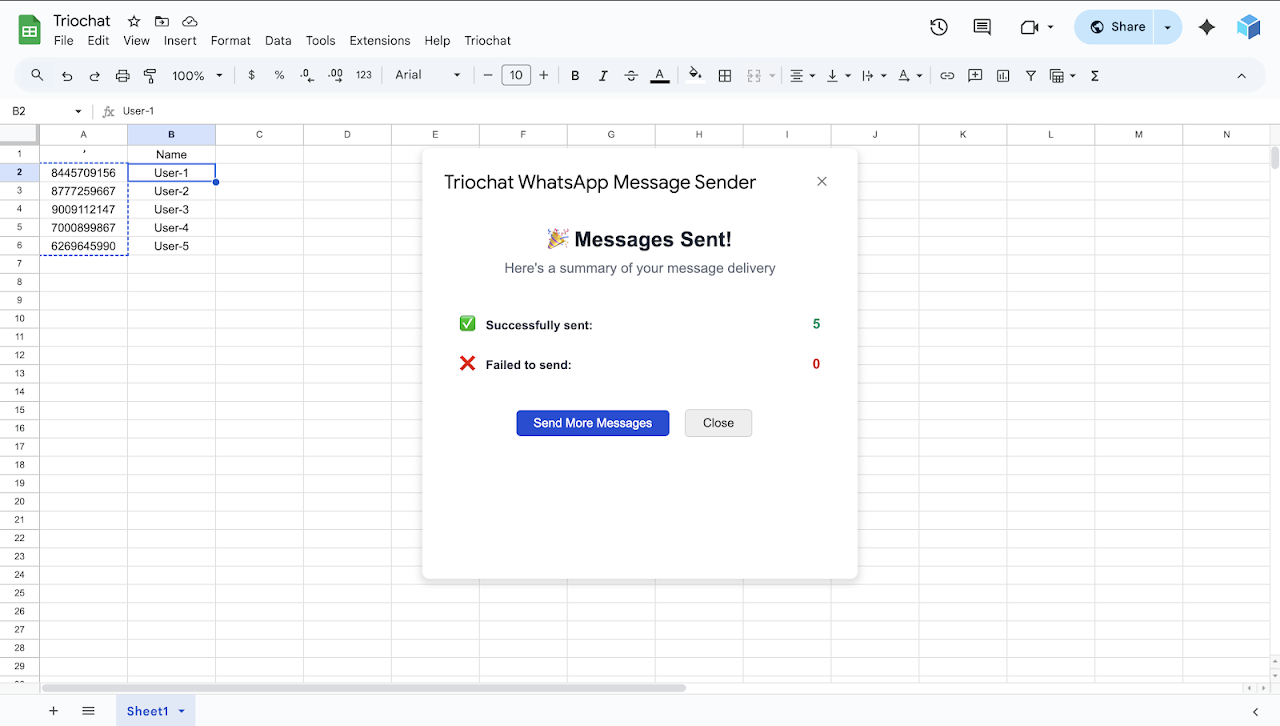
With the Sheet Automation Tool by TrioChat, you can instantly send WhatsApp messages based on data in your Google Sheets™ — no coding or technical setup required.

About TrioChat
TrioChat is a powerful WhatsApp automation platform designed for marketing, sales, and support teams. It integrates seamlessly with the WhatsApp Business API and offers features such as:

Broadcasts

Campaign tracking

Contact management

Shared team inbox

Automation workflows

No-code message tools

Getting started is simple — all you need is a Personal Access Token (PAT) to connect your Google Sheets™.

Why Use the Sheet Automation Tool?
Automatically notify users from form submissions

Assign leads or inquiries to your sales team

Send reminders or status updates via WhatsApp

Eliminate manual messaging with smart automation

Sheet Automation – Current Capabilities
Trigger (Manual or Scheduled Execution)

Select a WhatsApp template from your TrioChat account

Choose phone numbers directly from your Google Sheets™ columns

Map message variables using column data

Send WhatsApp messages via TrioChat — all in one click

No code. No complexity. Just plug in your template, map your data, and send.

How to Set Up TrioChat with Google Sheets™
To connect your Google Sheets™ with TrioChat, you’ll need:

A PAT Token (Personal Access Token)

A registered TrioChat account

You can find your PAT token in your TrioChat dashboard after logging in.

Sign up here: https://app.triochat.io/signup

Setup & API Guide: https://triochat.io/docs

Need Help?
Visit our help center for step-by-step guides and support:
https://triochat.io/docs

Trademark Notice
Google Sheets™ is a trademark of Google LLC. Use of this trademark is subject to Google’s Brand Guidelines.
Additional information
sell
Pricingফ্রি
code
Developer
email
সমর্থন
lock
গোপনীয়তা নীতি
description
পরিষেবার শর্তাদি
flag
রিপোর্ট করুনFlag as inappropriate




সার্চ করুন
সার্চ মুছুন
সার্চ বন্ধ করুন
Google অ্যাপ্লিকেশানগুলি
প্রধান মেনু