
Google Workspace Marketplace


URL Checker for Gmail™ and Google Workspace™
URL Checker for Gmail™ and Google Workspace™ — scan email links for phishing, malware, and other threats directly in your inbox.
Дата оновлення:8 вересня 2025 р.
Підтримує:
Немає відгуків
181



Огляд
Protect Yourself from Phishing Attacks Without Leaving Gmail™

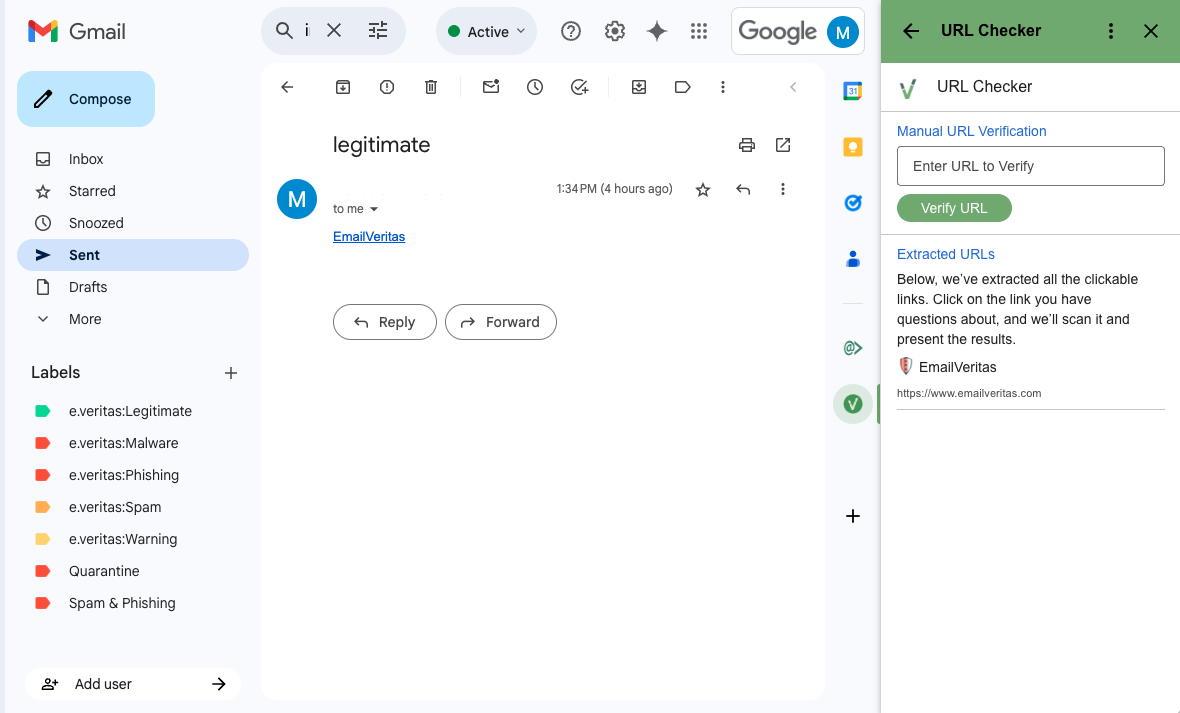
Phishing emails often hide dangerous links behind seemingly innocent text. The URL Checker for Gmail™ Add-on by Email Veritas adds an extra layer of security to your inbox by allowing you to extract, review, and scan email links on demand—without opening them.

Key Features:

🔍 Extract URLs: Automatically identifies and lists all clickable links in an email.

🛡 Manual & On-Demand Scanning: Choose which URL to scan; no automatic data is sent.

⚠ Real-Time Risk Analysis: URLs are evaluated for phishing behavior, malware, suspicious domain types, and more.

🖼 Visual Feedback: See screenshots of the final page and detailed IP/domain info.

✅ Easy to Use: Just click to scan and get clear results: Legitimate, Warning, or Phishing.

How It Works:

1. Open any email in Gmail™.
2. Launch the add-on from the sidebar.
3. View extracted URLs and select one to scan.
4. The add-on sends the chosen URL to the Email Veritas backend (no email content is sent).
5. The result appears in seconds with full domain info and a threat assessment summary.

Powered by eVeritas Phish Guard, the scanning engine uses machine learning, behavioral analysis, and real-time threat detection to help protect you and your organization from cyber attacks.

Privacy-First Design:

- No email content is stored.
- Only the selected URL is sent for analysis.
- Complies with Google's Limited Use Requirements.

Start securing your inbox today.

URL Checker is available free of charge for personal use.

For commercial purposes, you must contact info@emailveritas.com

Learn more at emailveritas.com
Додаткова iнформацiя
sell
ЦіниБезкоштовна версія з платними функціями
code
email
Підтримка
lock
Політика конфіденційності
description
Умови використання
flag
СкаргаПоскаржитися




Пошук
Очистити пошук
Закрити пошук
Додатки Google
Головне меню