
Google Workspace Marketplace
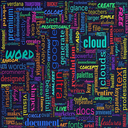

Word Cloud Ultra
Transform Google Docs™ text into stunning, colorful word cloud visualizations instantly.
Készítette:
Adatlap frissítve:2026. október 24.
A következőkkel működik:
197


Áttekintés
Word Cloud Ultra for Google Docs™ - Professional Text Visualization Tool
Transform your documents into beautiful, insightful word clouds with one click!
Word Cloud Ultra is the premier word cloud generator for Google Docs™, designed to help writers, researchers, educators, and professionals visualize text patterns and identify key themes in their documents. Create stunning, publication-ready word clouds directly from your Google Docs™ content.
✨ Key Features
🎨 Multiple Text Sources

Generate from entire document
Extract from current page
Use selected text only
Perfect for analyzing specific sections

📊 Smart Word Analysis

Automatic frequency detection
Intelligent stopword filtering
Custom word exclusion lists
Support for up to 500 words

🎭 Beautiful Visualizations

8+ premium shapes (cloud, star, diamond, tree, lightning, oval, circle)
6 curated color palettes (sunset, ocean, forest, pastel, monochrome)
Random font mixing for creative designs
Vertical & horizontal text orientations
Customizable font sizes (8-120px)

💎 Premium Features

High-resolution exports (3200x2400px)
Custom color palettes
10+ professional fonts
Advanced shape layouts
Manual word weighting
Custom stopword lists
Save and reuse presets

⚡ Fast & Easy to Use

Instant generation
Real-time preview
One-click PNG download
No technical skills required
Works entirely within Google Docs™

🎯 Perfect For
Educators & Students

Analyze essays and research papers
Visualize reading comprehension
Create engaging presentations
Study vocabulary patterns

Content Creators & Writers

Identify overused words
Analyze writing style
Create social media graphics
Enhance blog posts

Business Professionals

Visualize meeting notes
Present survey results
Create infographics
Analyze customer feedback

Researchers & Analysts

Text mining and analysis
Qualitative data visualization
Literature reviews
Presentation materials

🔒 Privacy & Security

All processing happens locally
No data sent to external servers
Works offline after initial load
Respects Google Workspace security

💰 Flexible Licensing

3-day FREE trial with all premium features
One-time purchase - no subscriptions
Email-based license activation
Lifetime updates included

🚀 How It Works

Install - Add Word Cloud Ultra to your Google Docs™
Select - Choose text from document, page, or selection
Customize - Pick colors, shapes, and fonts
Generate - Create your word cloud instantly
Download - Export as high-resolution PNG

📈 SEO Keywords
word cloud, text visualization, word frequency, Google Docs add-on, document analysis, text analysis, word counter, content visualization, word art, typography generator, text mining, data visualization, document tools, writing tools, content analysis
🆘 Support & Updates

Regular feature updates
Responsive customer support
Comprehensive documentation
Active development

⭐ Why Choose Word Cloud Ultra?
Unlike online word cloud generators that require copying text and uploading to third-party websites, Word Cloud Ultra works directly inside Google Docs™. Your content never leaves Google's secure environment. No copy-paste, no uploads, no privacy concerns.
Generate professional word clouds in seconds, not minutes!

Technical Details

Category: Productivity, Education, Business Tools
Platform: Google Docs™ Add-on
Pricing: Freemium (3-day trial, then one-time purchase)
Languages: English
File Formats: PNG export

Legal
Google Docs™ is a trademark of Google LLC.
Kiegészítő adatok
sell
ÁrakNem áll rendelkezésre
code
Fejlesztő
Nem végez kereskedelmi tevékenységet
email
Ügyfélszolgálat
lock
Adatvédelmi irányelvek
description
Általános Szerződési Feltételek
flag
JelentésMegjelölés kifogásolhatóként



Keresés
Keresés törlése
A keresés bezárása
Google-alkalmazások
Főmenü