
Google Workspace Marketplace
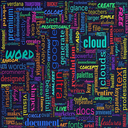

Word Cloud Ultra
Transform Google Docs™ text into stunning, colorful word cloud visualizations instantly.
정보 업데이트:2026년 10월 24일
호환 기기:
197


개요
Word Cloud Ultra for Google Docs™ - Professional Text Visualization Tool
Transform your documents into beautiful, insightful word clouds with one click!
Word Cloud Ultra is the premier word cloud generator for Google Docs™, designed to help writers, researchers, educators, and professionals visualize text patterns and identify key themes in their documents. Create stunning, publication-ready word clouds directly from your Google Docs™ content.
✨ Key Features
🎨 Multiple Text Sources

Generate from entire document
Extract from current page
Use selected text only
Perfect for analyzing specific sections

📊 Smart Word Analysis

Automatic frequency detection
Intelligent stopword filtering
Custom word exclusion lists
Support for up to 500 words

🎭 Beautiful Visualizations

8+ premium shapes (cloud, star, diamond, tree, lightning, oval, circle)
6 curated color palettes (sunset, ocean, forest, pastel, monochrome)
Random font mixing for creative designs
Vertical & horizontal text orientations
Customizable font sizes (8-120px)

💎 Premium Features

High-resolution exports (3200x2400px)
Custom color palettes
10+ professional fonts
Advanced shape layouts
Manual word weighting
Custom stopword lists
Save and reuse presets

⚡ Fast & Easy to Use

Instant generation
Real-time preview
One-click PNG download
No technical skills required
Works entirely within Google Docs™

🎯 Perfect For
Educators & Students

Analyze essays and research papers
Visualize reading comprehension
Create engaging presentations
Study vocabulary patterns

Content Creators & Writers

Identify overused words
Analyze writing style
Create social media graphics
Enhance blog posts

Business Professionals

Visualize meeting notes
Present survey results
Create infographics
Analyze customer feedback

Researchers & Analysts

Text mining and analysis
Qualitative data visualization
Literature reviews
Presentation materials

🔒 Privacy & Security

All processing happens locally
No data sent to external servers
Works offline after initial load
Respects Google Workspace security

💰 Flexible Licensing

3-day FREE trial with all premium features
One-time purchase - no subscriptions
Email-based license activation
Lifetime updates included

🚀 How It Works

Install - Add Word Cloud Ultra to your Google Docs™
Select - Choose text from document, page, or selection
Customize - Pick colors, shapes, and fonts
Generate - Create your word cloud instantly
Download - Export as high-resolution PNG

📈 SEO Keywords
word cloud, text visualization, word frequency, Google Docs add-on, document analysis, text analysis, word counter, content visualization, word art, typography generator, text mining, data visualization, document tools, writing tools, content analysis
🆘 Support & Updates

Regular feature updates
Responsive customer support
Comprehensive documentation
Active development

⭐ Why Choose Word Cloud Ultra?
Unlike online word cloud generators that require copying text and uploading to third-party websites, Word Cloud Ultra works directly inside Google Docs™. Your content never leaves Google's secure environment. No copy-paste, no uploads, no privacy concerns.
Generate professional word clouds in seconds, not minutes!

Technical Details

Category: Productivity, Education, Business Tools
Platform: Google Docs™ Add-on
Pricing: Freemium (3-day trial, then one-time purchase)
Languages: English
File Formats: PNG export

Legal
Google Docs™ is a trademark of Google LLC.
추가정보



검색
검색어 지우기
검색 닫기
Google 앱
기본 메뉴