
Google Workspace Marketplace


WordFokus - Distraction-Free Writing for Docs
Stop going back to edit. WordFokus helps you keep writing your first draft in Google Docs™.
Listing updated:September 15, 2026
Works with:
11K+



Overview
Stop Rewriting the Same Paragraph Five Times. Start Finishing Your Drafts.

Do you spend hours stuck on a single paragraph in Google Docs™? Do you endlessly revise and delete, watching your word count barely move? Your inner editor keeps demanding perfection before you have a draft to work with.

WordFokus helps you stop going back to edit while you're writing your first draft. By blurring or hiding earlier text, it reduces the temptation to reread, rewrite, and delete before your ideas reach the page.

Choose how much of your recent writing stays visible. Blur Mode softens earlier text, Ghost Mode hides it from view, and Typewriter Mode keeps your current line centered. Find the focus mode that helps you keep going.

This Google Docs™ add-on also brings a Pomodoro writing timer, word count goals, and writing analytics into your distraction-free writing sessions. Set yourself a target, get your ideas down, and return to editing when you're ready.

WHAT YOU GET FOR FREE

✍️ Blur Mode: Keep your recent writing sharp while gently blurring earlier text. Stay aware of the context without getting pulled back into revising every paragraph.

⏱️ Pomodoro Writing Timer: Turn writing time into focused, 25-minute writing sprints with scheduled breaks. Give your next chapter, essay, or article a manageable starting point.

🎯 Word Count Goals: Set a target for each writing session and follow your progress as you type. Work toward the next few hundred words, one session at a time.

📊 Basic Writing Analytics: Track word counts, writing time, and daily activity streaks in your personal dashboard. See the progress that is easy to overlook while a draft is still taking shape.

GO FURTHER WITH WORDFOKUS PRO

👻 Ghost Mode: Break the write-edit-delete cycle. Earlier words disappear from view as you write, leaving a small window of recent text to keep your attention moving forward. Adjust how much stays visible. Your words are hidden, not deleted.

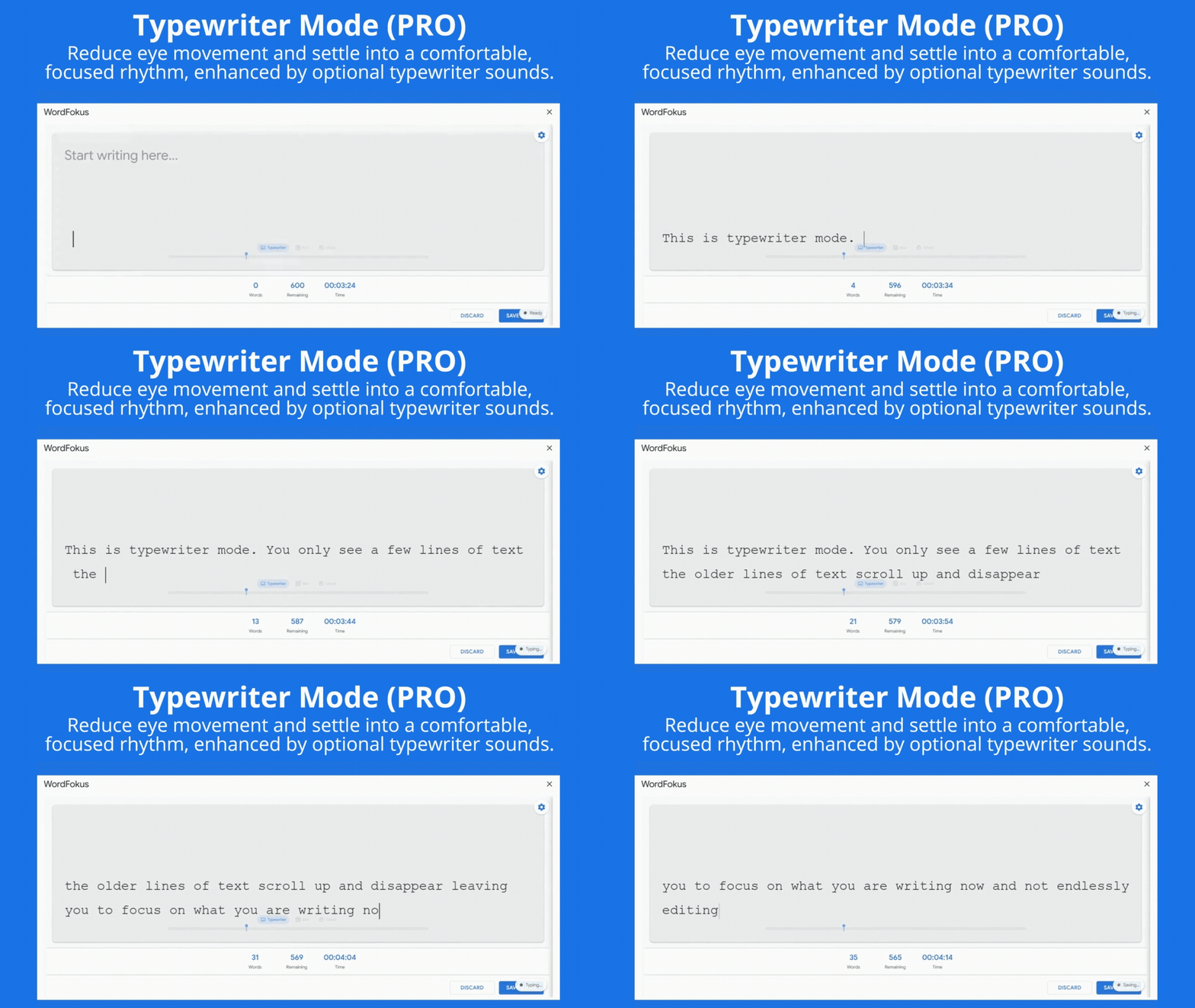
⌨️ Typewriter Mode: Keep your current line centered in the WordFokus writing area. Adjust the surrounding lines you can see and add optional typewriter sounds to settle into your writing rhythm.

🚀 Momentum System: Get visual feedback on your writing rhythm as you type. Use it as a cue to keep your session moving.

📈 Advanced Analytics & Trends: Explore your word count history and writing patterns over time. Find your most productive days and see how consistently you return to the page.

⚙️ Customization: Choose additional fonts, adjust focus windows, and customize Pomodoro work and break intervals to suit your writing sessions.

HOW WORDFOKUS WORKS

1. Open your document in Google Docs™ on a desktop browser.
2. Launch WordFokus from the Extensions menu.
3. Choose a focus mode, set a word count goal, and start writing in the WordFokus writing area.
4. Use the Pomodoro timer if you want a timed writing sprint.
5. Click Save & Exit to add your session's writing to your document.

Your writing session fits into your Google Docs™ workflow, with your draft ready to continue editing after you save.

BUILT FOR WRITERS WHO WANT TO FINISH

• Novelists and screenwriters working through first drafts.
• Students and academics drafting essays, dissertations, and research papers.
• Bloggers, journalists, and copywriters writing to a deadline.
• Anyone whose writing stalls because they keep editing the sentence they just wrote.

Whether you're working through writer's block, trying freewriting, or building a regular writing habit, WordFokus gives you tools to focus on getting your ideas down.

START FREE. UPGRADE WHEN YOU WANT MORE.

The free tier includes Blur Mode, the standard Pomodoro timer, session word count goals, and basic writing analytics. No credit card required.

PRO adds Ghost Mode, Typewriter Mode, the Momentum System, advanced analytics, and additional customization.

Install WordFokus and start your next focused writing session in Google Docs™. Give yourself a draft you can finish, then a draft you can improve.

Google Docs™ is a trademark of Google LLC.
Additional information
sell
PricingFree of charge with paid features
code
Developer
email
Support
lock
Privacy policy
description
Terms of service
flag
ReportFlag as inappropriate


Search
Clear search
Close search
Google apps
Main menu