
Google Workspace Marketplace


Workia for Gmail™
Seamlessy manage your Workia mobility cases and communications from Gmail™.
बनाने वाली कंपनी:
लिस्टिंग को पिछली बार अपडेट किया गया:24 दिसंबर 2025
इनके साथ काम करता है:
कोई समीक्षा नहीं है
10



अवलोकन
Workia for Gmail™: Streamline Global Mobility Management Directly from Your Inbox

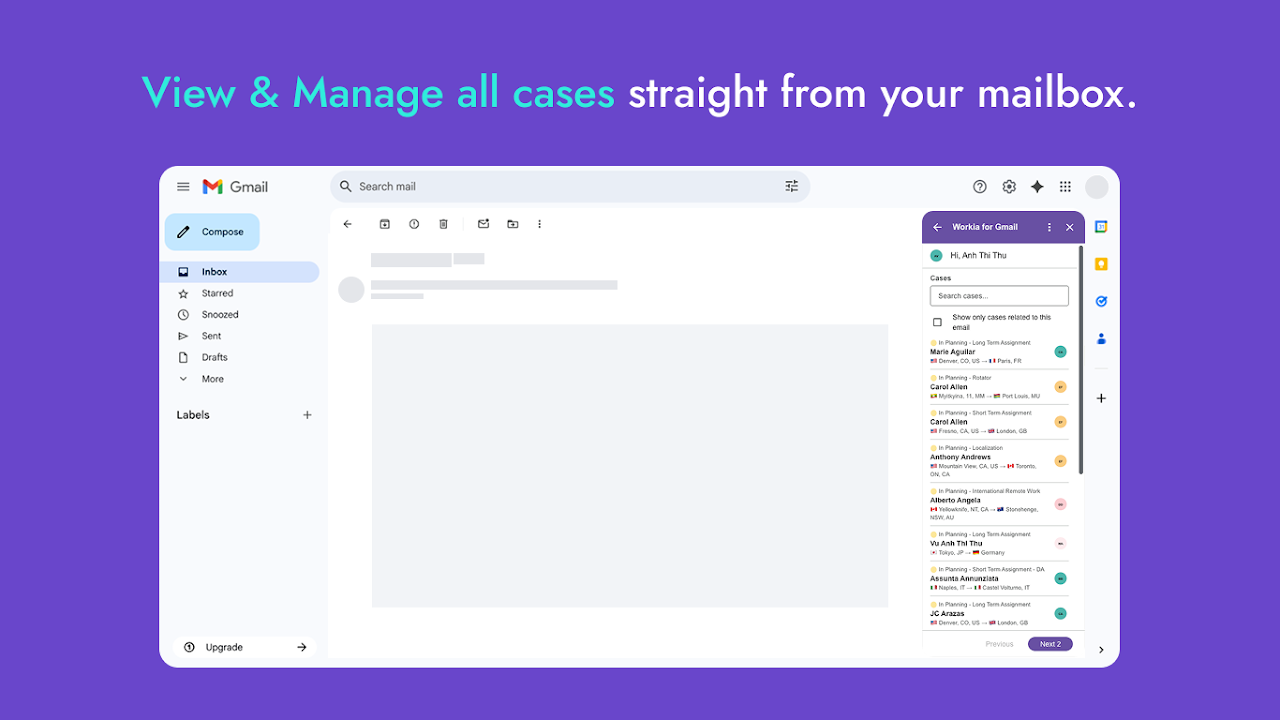
The Workia for Gmail™ add-on is designed to empower global mobility professionals by seamlessly integrating your Workia case management and task tracking directly within your Gmail™ experience. Say goodbye to constant tab switching and hello to enhanced productivity and efficiency.

Key Features & Benefits:

- Centralized Case Management: View and update critical case details, assignee information, and status updates for all your global mobility assignments without ever leaving your email.
- Effortless Task Tracking: Create, assign, and manage tasks related to relocation workflows, immigration processes, and international employee movement directly from an email context.
- Contextual Insights: Instantly access relevant Workia data for any email, allowing you to respond faster and make informed decisions.
Reduce Context Switching: Stay focused on your communications while keeping your mobility operations moving forward, all within your familiar Gmail™ interface.
- Improve Workflow Efficiency: Quickly log activities, update timelines, and collaborate with your team, ensuring cross-border operations run smoothly and compliantly.

If you're a global mobility professional relying on Workia to manage complex international assignments and employee relocations, this add-on is an indispensable tool to boost your daily productivity and ensure seamless cross-border operations.

Getting Started:

1. Install the Workia for Gmail™ add-on from the Google Workspace Marketplace.
2. Open any email in Gmail™.
3. Click the Workia icon in the Gmail™ sidebar to access your integrated case and task management tools.
4. Log in with your existing Workia email (already linked to gmail in system) to connect your account and start managing your mobility workflows directly from your inbox.
अतिरिक्त जानकारी
sell
कीमतबिना किसी शुल्क के
code
डेवलपर
व्यापारी नहीं है
email
सहायता
lock
निजता नीति
description
सेवा की शर्तें
flag
शिकायत करेंआपत्तिजनक ऐप्लिकेशन की शिकायत करें


खोजें
खोज हटाएं
खोज बंद करें
Google ऐप
मुख्य मेन्यू