
Google Workspace Marketplace


Workia for Gmail™
Seamlessy manage your Workia mobility cases and communications from Gmail™.
Oleh:
Listingan diperbarui:24 Desember 2025
Berfungsi dengan:
Tidak ada ulasan
10



Ringkasan
Workia for Gmail™: Streamline Global Mobility Management Directly from Your Inbox

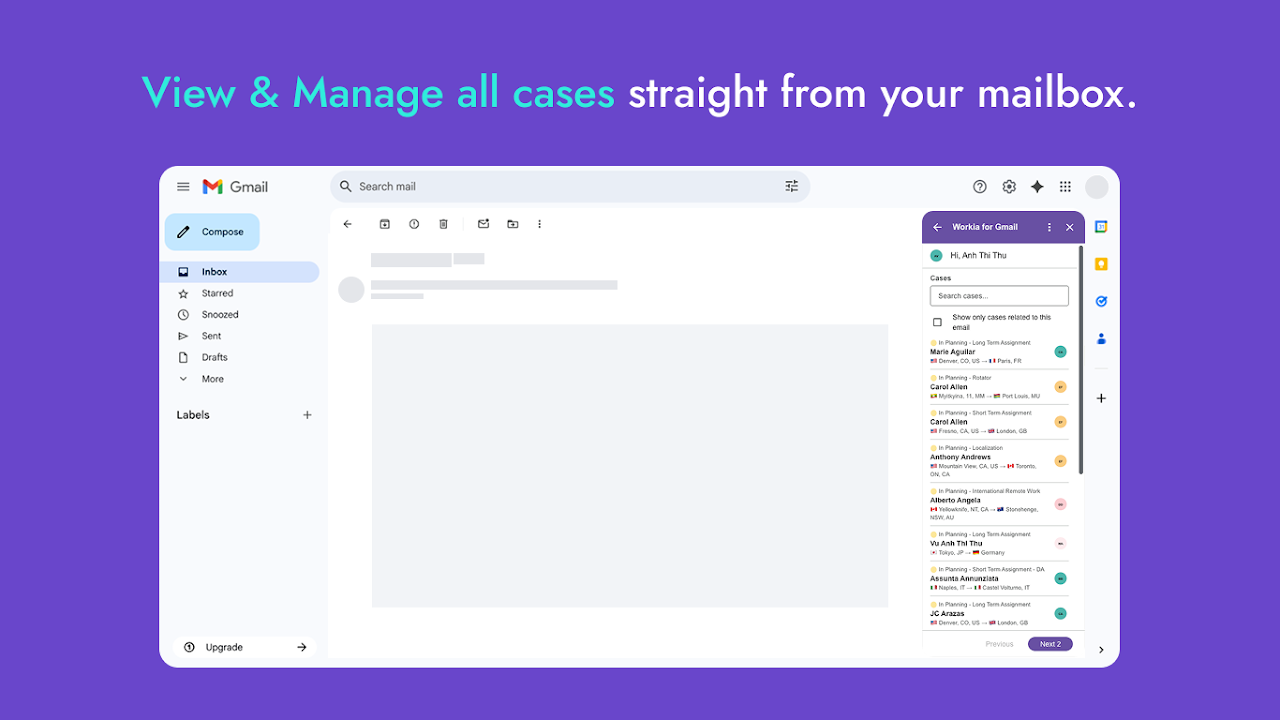
The Workia for Gmail™ add-on is designed to empower global mobility professionals by seamlessly integrating your Workia case management and task tracking directly within your Gmail™ experience. Say goodbye to constant tab switching and hello to enhanced productivity and efficiency.

Key Features & Benefits:

- Centralized Case Management: View and update critical case details, assignee information, and status updates for all your global mobility assignments without ever leaving your email.
- Effortless Task Tracking: Create, assign, and manage tasks related to relocation workflows, immigration processes, and international employee movement directly from an email context.
- Contextual Insights: Instantly access relevant Workia data for any email, allowing you to respond faster and make informed decisions.
Reduce Context Switching: Stay focused on your communications while keeping your mobility operations moving forward, all within your familiar Gmail™ interface.
- Improve Workflow Efficiency: Quickly log activities, update timelines, and collaborate with your team, ensuring cross-border operations run smoothly and compliantly.

If you're a global mobility professional relying on Workia to manage complex international assignments and employee relocations, this add-on is an indispensable tool to boost your daily productivity and ensure seamless cross-border operations.

Getting Started:

1. Install the Workia for Gmail™ add-on from the Google Workspace Marketplace.
2. Open any email in Gmail™.
3. Click the Workia icon in the Gmail™ sidebar to access your integrated case and task management tools.
4. Log in with your existing Workia email (already linked to gmail in system) to connect your account and start managing your mobility workflows directly from your inbox.
Informasi tambahan
sell
HargaTanpa biaya
code
Developer
Non-pedagang
email
Dukungan
lock
Kebijakan privasi
description
Persyaratan layanan
flag
LaporkanTandai sebagai tidak pantas

Telusuri
Hapus penelusuran
Tutup penelusuran
Aplikasi Google
Menu utama