
Google Workspace Marketplace


Worktual for Google Workspace™
Use Worktual to easily schedule, start or join meeting, and view the upcoming meetings list from the Gmail™ and Google Calendar™
Listing updated:14 iunie 2024
Works with:

No reviews
91


Prezentare generală
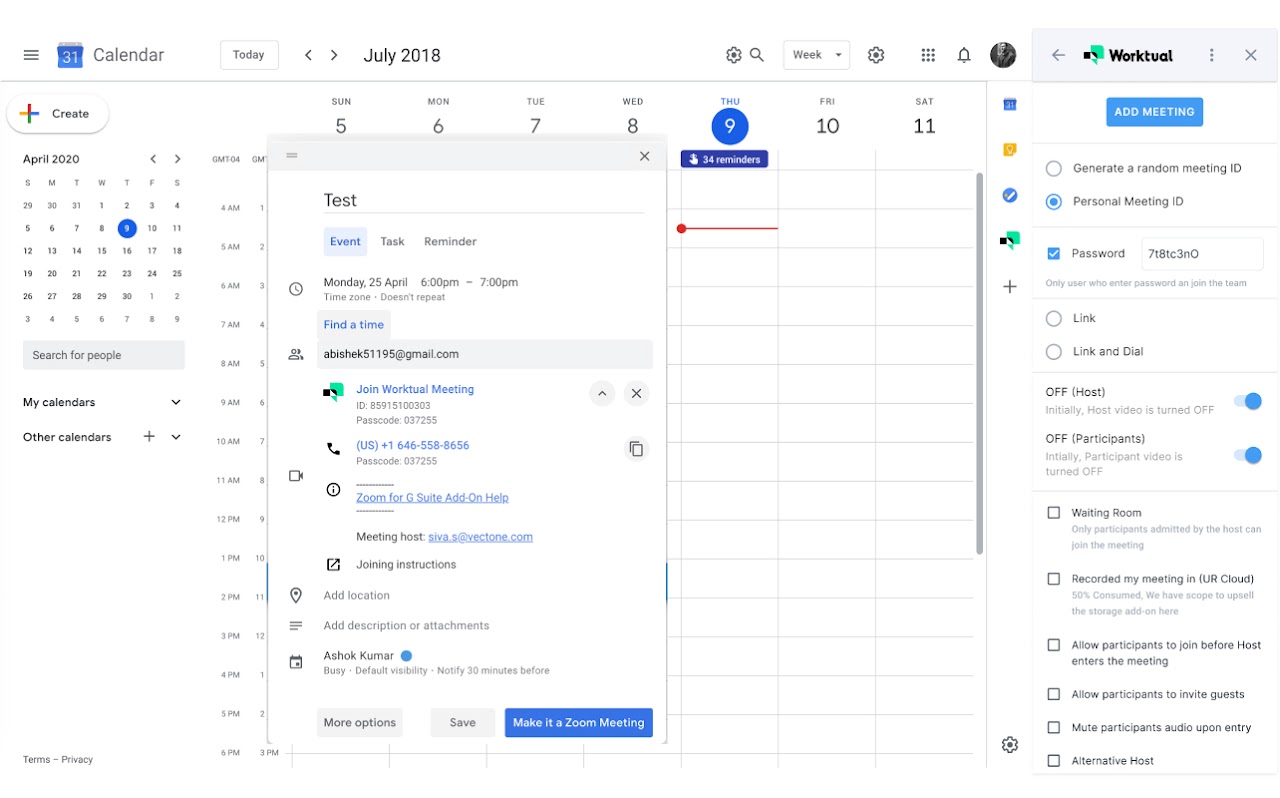
With Worktual Addon, users can now instantly start or join a video meeting with high-quality audio and video, screen sharing, whiteboard, recordings, virtual backgrounds, view the recent call history of the logged-in user, and the profile information. Worktual will automatically sync the meetings created with your Google Calendar™.

Integrating with Google Workspace™ streamlines business communications and improves productivity among the teams across all the functions as it no longer requires the user to switch between multiple applications to access the key business functionalities and information.

This integration provides limited features to the Google Workspace™ users and depends upon the main account (Web application) for full functionality. Starting an instant meeting or joining a scheduled meeting directs you to the Worktual Web application – Active Meeting screen. If you are already logged-in, then the application will load the Meeting screen. If not, you have to login to the application and then navigate to the meetings tab.

This integration is seamless and easy to use, and does not require any third-party tools or services.

The key features include:

•  Easily schedule the planned and impromptu meetings, view upcoming
       meetings, and start or join meetings directly from Gmail™  and Google
       Calendar™
•  Join the Worktual meeting from within Google Calendar™.
•  Users can surface contextual information of contacts from their Gmail™
     message threads.
•  Users can view their call history information with time.

Pre-requisites :
 • Worktual Google Workspace™ Add-on is available to the customers with
     Growth or Enterprise Subscriptions
• Require an active Worktual Account
• Require a Gmail™ account

i)  Google Workspace™ are trademarks of Google LLC.
Additional information
sell
PricingPaid
code
Developer
email
Asistență
lock
Politica de confidențialitate
description
Condiții de furnizare a serviciilor
flag
RaporteazăFlag as inappropriate




Căutare
Șterge căutarea
Închide căutarea
Aplicații Google
Meniu principal