
Google Workspace Marketplace


Zoho CRM for Gmail™
Zoho CRM is a flexible cloud-based CRM for your business that helps you attract, retain and delight customers.
Ultimo aggiornamento scheda:12 ottobre 2026
Compatibile con:
246K+



Panoramica
A quick way to manage and add leads, contacts and deals to Zoho CRM from Gmail™.

Highlights:

• Create new leads, contacts and deals right from Gmail™.
• See complete lead/contact/deal detail when you open a mail.

⦿ Manage your Zoho CRM from Gmail™.

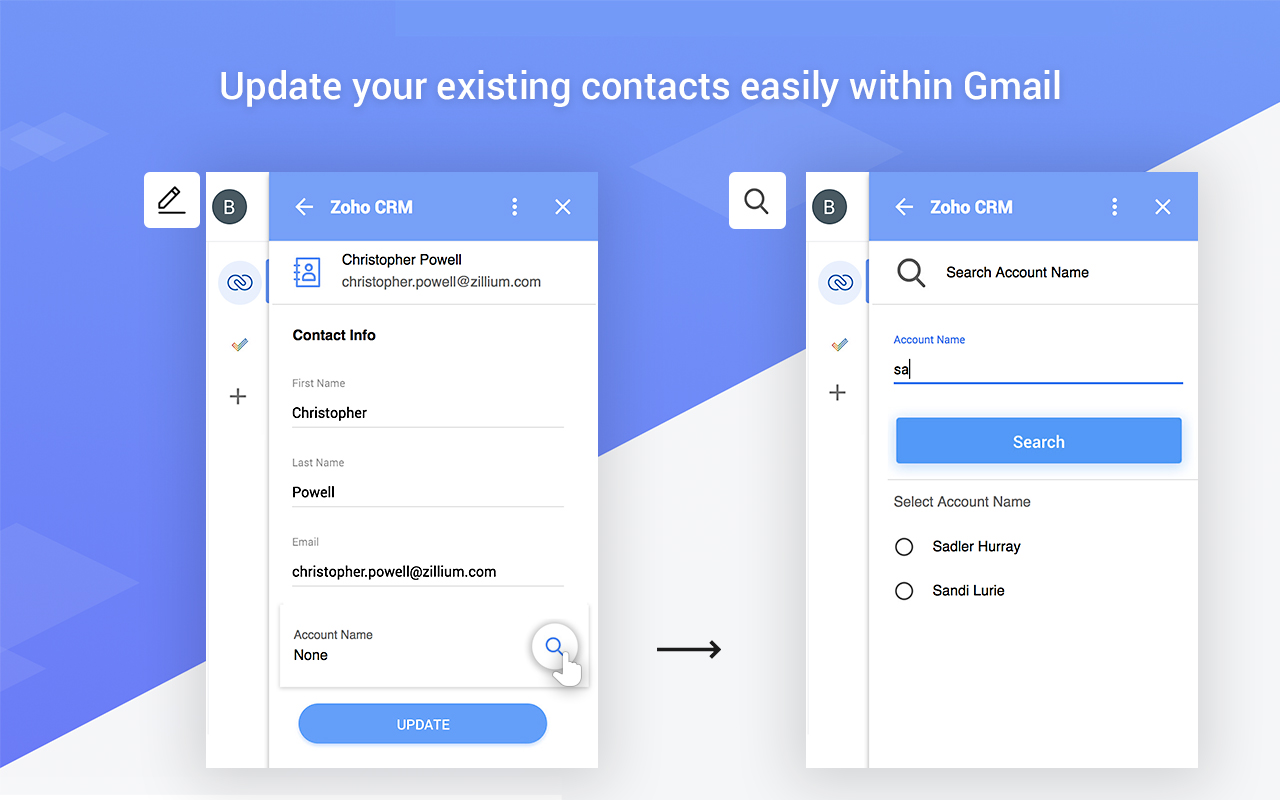
Why switch windows when you can manage your CRM from within your inbox in Gmail™. Zoho CRM for Gmail™ shows you a complete customer profile immediately upon opening an email from the customer. Instantly view customers’ contact information without opening Zoho CRM. You can create new Contacts, Leads and Deals allowing you to keep better track of prospective deals and customers.

⦿ Keep track of all your information.

It's easy to use interface helps you see all the information when you need it.

⦿ Make the most out of your CRM investment.

Increase your ROI by entering timely and accurate information about your leads, contacts and deals in your CRM system.
Informazioni aggiuntive
sell
PrezziSenza costi
code
Sviluppatore
email
Assistenza
lock
Norme sulla privacy
description
Termini di servizio
flag
SegnalaSegnala come inappropriata



Ricerca
Cancella ricerca
Chiudi ricerca
App Google
Menu principale