
Google Workspace Marketplace


Zumpul email signature marketing tool
Centrally manage, standardize and update Gmail™ signatures for your whole Google Workspace™ domain — by department, OU or location. 14-day free trial, no credit card.
Listingan diperbarui:10 November 2026
280 rb+



Ringkasan
One signature standard for your entire Google Workspace™ domain, managed from one place.

Zumpul lets Google Workspace™ admins and marketing teams design professional email signatures and apply them to everyone — or to specific departments, organizational units or locations — without asking anyone to copy and paste.

What you can do
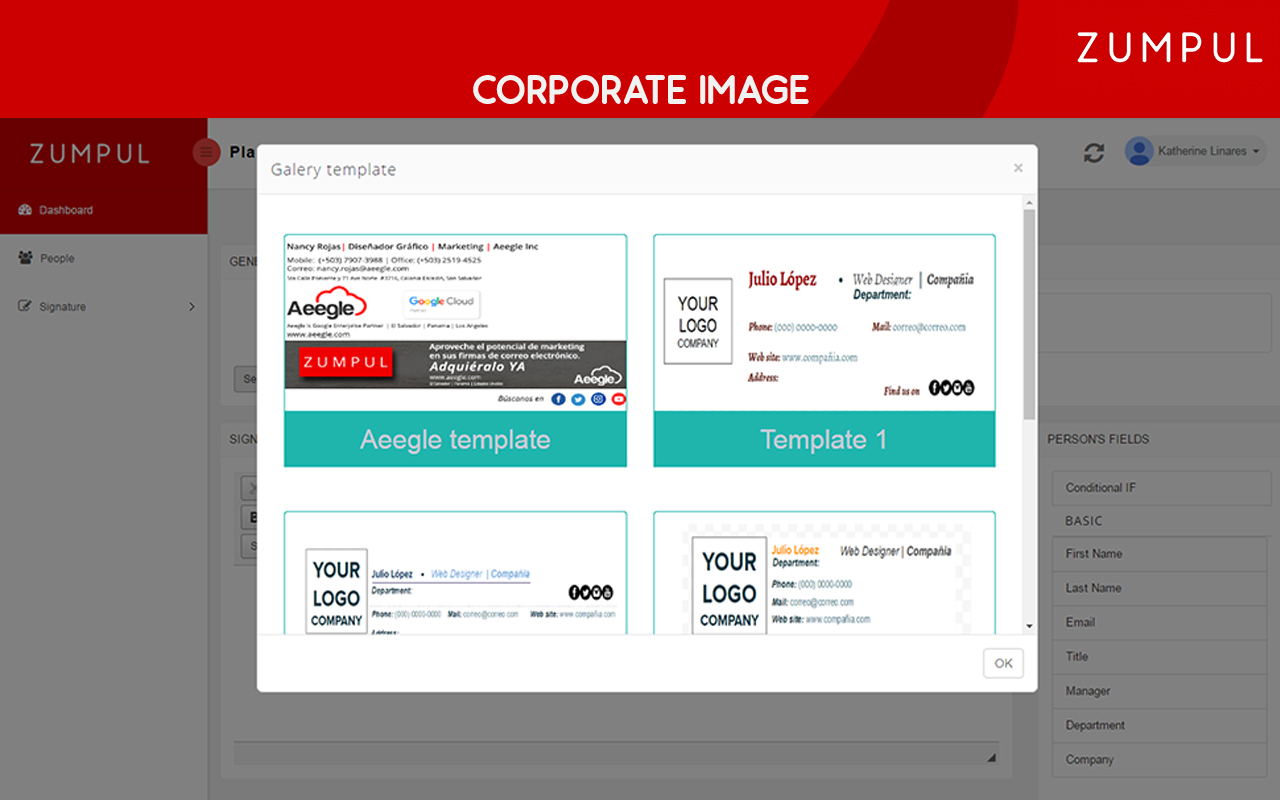
- Design visually or in HTML: drag & drop editor, template gallery or your own HTML.
- Apply signatures by department, organizational unit or location from a central console.
- Sync user data automatically: name, job title and phone come from the Google Workspace™ directory.
- Keep control: the official signature is re-applied automatically.
- Promote campaigns with a banner in every signature.

A Google Workspace™ super admin installs Zumpul for the domain. Zumpul does not work with personal consumer Google accounts (for example, @gmail.com). It reads the domain directory to fill signatures and uses the Gmail™ settings API to set each user's signature.

Paid plans and a 14-day free trial (no credit card required) are listed at https://www.zumpul.com/pricing.

Support: https://support.zumpul.com/portal/en/home

Google Workspace™ and Gmail™ are trademarks of Google LLC.
Informasi tambahan
sell
HargaBerbayar
code
Developer
email
Dukungan
lock
Kebijakan privasi
description
Persyaratan layanan
flag
LaporkanTandai sebagai tidak pantas






Telusuri
Hapus penelusuran
Tutup penelusuran
Aplikasi Google
Menu utama