
Google Workspace Marketplace


Zush AI Renamer
Batch rename Google Drive™ files with clear AI names you review first.
วันที่อัปเดตข้อมูล:27 กรกฎาคม 2569
ใช้งานได้กับ
ไม่มีรีวิว
39


ภาพรวม
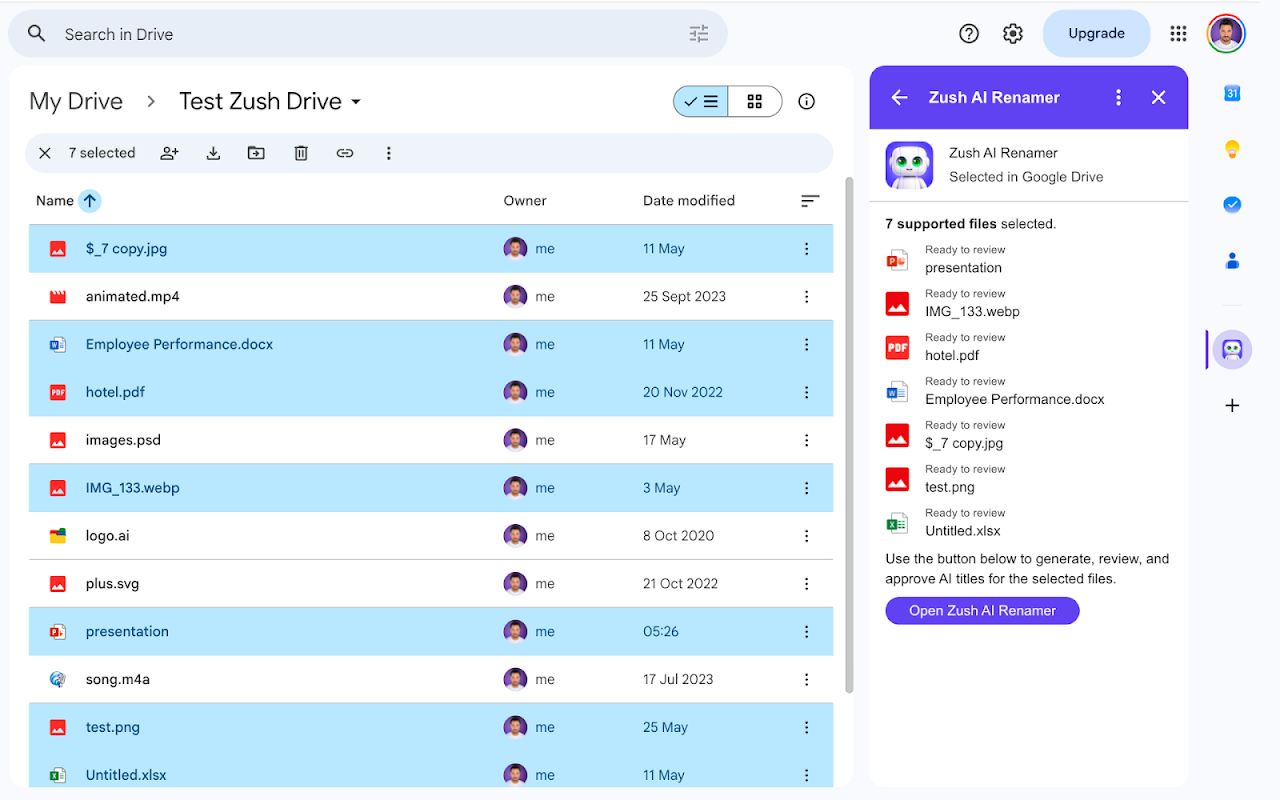
Zush turns unclear filenames into titles you can understand at a glance. Select up to 50 files with Open with → Zush AI Renamer, or launch Zush from the Google Workspace™ apps menu and use its secure Google Picker™. Review and edit every suggested title before anything changes.

Batch rename up to 50 files at once. Zush is built for the folders that pile up: screenshots, exports named IMG_1234, invoices, PDFs and Untitled documents. It reads each file, suggests a clear name, and leaves the decision to you, so organizing a year of downloads stops being a manual chore.

Zush works with Google Docs™, Google Sheets™ and Google Slides™; Microsoft Word, PowerPoint and Excel files; PDFs, text and data files; and common image formats.

Zush can only open the files you pick through Open with or the Google Picker™. The per-file drive.file permission enforces that boundary, so Zush never lists, crawls, monitors, or analyzes anything else in your Google Drive™. File content is processed in memory and never stored. Encrypted job metadata expires after 24 hours. Zush never renames without your approval.

Selected content is sent to Gemini™ solely to create a title. Storage is disabled, and Google user data is not used or transferred to train or improve generalized AI or machine-learning models.

The free trial includes 50 lifetime successful renames.

Google Drive™, Google Docs™, Google Sheets™, Google Slides™, Google Workspace™, Google Picker™ and Gemini™ are trademarks of Google LLC.
ข้อมูลเพิ่มเติม
sell
ราคาช่วงทดลองใช้แบบไม่มีค่าใช้จ่าย
code
นักพัฒนาซอฟต์แวร์
email
การสนับสนุน
lock
นโยบายความเป็นส่วนตัว
description
ข้อกำหนดในการให้บริการ
flag



ค้นหา
ล้างการค้นหา
ปิดการค้นหา
แอป Google
เมนูหลัก