
Google Workspace Marketplace


Zush AI Renamer
Batch rename Google Drive™ files with clear AI names you review first.
Nhà phát triển:
Đã cập nhật trang thông tin:27 tháng 7, 2026
Hoạt động với:
Chưa có bài đánh giá
39


Tổng quan
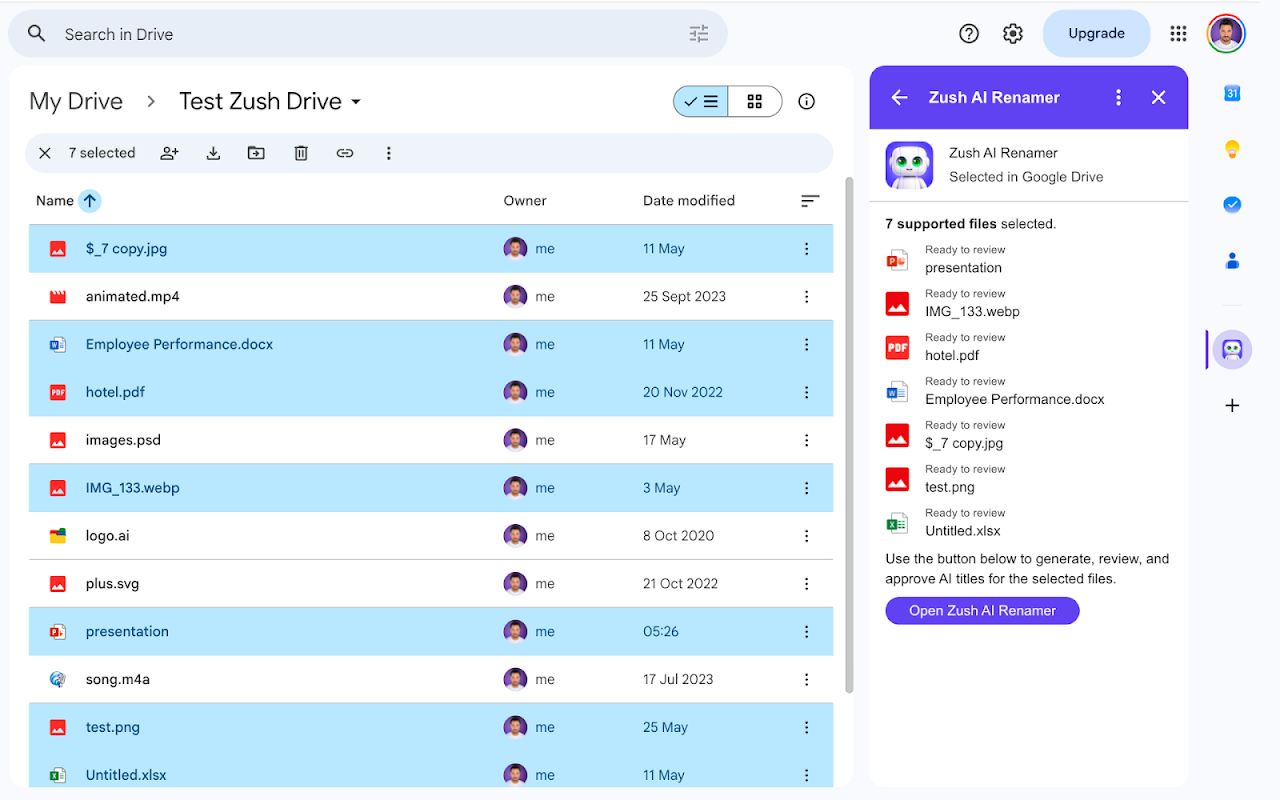
Zush turns unclear filenames into titles you can understand at a glance. Select up to 50 files with Open with → Zush AI Renamer, or launch Zush from the Google Workspace™ apps menu and use its secure Google Picker™. Review and edit every suggested title before anything changes.

Batch rename up to 50 files at once. Zush is built for the folders that pile up: screenshots, exports named IMG_1234, invoices, PDFs and Untitled documents. It reads each file, suggests a clear name, and leaves the decision to you, so organizing a year of downloads stops being a manual chore.

Zush works with Google Docs™, Google Sheets™ and Google Slides™; Microsoft Word, PowerPoint and Excel files; PDFs, text and data files; and common image formats.

Zush can only open the files you pick through Open with or the Google Picker™. The per-file drive.file permission enforces that boundary, so Zush never lists, crawls, monitors, or analyzes anything else in your Google Drive™. File content is processed in memory and never stored. Encrypted job metadata expires after 24 hours. Zush never renames without your approval.

Selected content is sent to Gemini™ solely to create a title. Storage is disabled, and Google user data is not used or transferred to train or improve generalized AI or machine-learning models.

The free trial includes 50 lifetime successful renames.

Google Drive™, Google Docs™, Google Sheets™, Google Slides™, Google Workspace™, Google Picker™ and Gemini™ are trademarks of Google LLC.
Thông tin bổ sung
sell
GiáDùng thử không mất phí
code
Nhà phát triển
email
Hỗ trợ
lock
Chính sách quyền riêng tư
description
Điều khoản dịch vụ
flag
Báo cáoĐánh dấu là không phù hợp



Tìm kiếm
Xóa nội dung tìm kiếm
Đóng tìm kiếm
Các ứng dụng của Google
Trình đơn chính