
Google Workspace Marketplace


Zynth.ai – AI Presentation and Slide Builder
Create, build, edit, and enhance your presentations directly inside Google Slides™ with AI-powered content, design, and visuals—built for speed, quality, and collaboration.
Listing updated:১১ ফেব্রুয়ারি, ২০২৬
Works with:
৩৬৯




এক নজরে
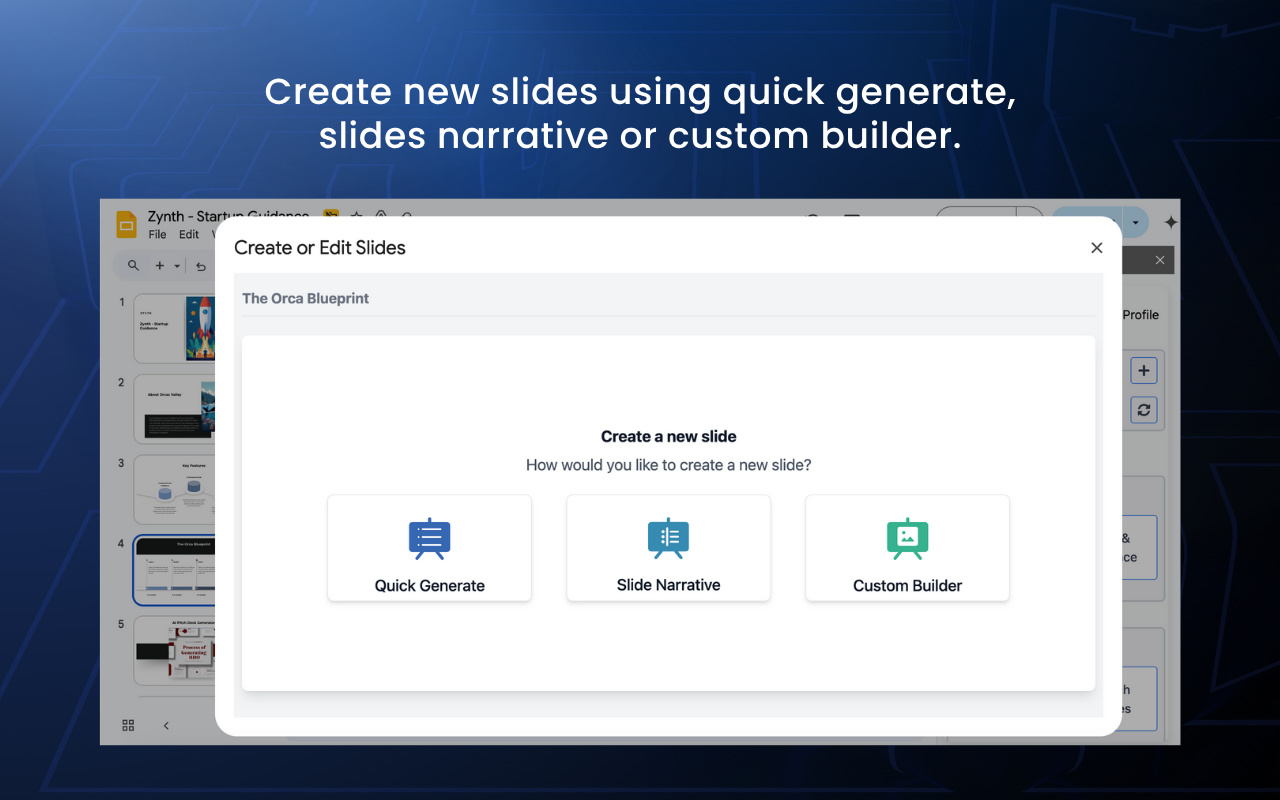
Zynth.ai is your all-in-one AI presentation builder inside Google Slides™—built to help you create, refine, and enhance presentations faster than ever. Whether you're creating a pitch deck, preparing a report, or building decks for clients, Zynth helps you go from draft to polished presentation with just a few clicks—no tab switching, no copy-pasting, no creative blocks. ⚡ What Can You Do with Zynth.ai? 🧠 Create Presentations from Scratch Start with a simple topic or prompt, and Zynth Presentation Builder will instantly generate a structured, professionally worded presentation—all within your current Slides file. 🧾 Add New Slides or Refine Existing Ones Need to expand your deck or improve a weak slide? Just tell Zynth what you want, and the AI Slide Builder will add or edit slides seamlessly in context. ✍️ Rewrite & Optimize Any Text Box Highlight text and use Zynth’s AI Slide Editor intelligent rewrite tool to shorten, expand, restructure, or change tone—whether it’s a heading, paragraph, or bullet list. 🖼️ Add Visuals with AI-Generated or Stock Images Insert contextually relevant images—either AI-generated or from stock libraries—based on the content or visual cues you specify. ----- ✅ Why Choose Zynth.ai Presentation Builder? - Stay in the Flow: All features work directly inside Google Slides™, so your productivity never gets interrupted. - Customize Your Output: Refine tone, structure, and creativity level to match your voice and audience. - Works for Any Use Case: Ideal for startups, consultants, educators, marketers, or enterprises looking to scale content creation. - Enterprise-Ready: Enable custom slide formats, branded templates, and team-wide integrations for organizations. ----- 🧑💻 How to Get Started: - Install Zynth.ai Presentation Builder from the Google Workspace™ Marketplace. - Open any presentation in Google Slides™. - Access Zynth from the Extensions menu and start generating or editing with AI. - Highlight text or select slides to start refining and creating instantly. ----- Whether you're creating a pitch deck, client deck, internal report, or training material, Zynth.ai Presentation and Slide Builder brings next-level speed and quality to your presentation workflow. 📥 Install now and unlock AI-powered productivity inside Google Slides™
Additional information
sell
PricingFree of charge with paid features
code
email
সমর্থন
lock
গোপনীয়তা নীতি
description
পরিষেবার শর্তাদি
flag
রিপোর্ট করুনFlag as inappropriate




সার্চ করুন
সার্চ মুছুন
সার্চ বন্ধ করুন
Google অ্যাপ্লিকেশানগুলি
প্রধান মেনু