
Google Workspace Marketplace

Fun Text
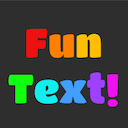
Applies fun effects to your text, such as Rainbow, Growing, Upside down, and much more.
Works with:
2M+


Overview
Fun Text is a simple word art add-on that applies fun visual effects to your text. To use, select the text you want to apply an effect to and then select an effect from the Fun Text menu. Effects can be undone using the Google Docs undo button or Command/Control+Z.

--------MOBILE APP--------

Also try Fun Text Mobile!

Fun Text Mobile is a mobile app based on Fun Text that features many of the same fun effects.

Get it on Android:
https://play.google.com/store/apps/details?id=com.gmail.thecodercatprojects.Fun_Text_Mobile

Get it on iOS:
https://apps.apple.com/us/app/fun-text-mobile/id1485134778

--------OTHER ADD-ONS--------

Also try Text Themes!

Text Themes is a simple add-on that applies fun visual themes to your text using a combination of coloring, emoji particles, and other text attributes.

Get it here:
https://gsuite.google.com/marketplace/app/text_themes/495538979571

Also try Bad Translator!

Bad Translator is a simple add-on that abuses Google Translate by force-feeding your text through the Translate algorithm into a random language multiple times, then back to your language.

Get it here:
https://gsuite.google.com/marketplace/app/bad_translator/306615442162

--------UPDATES--------

Version 1.9 has arrived! Here's what's new:

-Four new character effects: Weird, Stacked, Bubbled, and Blocked

-Updated the More... tab

-Bug fixes

This will probably be the last Fun Text update. There is most likely nothing else to add, and Text Themes needs all my attention right now. Don't worry, I will still continue to maintain Fun Text for as long as I can. Thank you all for your support.

--------FEATURES--------

The following effects are currently available:

Text/Highlight Color:
-Rainbow: makes the text rainbow colored
-Rainbow words: makes the non-whitespace characters rainbow colored
-Randomly colored: randomly colors each character
-Randomly colored words: randomly colors each non-whitespace character
-Repeating colors: creates a repeating pattern from the colors of the first few characters
-Repeating word colors: creates a repeating pattern from the colors of the first few non-whitespace characters
-Smooth rainbow: creates a rainbow gradient
-Fading: creates a gradient from the color of the first character to the document background color
-Transitioning color: creates a gradient from the color of the first character to the color of the last character
-Adjusted brightness: changes the text's brightness by the given percent
-Randomized brightness: randomly changes the brightness of each character by at most the given percent
-Reversed colors: reverses the left to right order of the colors in the text

Font Size:
-Growing: increases the font size from left to right
-Wobbly: makes the font size bounce up and down
-Randomly sized: randomly changes the font size of each character
-Repeating sizes: creates a repeating pattern from the font sizes of the first few characters
-Transitioning size: increases or decreases the font size from the size of the first character to the size of the last character
-Reversed sizes: reverses the left to right order of the font sizes in the text

BIUS (bold, italic, underline, strikethrough):
-Sequential BIUS: puts the BIUS of the text in an ABCD pattern
-Randomized BIUS: randomly changes the BIUS of each character
-Inverted BIUS: toggles the BIUS of each character
-Reversed BIUS: reverses the left to right order of the BIUS in the text

Superscript/Subscript:
-Alternating super/sub: superscripts or subscripts each character in an AB pattern
-Bouncing super/sub: superscripts or subscripts every other character in an AB pattern
-Randomized super/sub: randomly superscripts or subscripts each character
-Sporadic super/sub: randomly superscripts or subscripts half of the characters
-Inverted super/sub: superscripts each subscript character and subscripts each superscript character
-Reversed super/sub: reverses the left to right order of the superscript and subscript in the text

Case:
-Alternating case: capitalizes or lower cases each character in an AB pattern
-Randomized case: gives each character a random case
-Inverted case: capitalizes each lower case character and lower cases each capital character
-Reversed case: reverses the left to right order of the case in the text

Characters:
-Upside down: replaces each character with an upside down equivalent
-Enchanted: replaces each letter with a fancy symbol resembling it
-Asian: replaces each letter with an asian character resembling it
-Weird: replaces each letter with a bizarre decorative character resembling it
-Doublestruck: replaces each letter and number with a doublestruck equivalent
-Hacker: replaces some characters with a number or symbol equivalent
-Randomly accented: gives each letter a random accent
-Invisible ink: adds a blurring character after each character
-Stacked: Turns each word into a stack of vertically-rendered characters
-Demonic: randomly adds vertically-rendered symbols to each character
-Circled: puts a circle around each letter and number
-Boxed: puts a box around each letter
-Bubbled: puts a solid bubble around each letter
-Blocked: puts a solid block around each letter

Placement:
-Reversed: reverses the left to right order of the characters
-Reversed words: reverses the left to right order of the words
-Reversed chars per word: reverses the left to right order of the characters in each word
-Scrambled: puts the characters in a random order
-Scrambled words: puts the words in a random order
-Scrambled char per word: puts the characters in each word in a random order
-Diffusing: puts an increasing number of spaces between each character
-Diffusing words: puts an increasing number of spaces between each word
-Doubled: duplicates each character
-Doubled words: duplicates each word

Language:
-Gibberish: replaces each vowel, consonant, and digit with a random character of the same type
-Misspelled: randomly replaces letters with similar-sounding letters and chunks
-Morse code: translates the text to morse code
-Pig latin: translates the text to pig latin

If you have any ideas for new features, you can suggest them to me at thecodercatprojects@gmail.com. I'm always open to new ideas!
Additional information
sell
PricingNot available
code
Developer
Trader status unspecified
email
Support
lock
Privacy policy
description
Terms of service
flag
ReportFlag as inappropriate




Search
Clear search
Close search
Google apps
Main menu