Introdução ao Gemini no trabalho
Introdução ao Gemini no trabalho
Guia prático

Como o Gemini funciona
O Gemini turbina a sua produtividade
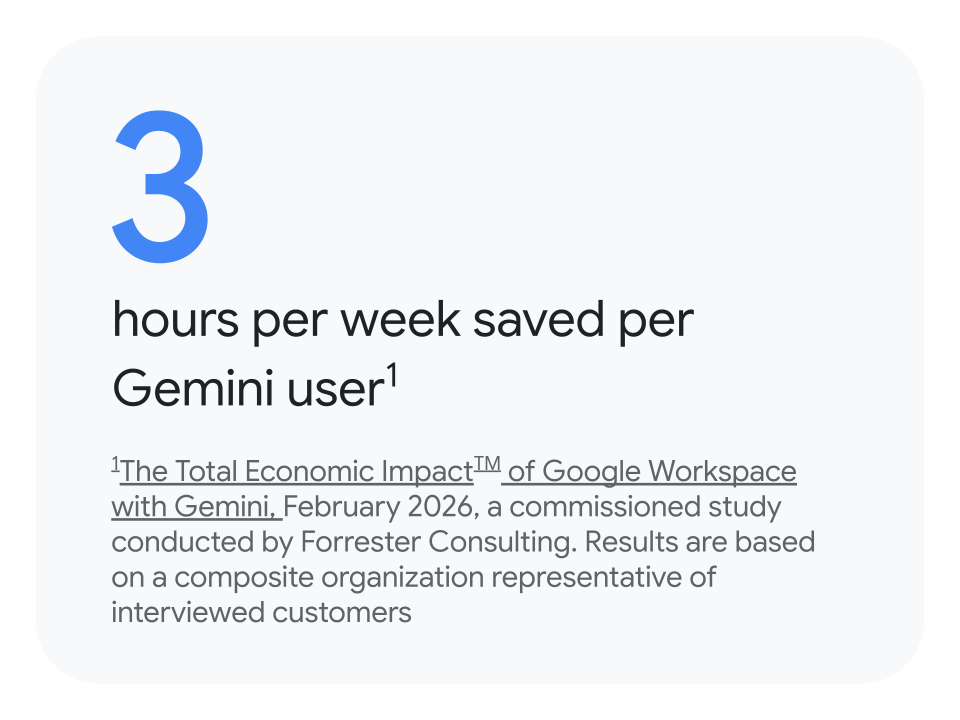
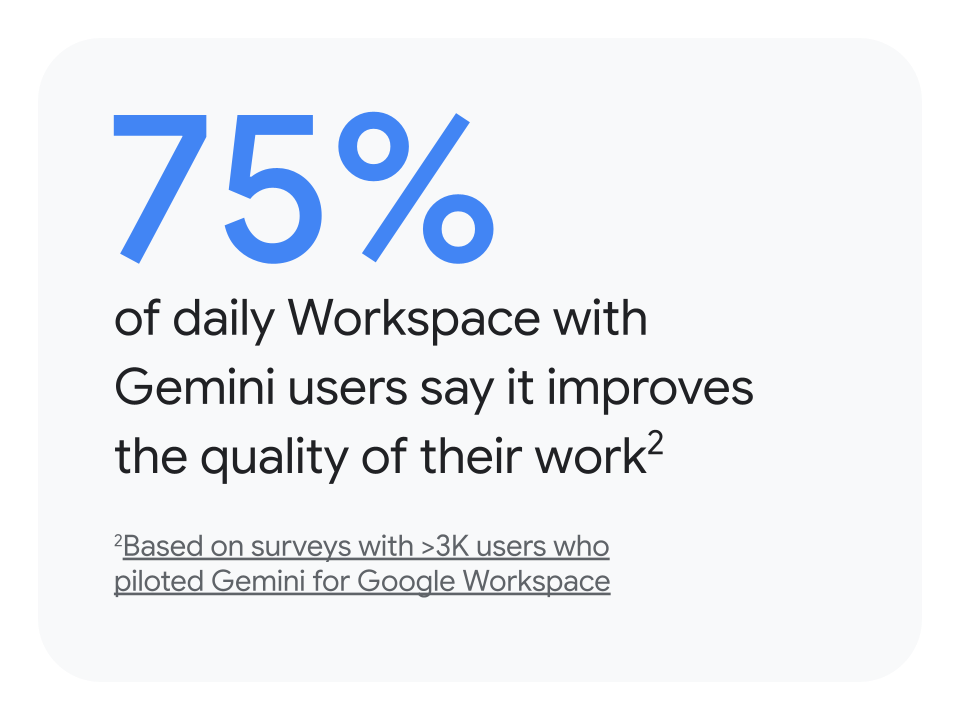
O Gemini é seu assistente com tecnologia de IA, pronto para aumentar sua produtividade e simplificar a colaboração no trabalho. Ele se integra totalmente ao Gmail, Docs, Planilhas e outros apps, com segurança e privacidade corporativas.
Onde encontrar o Gemini
App do Gemini
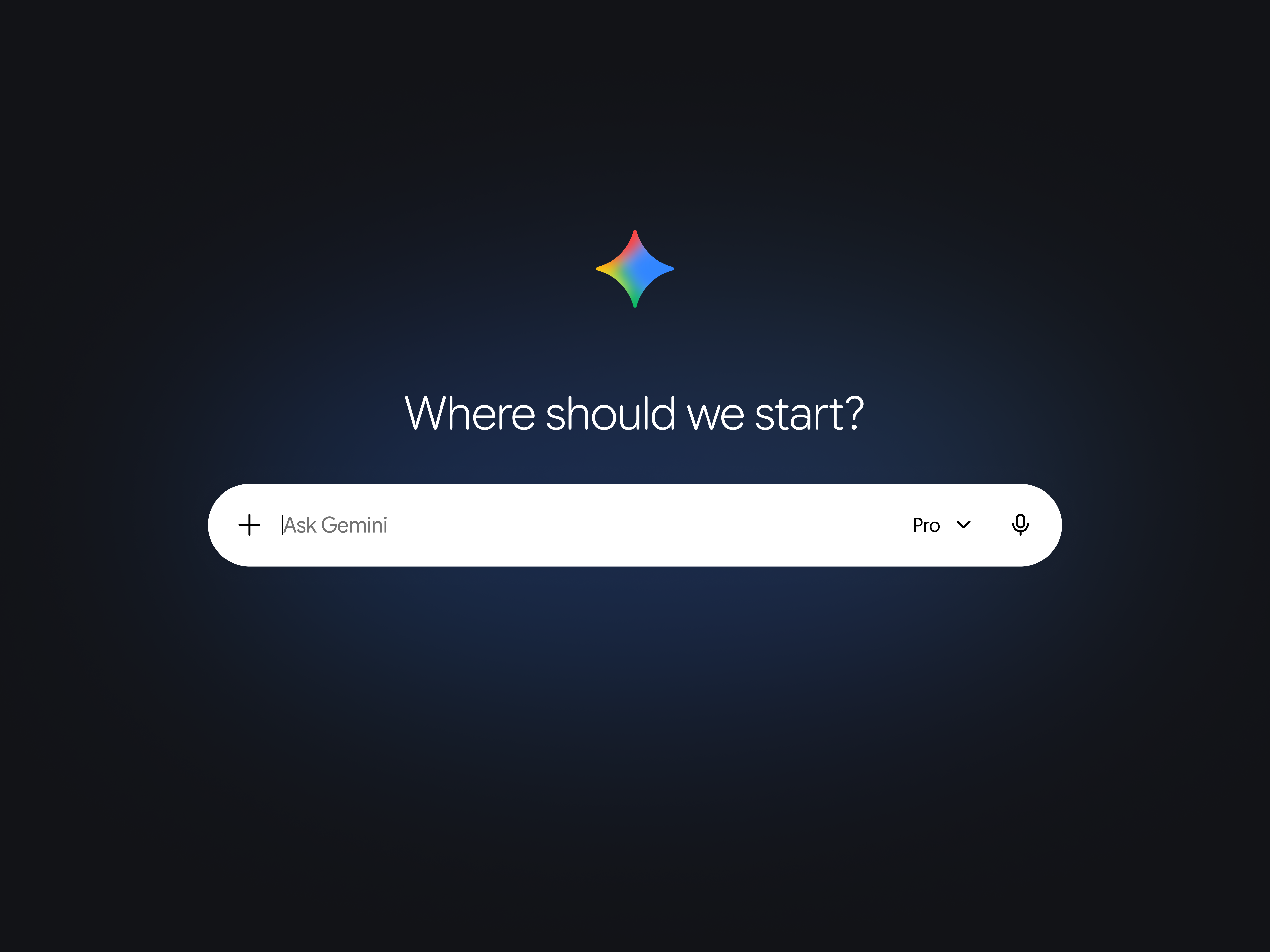
Sua ferramenta para criar com mais agilidade e pesquisar com mais profundidade quando você quiser. Seja para executar tarefas simples ou projetos complexos, encontre o que você precisa nos seus apps e na web.
Ideal para:
- Pesquisa de temas complexos
- Inspiração para novas ideias
- Geração de vídeos ou fotos com facilidade
- Criação de Gems para realizar tarefas específicas
Onde encontrar: gemini.google.com
Gemini Notebook
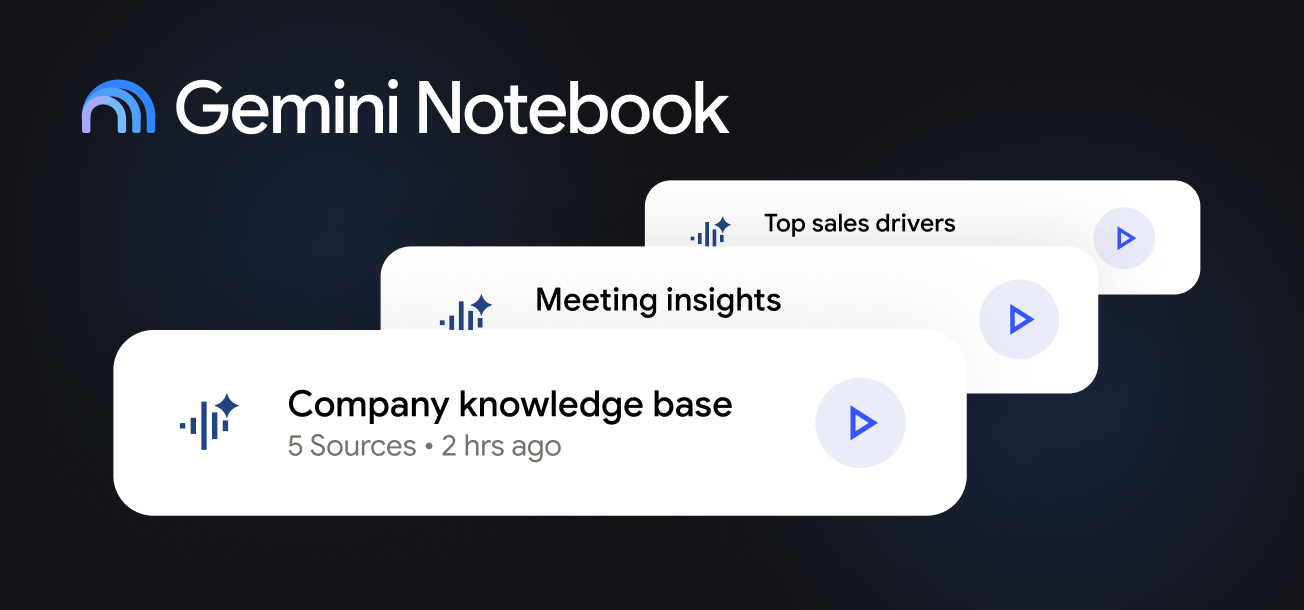
Seu especialista pronto para analisar e sintetizar grandes quantidades de documentos complexos quando você quiser.
Ideal para:
- Converter assuntos em novos formatos (infográficos, podcasts, mapas mentais)
- Encontrar informações em documentos extensos
- Criar bases de conhecimento sobre projetos e temas específicos
Onde encontrar: notebook.google.com
Gemini Enterprise
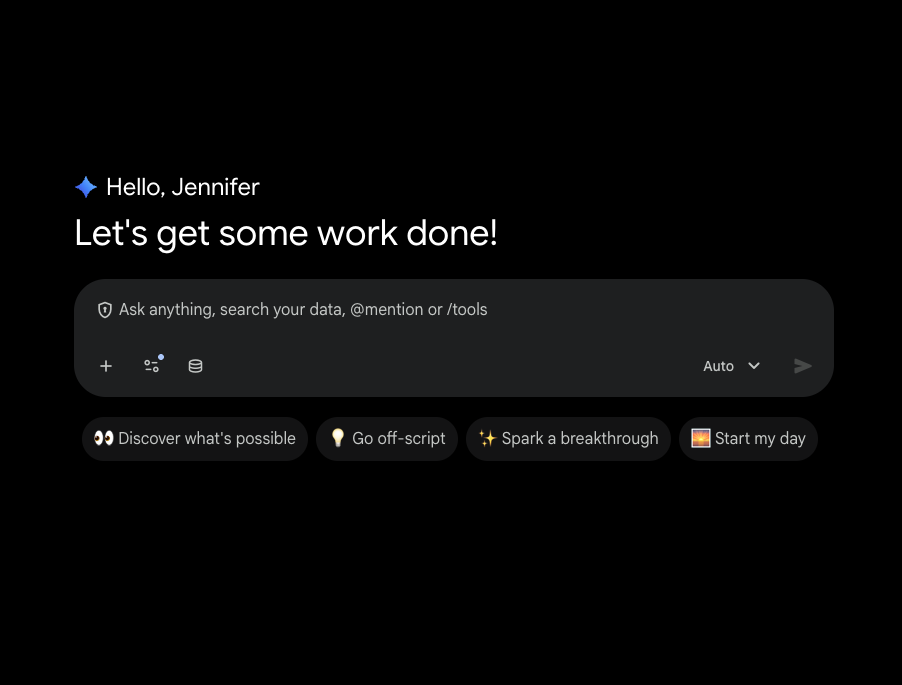
Plataforma agêntica avançada para o trabalho: descubra, crie, compartilhe e execute agentes de IA em um espaço seguro.
Ideal para:
- Gerar insights e conteúdo com o Gemini baseados nos dados da sua empresa
- Automatizar fluxos de trabalho com agentes de IA criados pelo Google e parceiros
- Criar seus próprios agentes de IA para o fluxo de trabalho diário, sem precisar mexer com código
Onde encontrar: cloud.google.com/gemini-enterprise
Gemini no Workspace
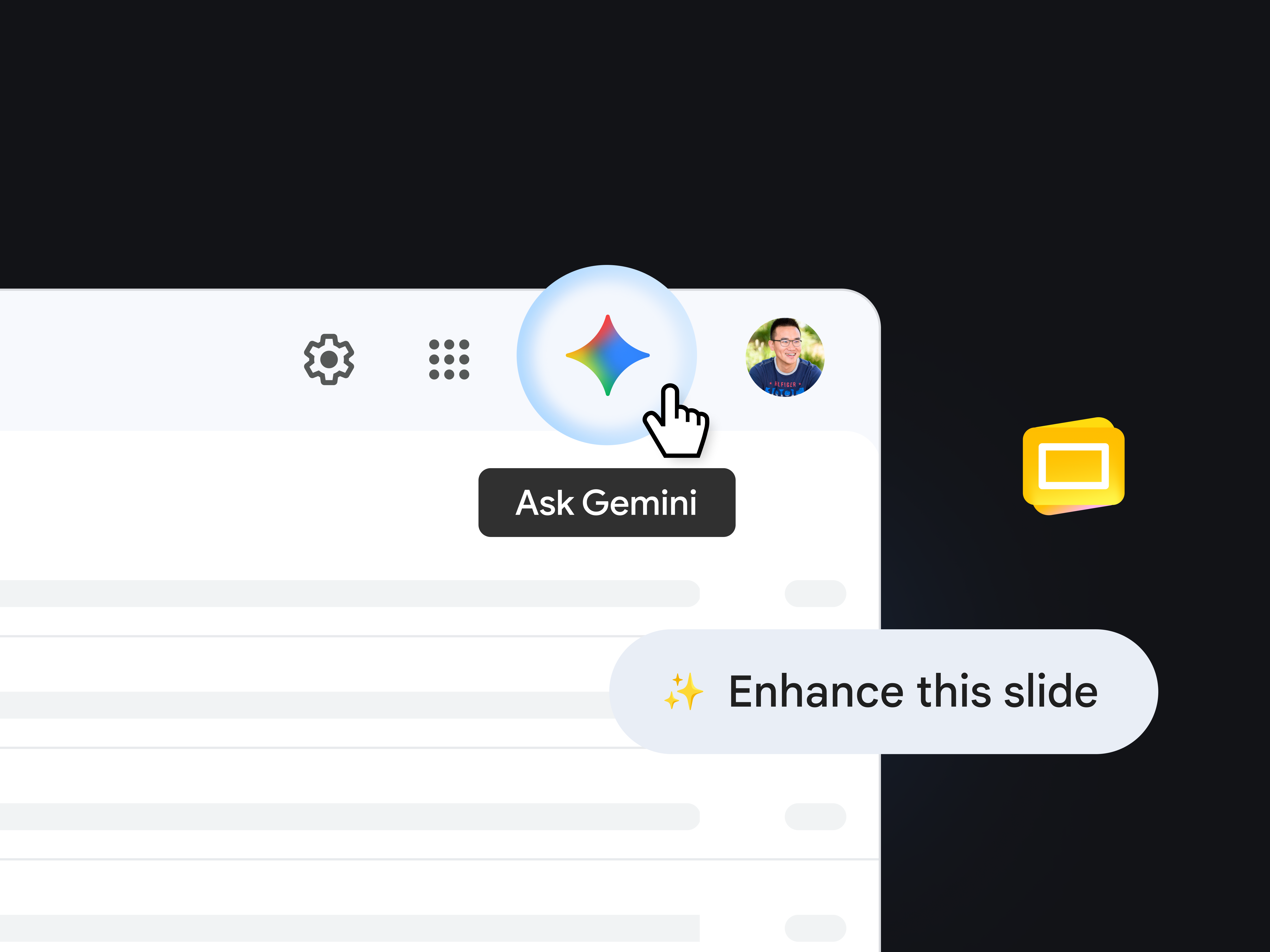
Seu assistente sempre disponível quando você quiser realizar tarefas direto no app que está usando.
Ideal para:
- Resumir conversas no Gmail
- Escrever rascunhos no Docs
- Criar um planejamento nas Planilhas
- Melhorar o apelo visual de apresentações no Slides
- Refinar o texto no Docs ou no Slides
Onde encontrar: procure os ícones do Gemini ou do Nano Banana ou recursos como "Realce este slide" para ter ajuda instantânea no app.
Mande bem nos comandos
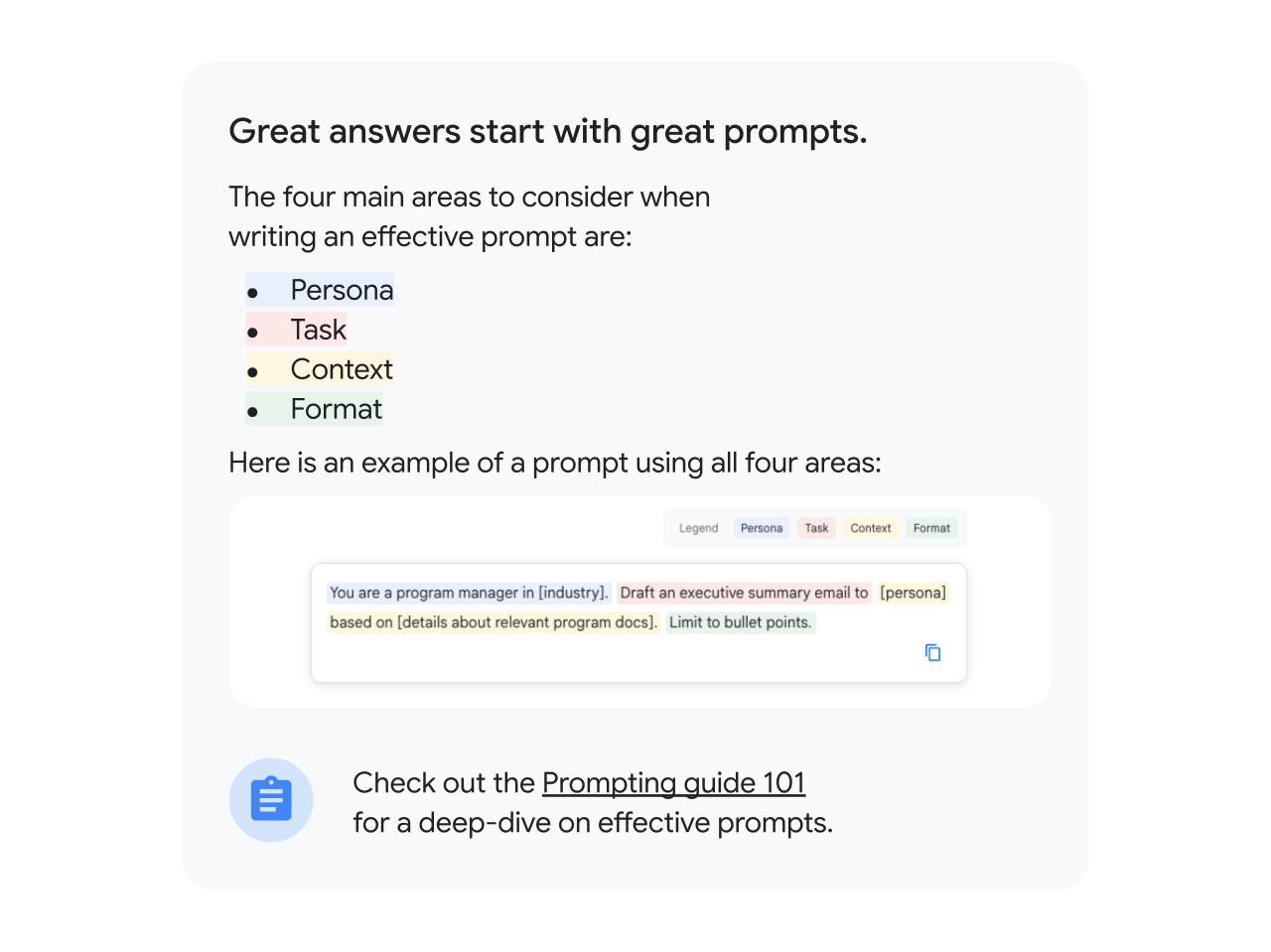

Casos de uso
Leve seu próximo projeto mais longe com o Gemini
Quando um projeto estratégico chega até você, muitas vezes a parte mais difícil é começar. O cenário pode ser este:
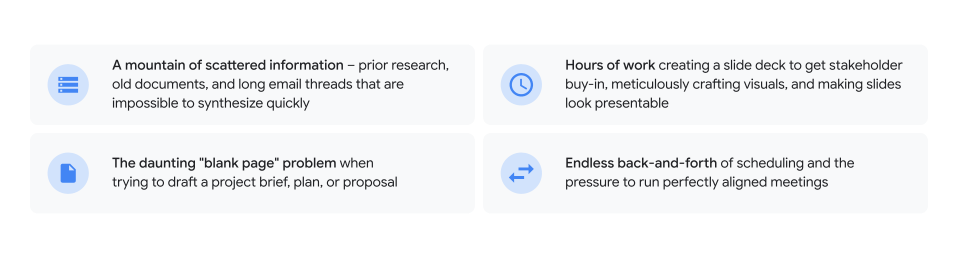
É aí que entra seu parceiro com tecnologia de IA. Vamos mostrar como superar esses desafios e levar um projeto da página em branco à entrega com o Gemini.

Fase 1
Defina a estratégia e monte seu plano em instantes

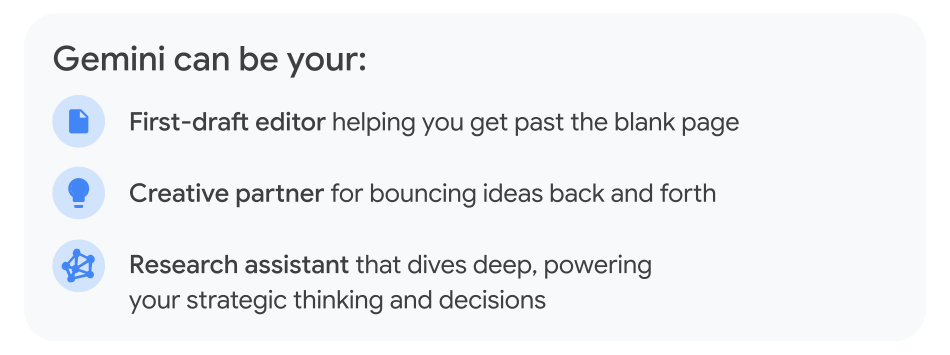
Transforme o excesso de informação em uma base estratégica. Em vez de passar dias tentando dar coesão ao caos, use o Gemini para sintetizar todo o conteúdo e criar seu plano em uma fração do tempo.
Elabore resumos de projetos em segundos
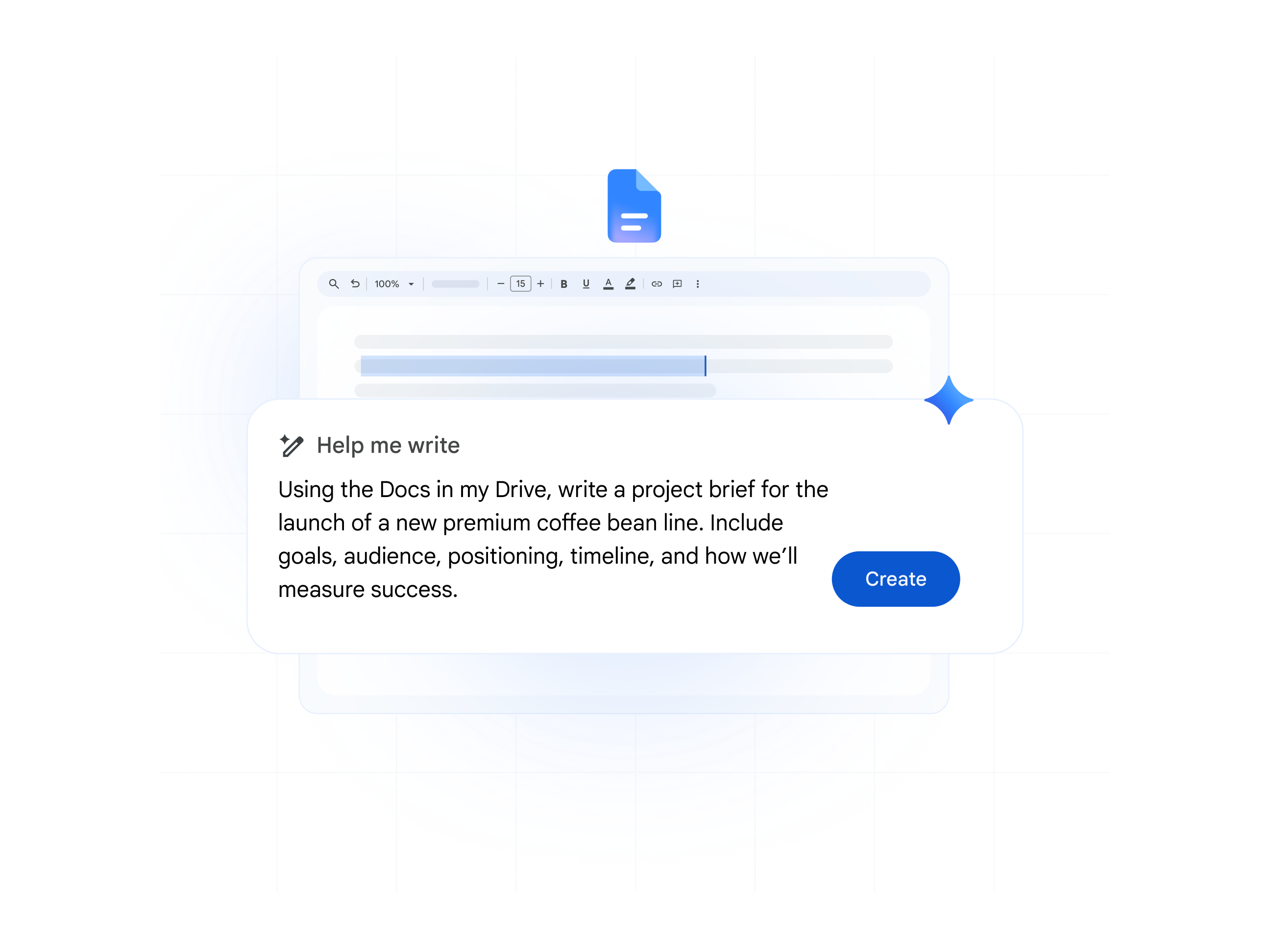
Gemini no Docs: saia da página em branco direto para um resumo detalhado do projeto. Transforme sua pesquisa e um comando simples em uma proposta bem acabada.
Organize seus dados em planilhas de controle
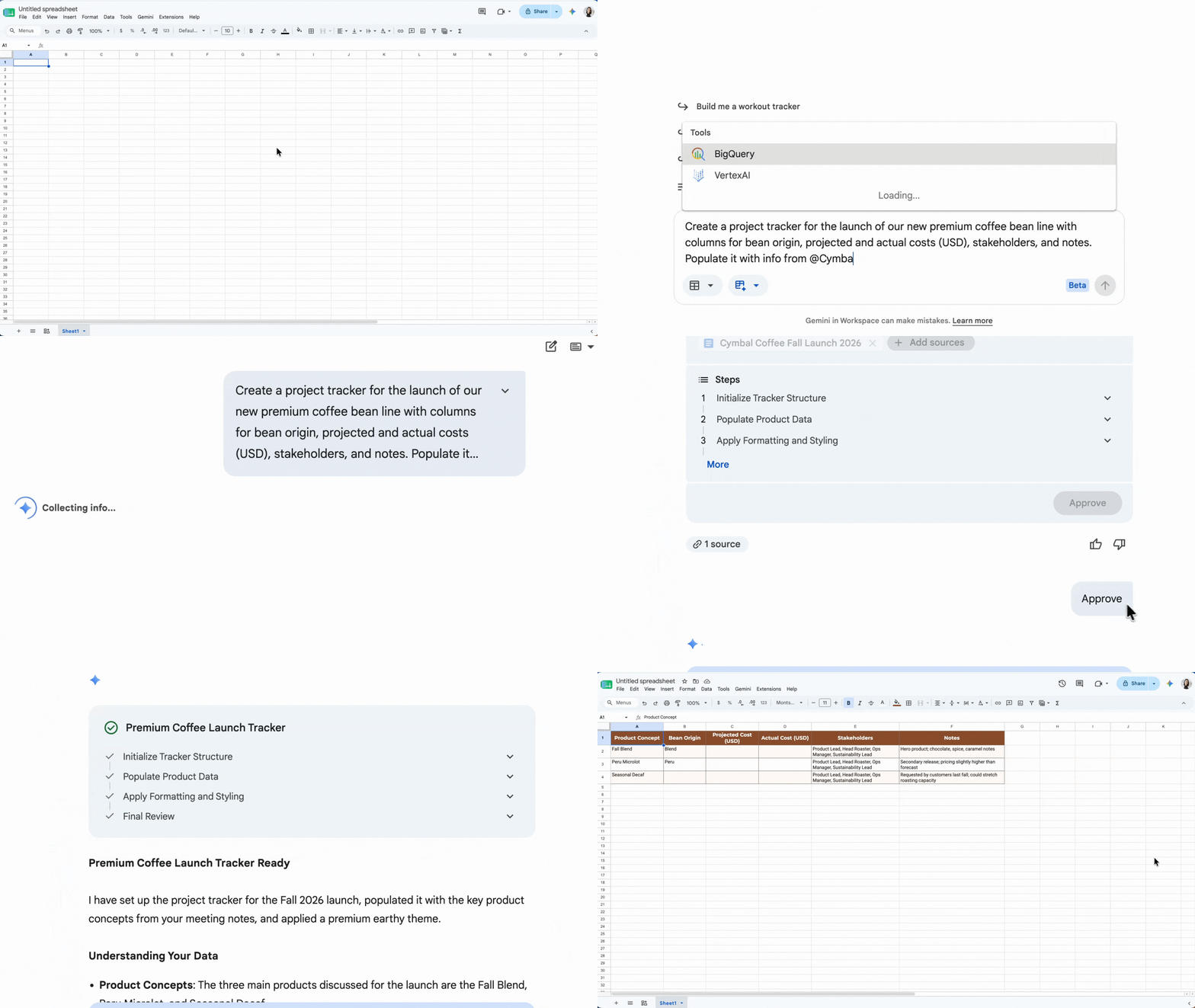
Gemini nas Planilhas: pare de criar tabelas do zero. Monte na hora um controle de projetos organizado com cronogramas, partes interessadas e avaliações de risco.
Vá direto às principais informações
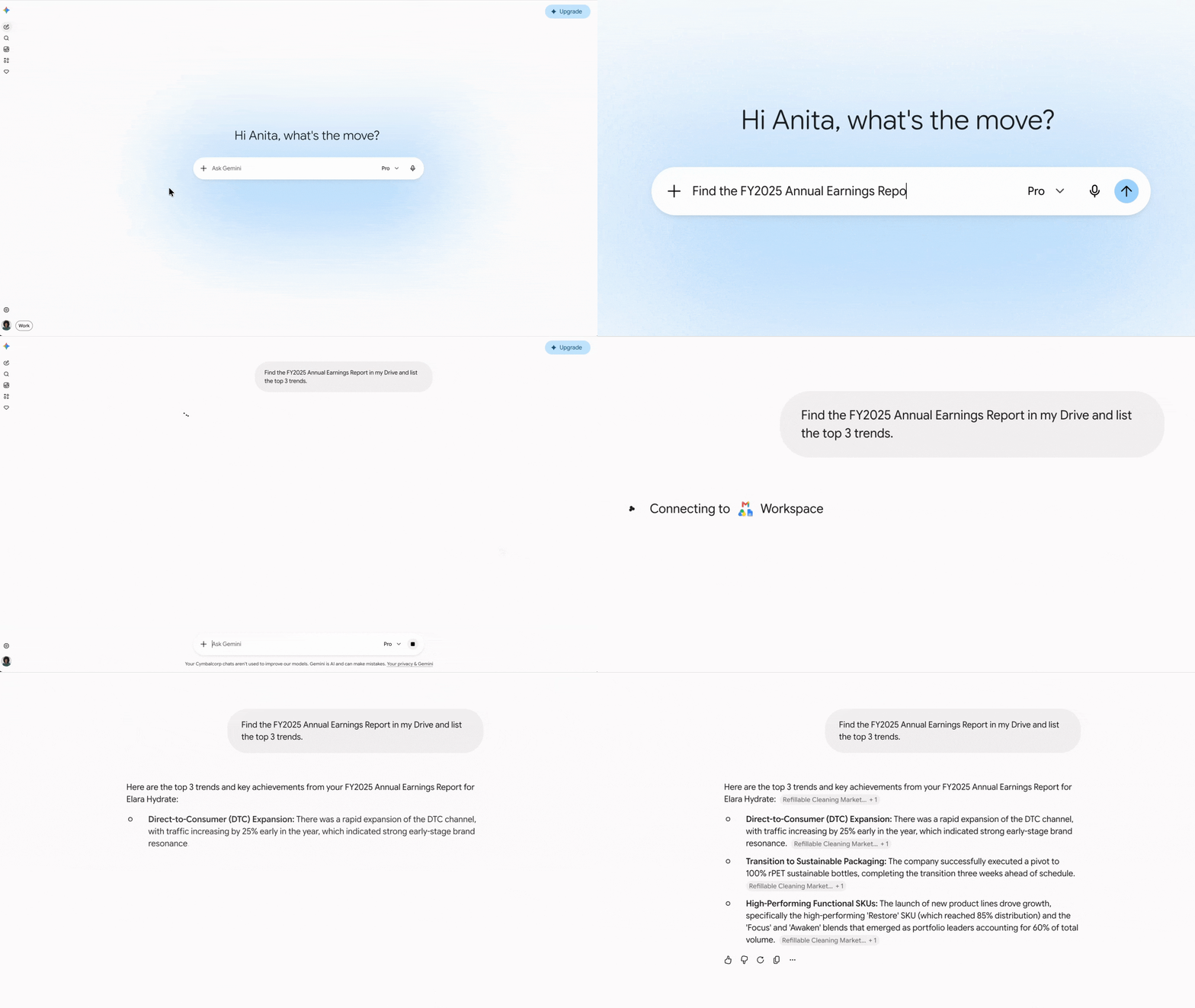
App do Gemini: como ponto de partida, use o Gemini para encontrar e reunir em um só lugar respostas que venham de todo o seu ambiente de trabalho (e da web com a Pesquisa Google). Peça ao Gemini para pesquisar no Drive, Gmail, Chat e Docs para localizar dados específicos, resumir assuntos e conectar informações de diferentes arquivos.
Sintetize pesquisas na hora e compartilhe seu conhecimento
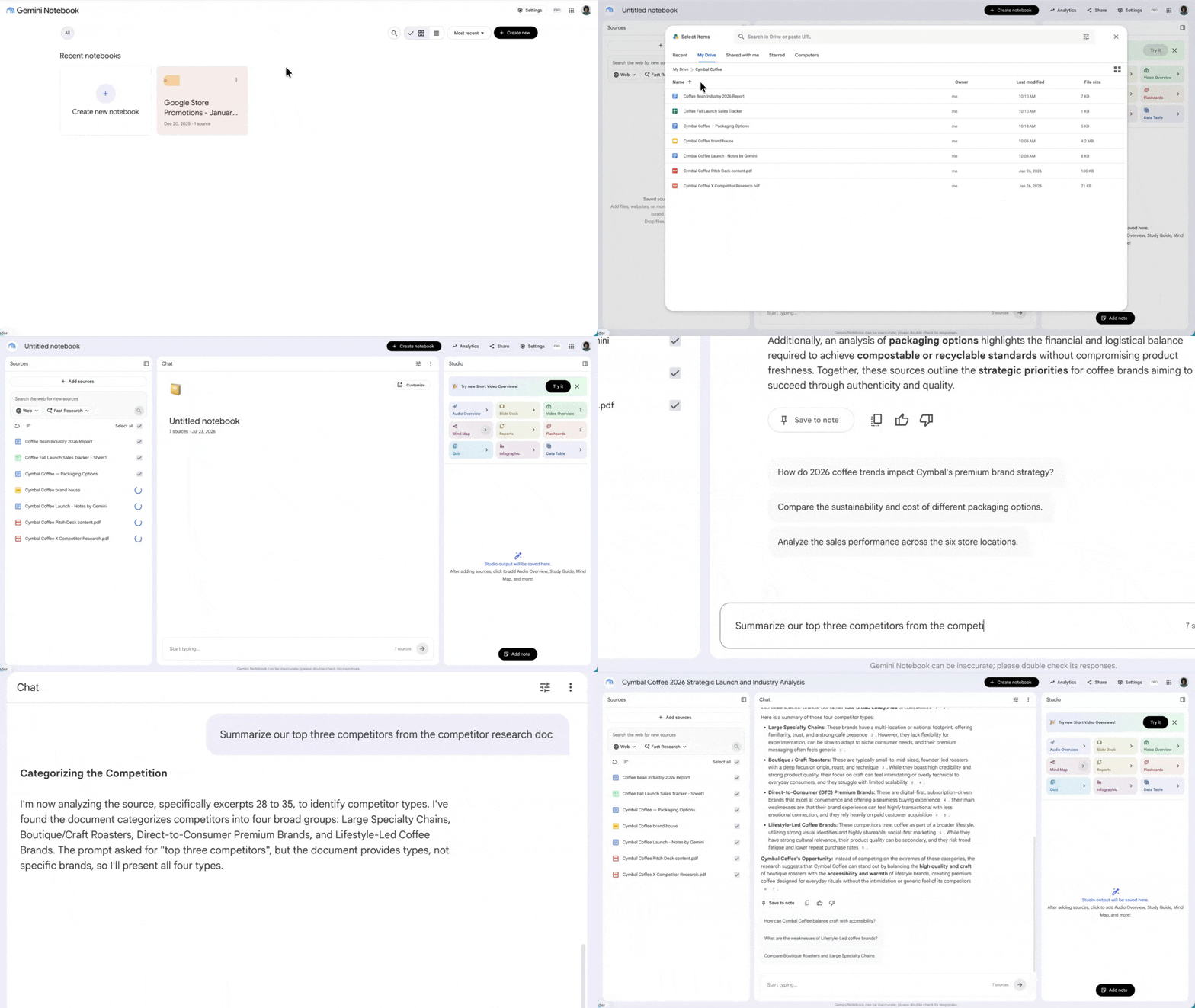
Gemini Notebook: envie documentos de projetos, anotações de entrevistas e pesquisas externas da web para extrair temas principais, identificar riscos e gerar perguntas frequentes na hora. Ou simplifique o onboarding da equipe com materiais de treinamento e POPs centralizados que podem ser compartilhados com todos.
Em vez de ler centenas de páginas de entrevistas com clientes, pergunte: "Quais são os cinco temas mais recorrentes nessas entrevistas?"
Você não precisa mais perder tempo buscando informações em manuais técnicos. Basta fazer o upload no Gemini Notebook e criar uma base de conhecimento. Depois, é só perguntar: "Quais são as etapas para solucionar um 'erro de conexão' neste dispositivo?"
Em vez de analisar vários documentos parecidos, peça: "Crie um resumo de uma página sobre a história e a jornada do produto desta organização". Ou aprenda de um jeito diferente com resumos em áudio (podcasts), vídeos, mapas mentais e infográficos.
Fase 2:
Dê mais força à sua narrativa

Esqueça a frustração de formatar slides e criar recursos visuais. Transforme seu plano bem elaborado em uma narrativa persuasiva, pensada para prender a atenção e conquistar a aprovação das partes interessadas.
Transforme anotações em apresentações com um só comando
App do Gemini: gere um esboço ou resumo da apresentação em instantes com todos os detalhes necessários, usando como base os documentos do projeto, as atas de reunião e outros arquivos importantes.
Crie slides de alto impacto com recursos visuais personalizados
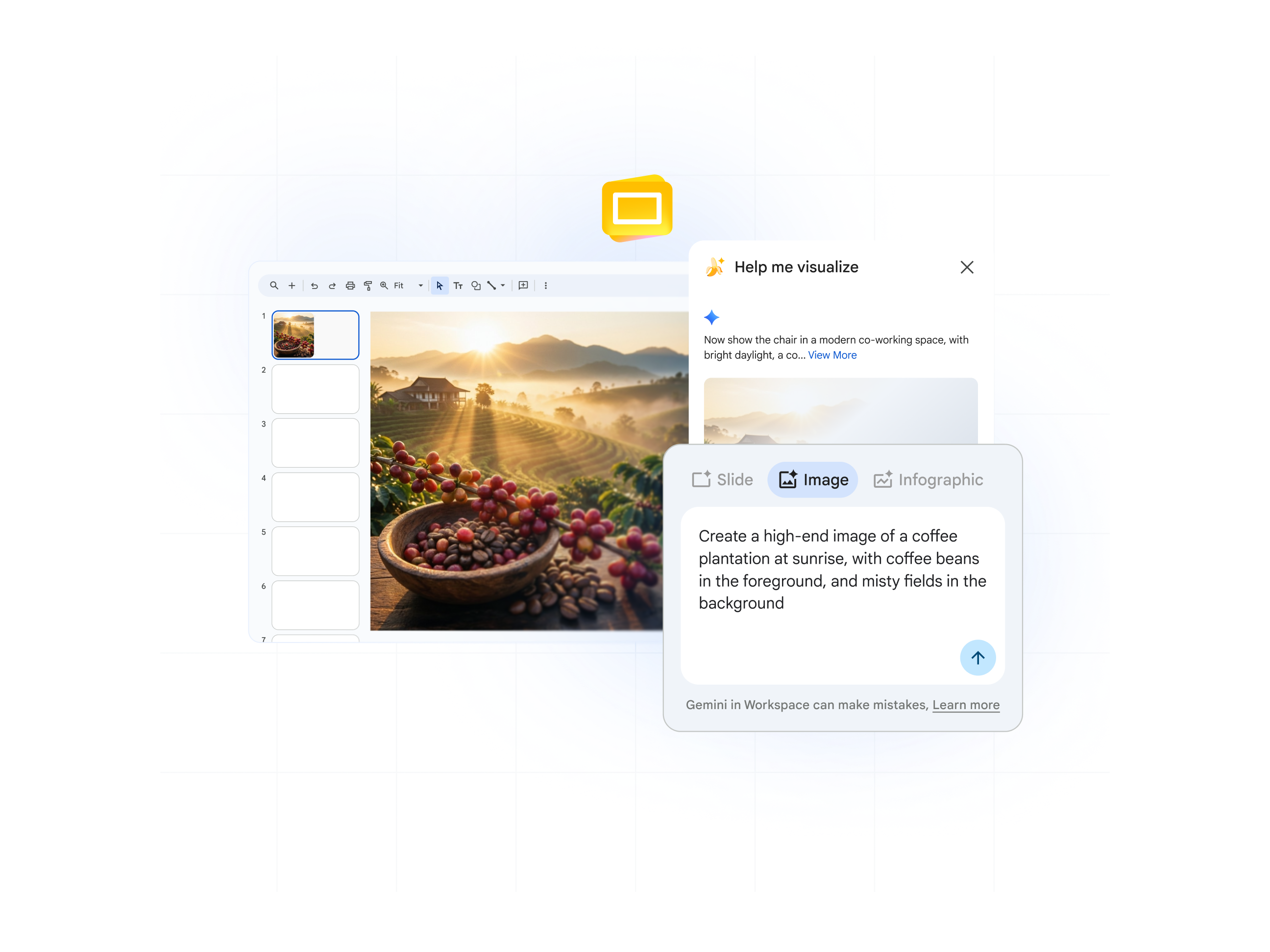
App do Gemini (ou Slides): crie imagens exclusivas e de alta qualidade para seus slides com uma simples descrição de texto. Economize tempo procurando o elemento visual certo e crie exatamente o que você quer.
Leve as apresentações a outro nível em tempo recorde
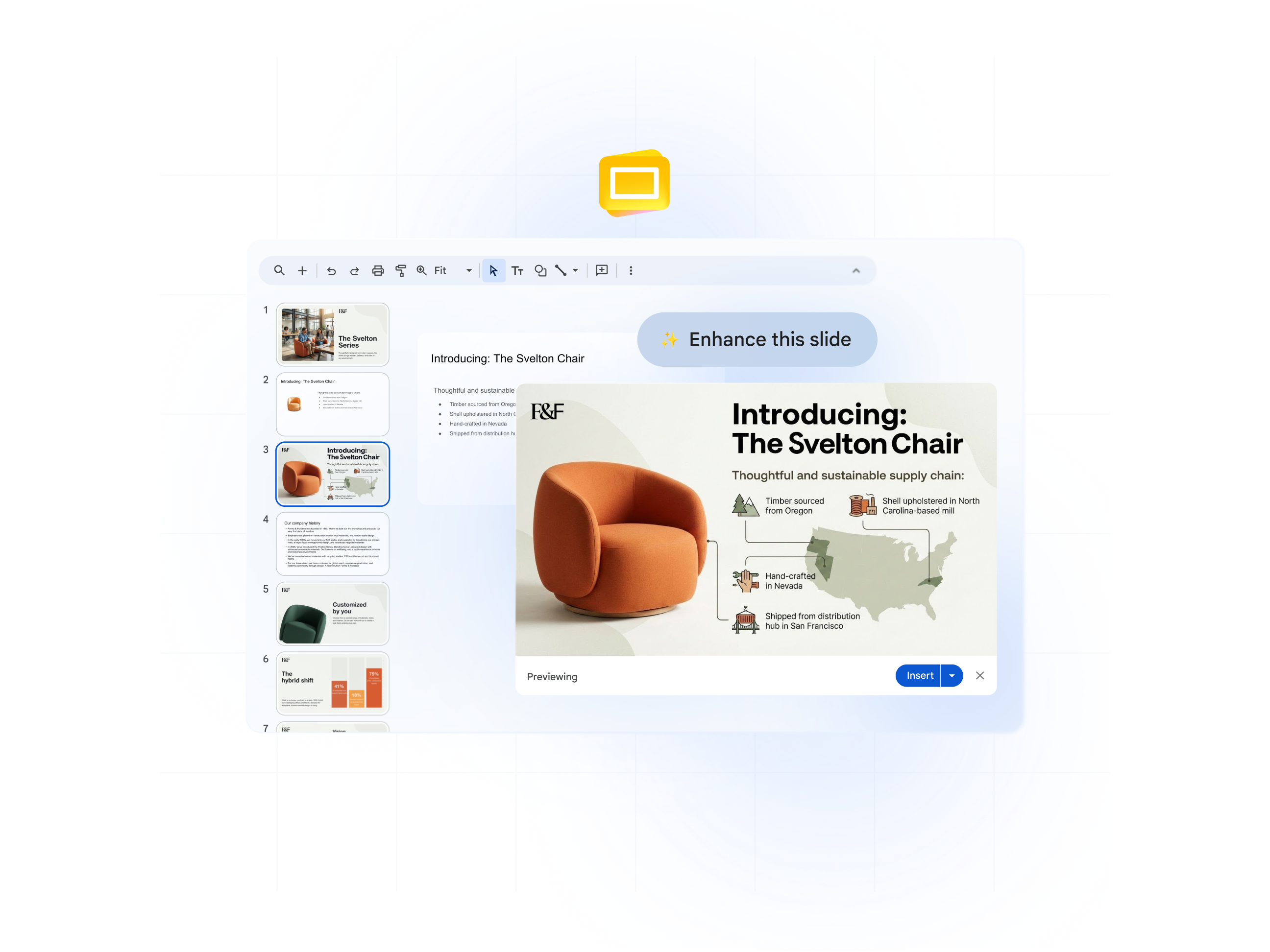
Nano Banana Pro no Slides: em vez de passar horas editando sua apresentação e reorganizando elementos, dê um upgrade instantâneo no visual para deixar cada slide ainda mais bonito e impactante. Todos os outros detalhes (como texto) vão continuar fiéis à versão original.
Transforme dados complexos em histórias visuais
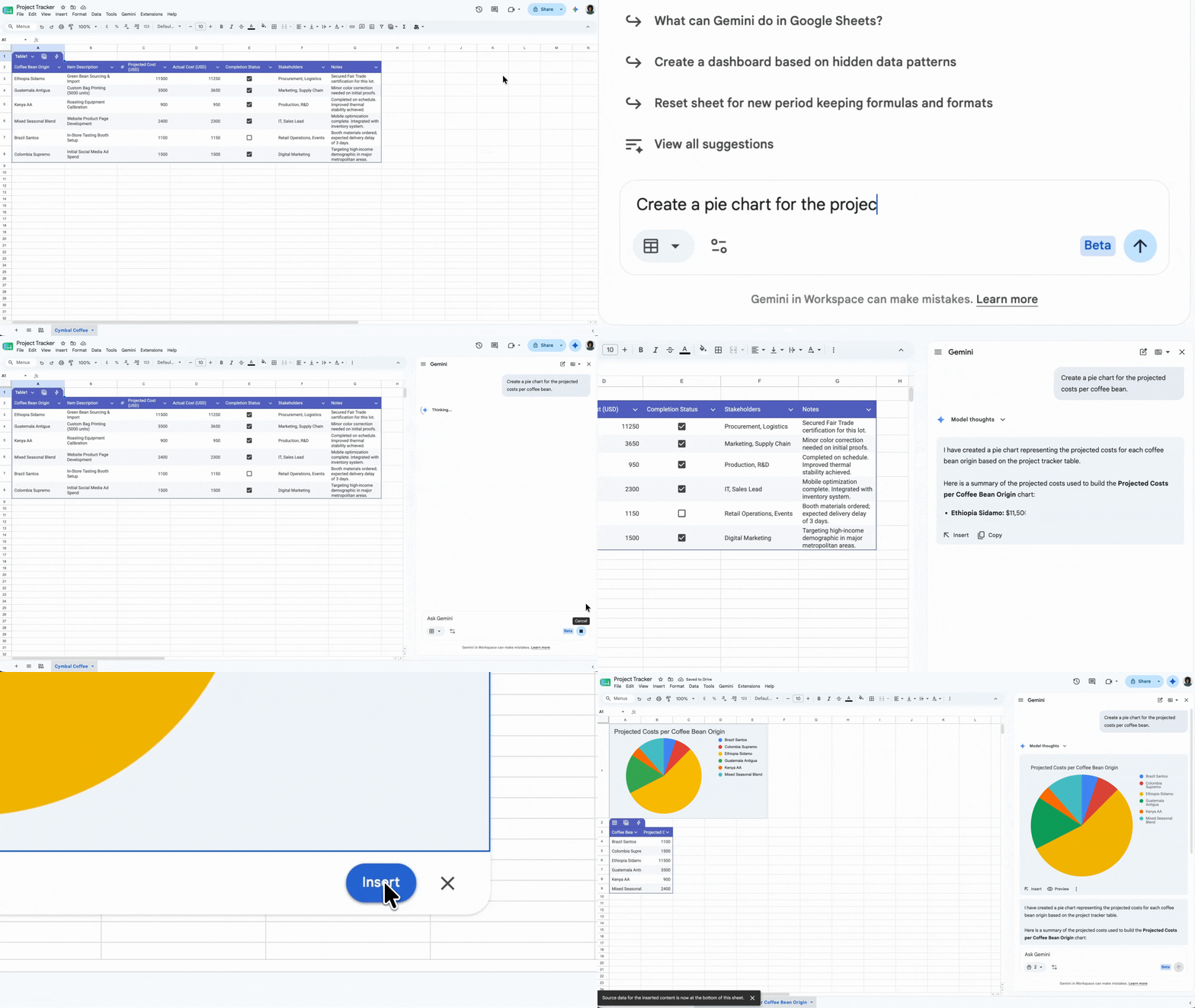
Gemini nas Planilhas: você escolhe como apresentar seus dados. Crie um gráfico usando apenas um comando (por exemplo, para uma visualização de receita) ou peça ao Gemini uma análise instantânea nas Planilhas. Além disso, no próprio app, você consegue criar um arquivo de controle para o projeto.
Transforme resumos de projetos em atualizações de vídeo de alto impacto
Google Vids: transforme um resumo de projeto ou um documento de perguntas frequentes em um vídeo de impacto com script e storyboard para que as informações fiquem mais fáceis de entender e lembrar.
Ganhe adesão das partes interessadas com resumos criados para executivos
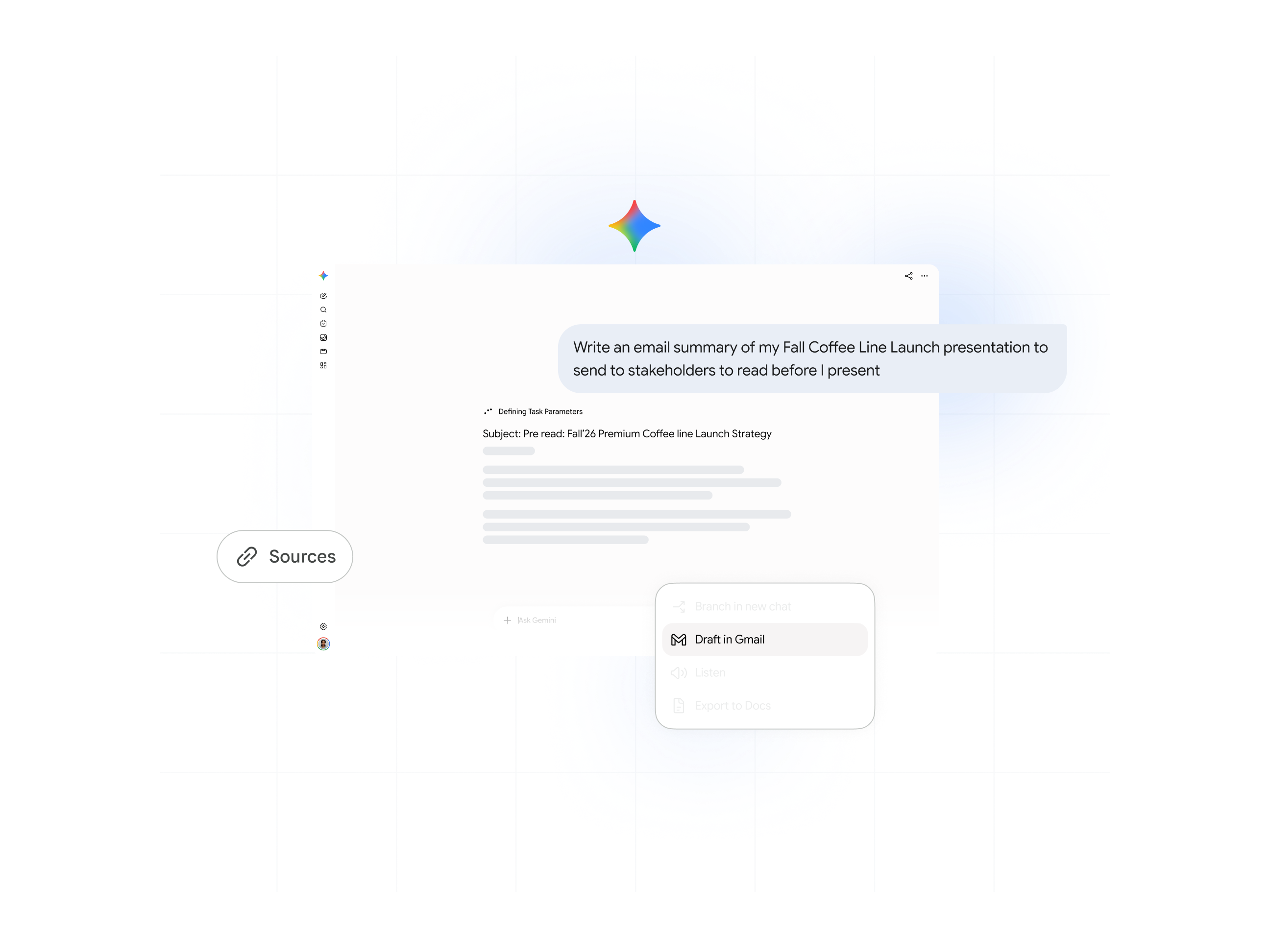
App do Gemini: gere na hora um resumo claro e conciso da sua apresentação para enviar às partes interessadas antes da reunião.
Fase 3:
Organize reuniões produtivas e de alto impacto

Aproveite melhor seu tempo e garanta que todas as conversas façam o projeto avançar. Da preparação aos desdobramentos, o Gemini deixa as reuniões ainda mais produtivas.
Antes da reunião: faça o agendamento e elabore a pauta
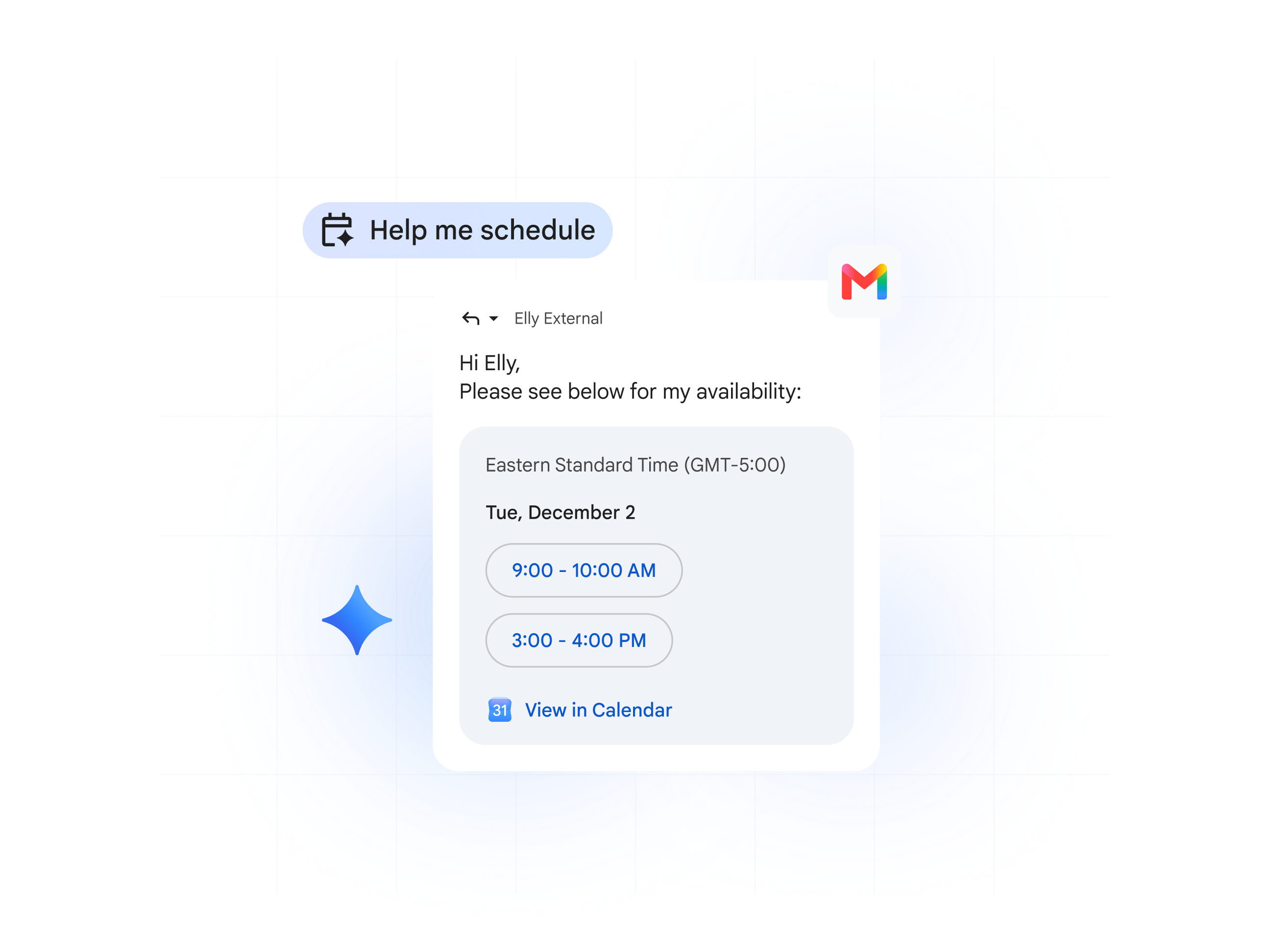
Gemini no Gmail: simplifique o agendamento de reuniões, mesmo sem acesso à agenda dos participantes. É só usar o recurso Me ajude a marcar reunião na hora de escrever o e-mail.
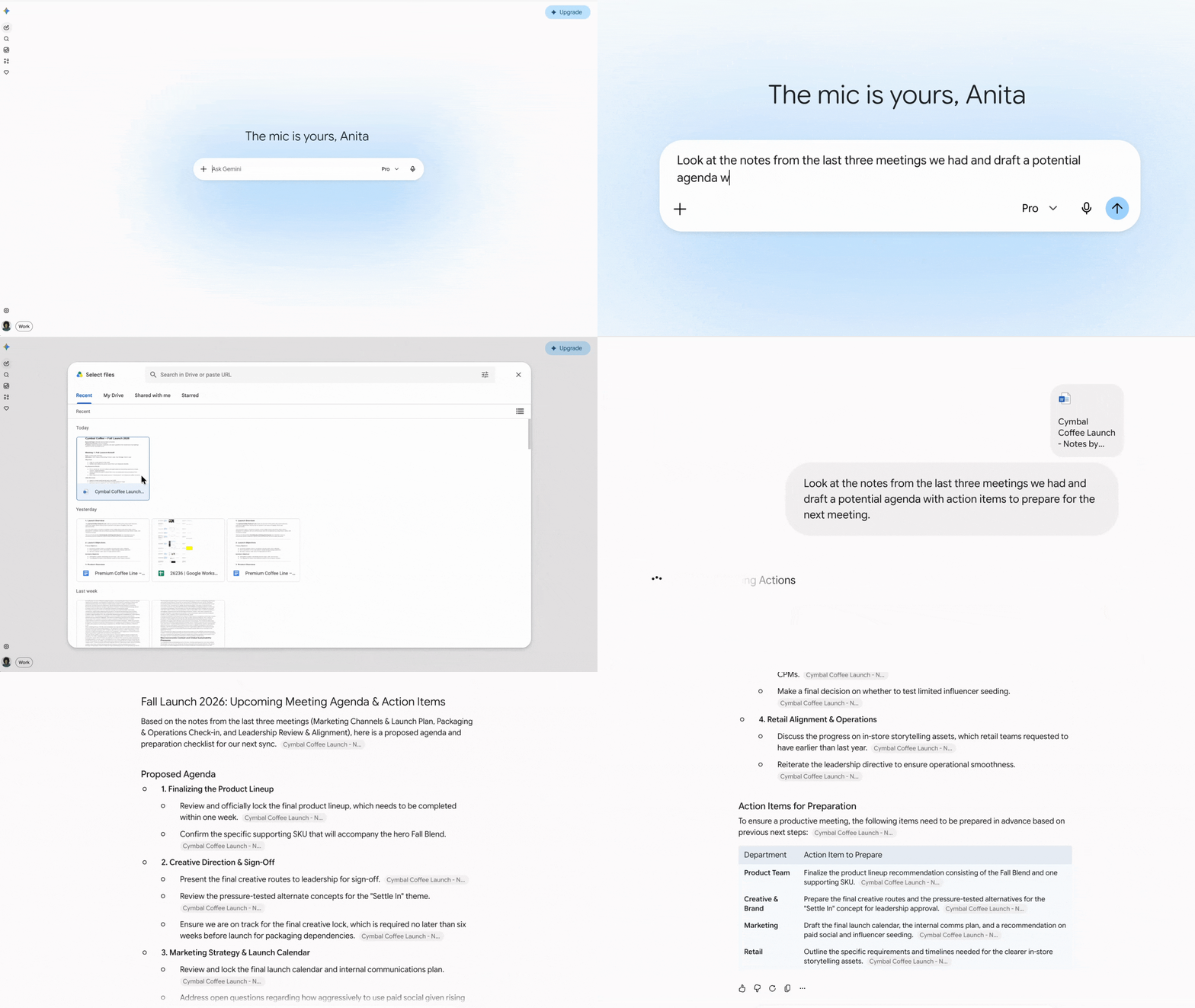
App do Gemini: conte com ajuda para elaborar possíveis tópicos, montar a pauta ou identificar o que precisa estar pronto antes da reunião. Peça ao Gemini para usar seus documentos e o Drive na preparação e destacar todas as ações necessárias.
Receba um briefing instantâneo com o objetivo da reunião, os convidados e os arquivos anexados.
Mantenha o foco e deixe o Gemini tomar notas por você

Anota pra Mim: foque na conversa, não no teclado. Deixe o Gemini fazer anotações, identificar ações necessárias e registrar as principais decisões. Você recebe a ata da reunião por e-mail após a chamada.
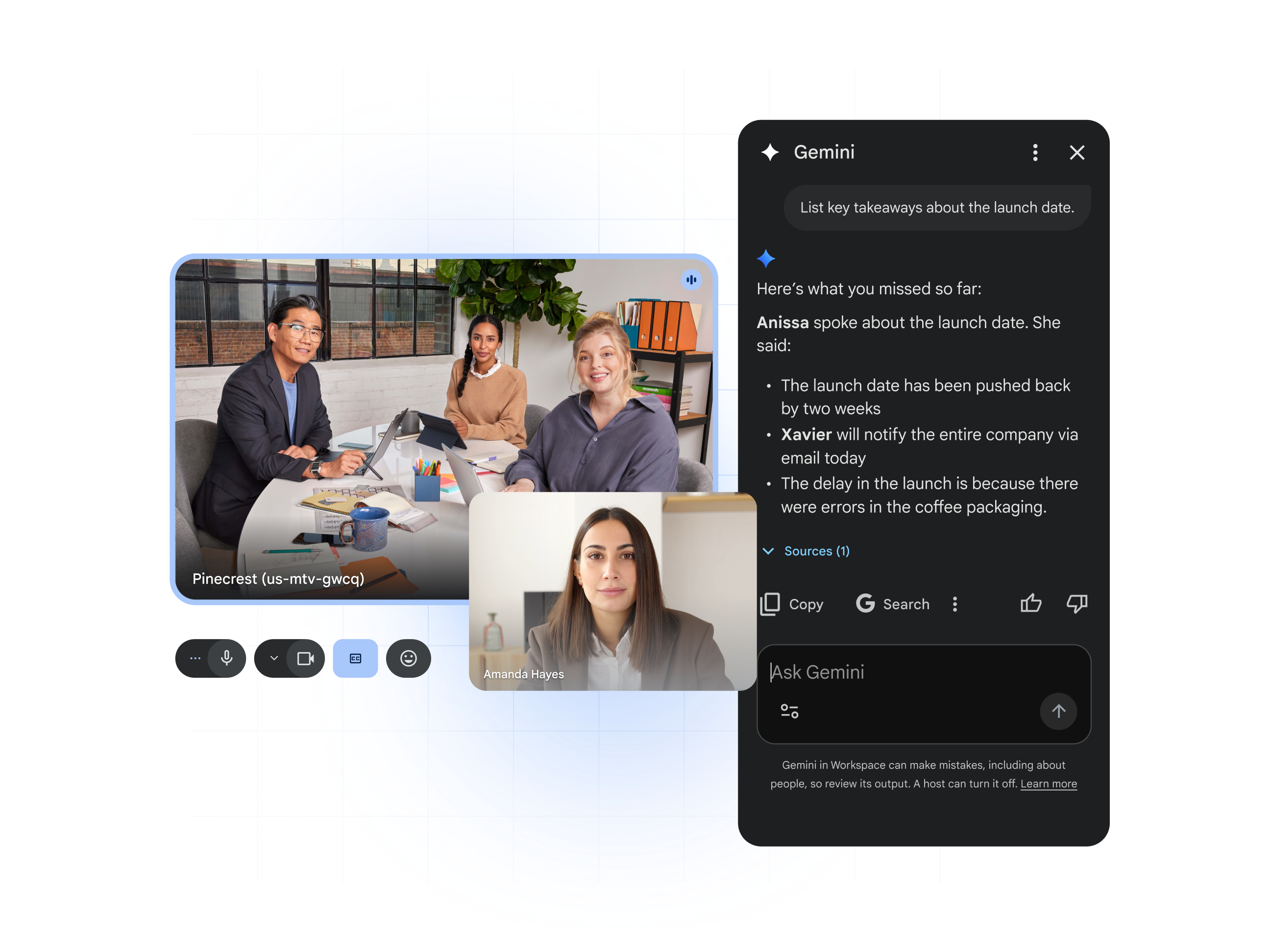
Peça ao Gemini no Meet: perdeu o início da reunião? Fique por dentro do que já foi discutido pedindo ao Gemini um resumo da conversa, dos principais pontos ou das ações necessárias.
Depois da reunião: envie automaticamente as ações necessárias e deixe todo mundo alinhado
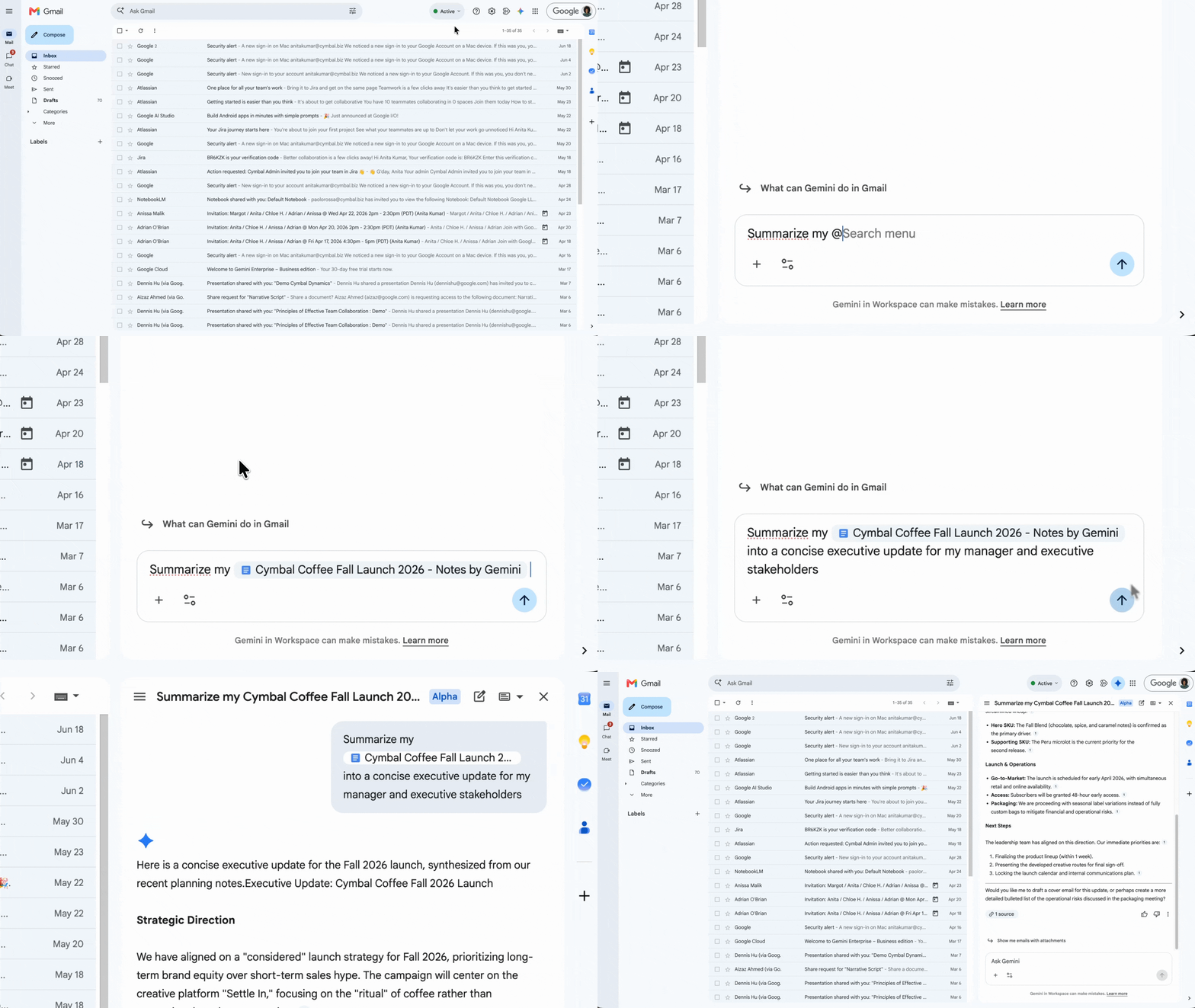
Gemini no Gmail: use a ata da reunião para escrever em instantes um e-mail de acompanhamento com as próximas etapas já atribuídas. Assim, você garante que todos estejam alinhados.
Peça ao Gemini para resumir todas as atas de reunião do seu projeto e elaborar um plano para concluir as próximas etapas.
Fase 4:
Comunique-se com rapidez e precisão

Depois que o plano é aprovado, o foco muda para execução e colaboração. Essa fase ajuda você a se comunicar com clareza, alinhar as expectativas das partes interessadas e manter o projeto no caminho certo.
Agilize a redação de e-mails profissionais
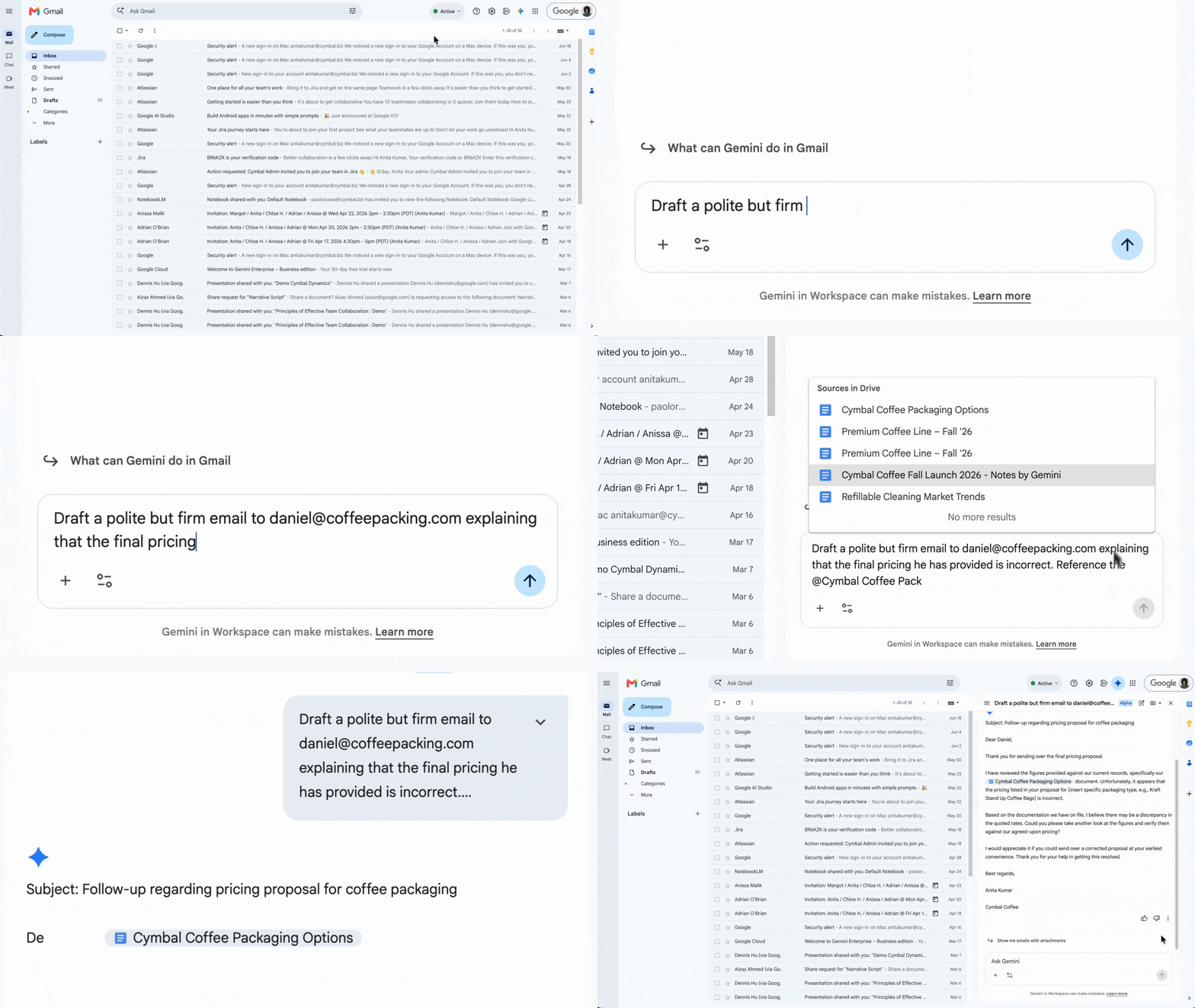
Gemini no Gmail: escreva e-mails claros e profissionais para fornecedores, membros da equipe ou lideranças, seja para compartilhar atualizações ou pedir opiniões.
Atualize-se em segundos
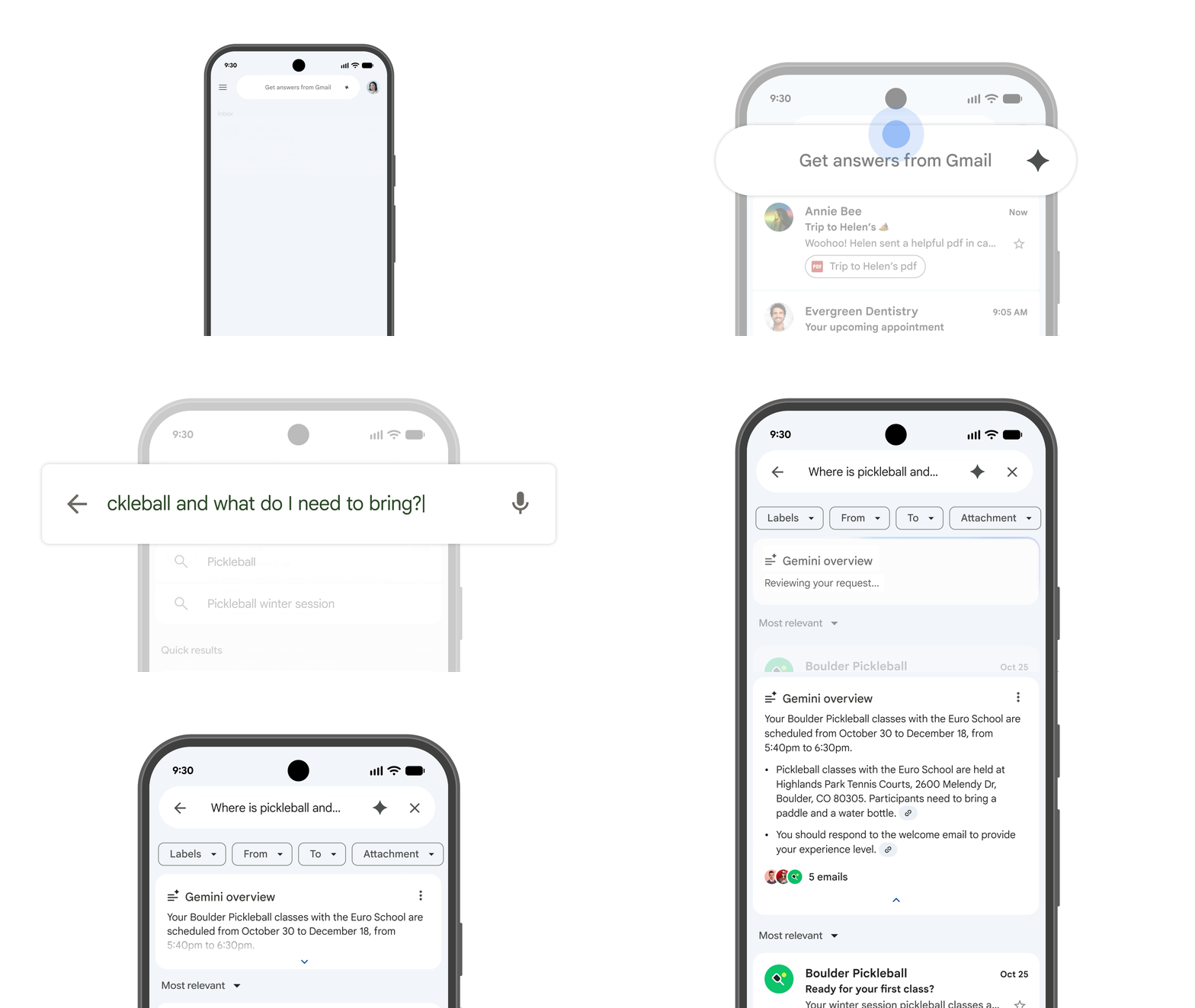
Gemini no Gmail ou no Chat: não perca tempo lendo conversas longas. Receba um resumo instantâneo de trocas de e-mail ou conversas no chat para ficar por dentro das últimas atualizações.
Crie uma primeira versão ou deixe seu texto mais redondo em instantes
App do Gemini: converse sobre diferentes maneiras de formular uma mensagem sensível ou importante para que ela tenha o impacto e o tom certos. Você pode até pedir ao Gemini feedback específico sobre o seu texto ou ajuda para começar a escrever.
Gemini no Docs ou no Gmail: use o recurso "Me ajude a criar" para elaborar resumos ou e-mails e o recurso "Me ajude a aprimorar" para refinar suas mensagens sem sair dos apps.
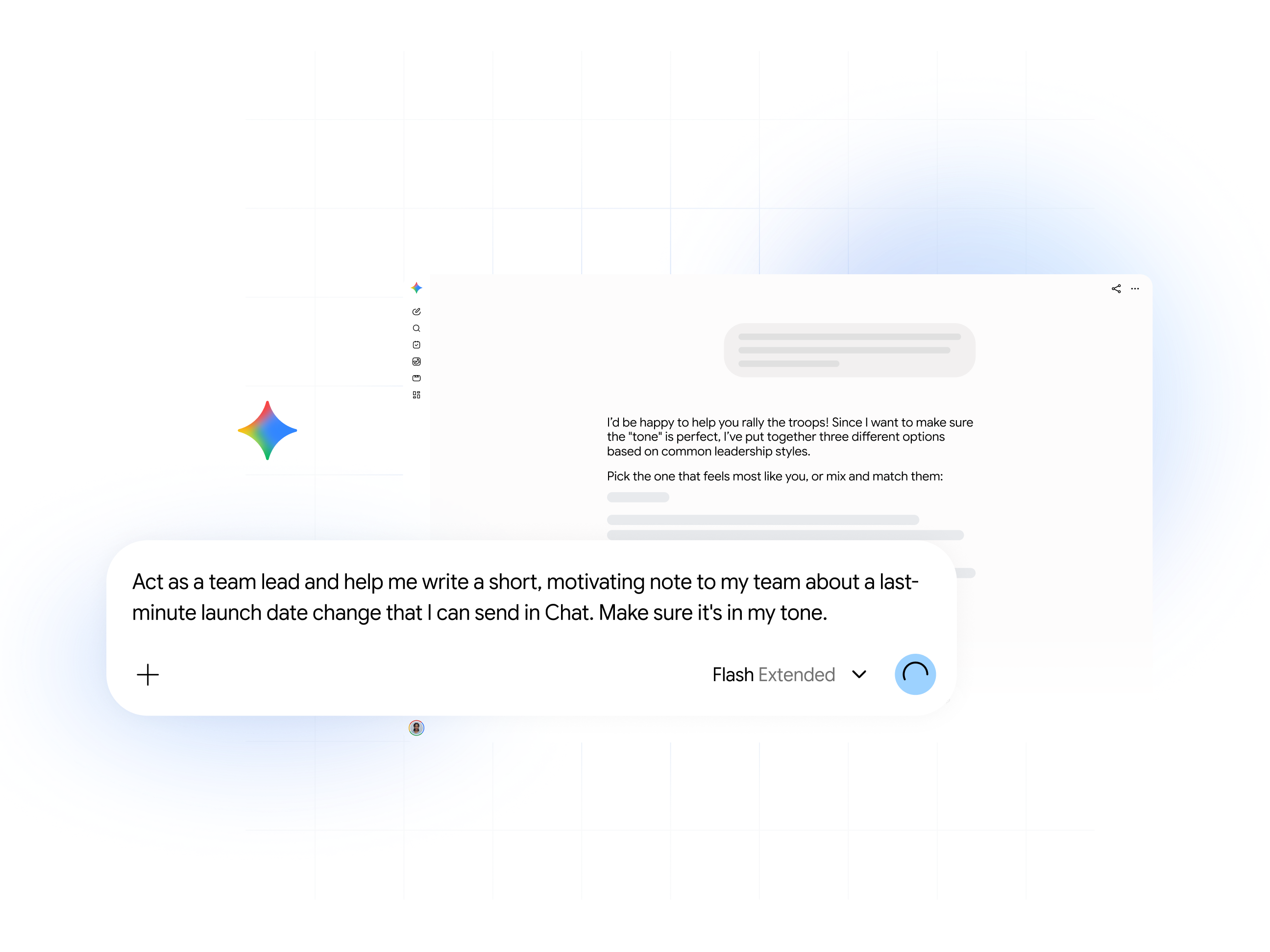
Dica profissional: você sempre tem que digitar longos comandos quando precisa escrever um tipo específico de texto? Crie um Gem personalizado, e ele faz isso por você.
Gems: crie IAs especializadas no que você precisa
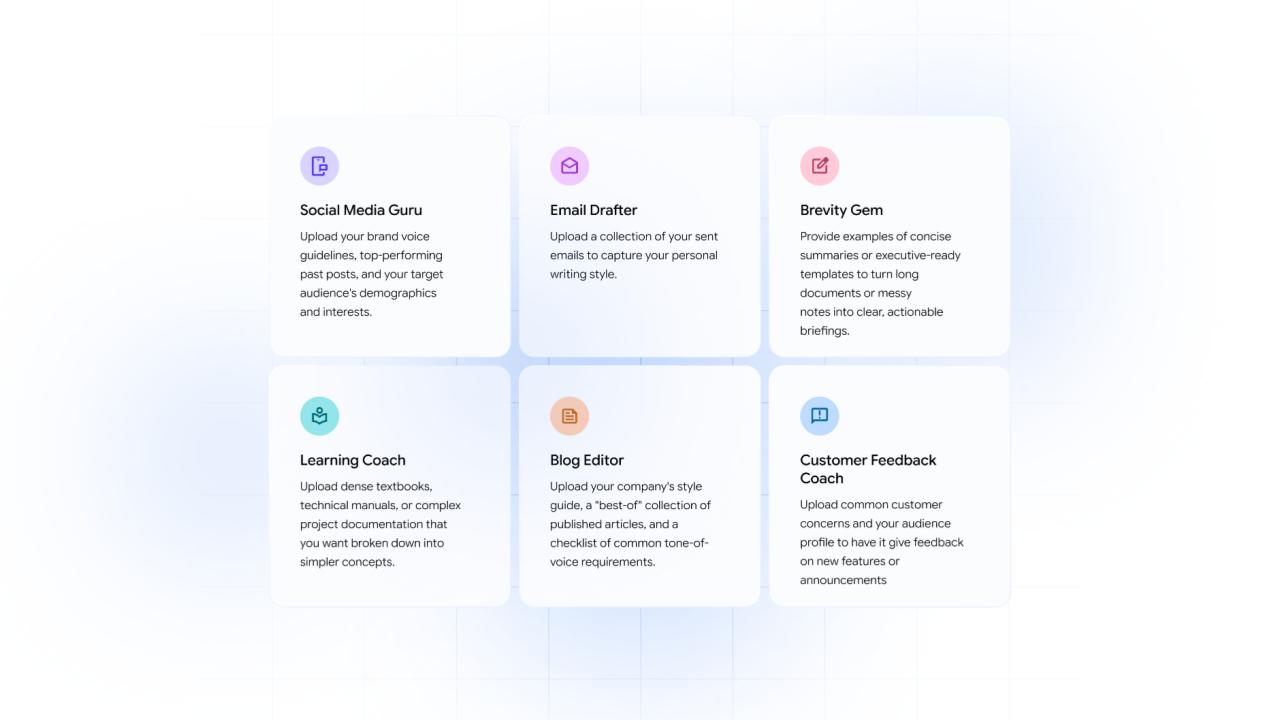
Em vez de reescrever o mesmo comando toda vez, crie seus próprios Gems no app do Gemini para dar conta de diferentes tarefas. Os Gems são IAs especializadas que garantem resultados consistentes e personalizados sempre.
Recursos e próximas etapas
Para gerentes de projetos
Planilhas: com uma descrição simples, você cria na hora um arquivo bem estruturado para controle de projetos.
Comando: "Crie uma planilha de controle de riscos do projeto com colunas para Risco, Probabilidade (Alta/Média/Baixa), Impacto e Plano de Mitigação."
Docs: economize tempo transformando as atas de reunião em relatórios bem estruturados de status.
Comando: "Transforme este @[Documento de Ata de Reunião] em um relatório de status formal. Identifique 3 principais conquistas, 2 riscos e todas as ações necessárias com os respectivos responsáveis."
Para gerentes de vendas e de contas
Gmail: crie um e-mail personalizado de acompanhamento para interagir com os clientes em potencial mais rápido.
Comando: "Me ajude a escrever um e-mail de acompanhamento para @[cliente em potencial] após nossa demonstração. Reafirme as três propostas de valor que discutimos (custo, segurança e facilidade de uso) e sugira um horário para acompanhamento."
App do Gemini: se prepare para uma ligação com o cliente com um resumo de todas as suas interações anteriores.
"Resuma todos os e-mails e anotações com @[Nome do cliente] dos últimos 90 dias e identifique os três principais problemas."
Para profissionais de marketing e comunicação
App do Gemini: transforme anotações e pesquisas em esboços de conteúdo refinados em segundos.
Comando: "Resuma as descobertas das entrevistas em @[entrevistas] e crie esboços para dois posts de blog. Para cada um, escreva um título chamativo e uma introdução de duas frases."
Vids: transforme o lançamento de um produto em um anúncio em vídeo.
Comando: "Crie um vídeo de um minuto para anunciar nosso novo produto, com base no @[Documento de perguntas frequentes do item]. O tom deve ser animado e otimista."
Gemini Notebook: transforme várias fontes de pesquisa em uma visão geral abrangente usando diferentes formatos (áudio, visual, mapas mentais)
Clique em "Resumo em Áudio" e digite "Crie um podcast de 15 minutos com base em @[Documento de pesquisa] e @[entrevistas]."
Para recursos humanos
Docs: crie instantaneamente uma descrição de vaga que combine seu resumo de contratação e os valores da empresa.
Comando: "Escreva uma descrição interessante de vaga para 'Engenheiro de software sênior' usando os marcadores em @[resumo da contratação] e os valores no nosso @[Manual da empresa]."
Gemini Notebook: faça upload do manual do colaborador para criar perguntas de entrevistas ou treinamentos.
Comando: "Gere cinco exemplos de perguntas de entrevista para novos gerentes sobre o processo de avaliação de desempenho da nossa empresa."
Para executivos e líderes de equipe
Gmail: comece o dia organizando sua caixa de entrada para ver o que é mais urgente.
Comando: "Resuma os cinco e-mails mais urgentes na minha caixa de entrada e destaque aqueles que precisam de uma decisão minha hoje."
Docs: transforme relatórios longos em resumos executivos concisos.
Comando: "Faça um resumo executivo deste @[Relatório trimestral] de 20 páginas em uma só página com cinco pontos principais e um parágrafo sobre a perspectiva geral."
Planilhas: analise dados brutos instantaneamente para saber as principais tendências.
Comando: "Resuma o sentimento da @[Pesquisa de funcionários]. Como as equipes se sentem em relação ao trabalho remoto?"