Create on-brand presentations in minutes with Gemini in Google Slides

Dennis Hu
Group Product Manager, Google Slides
Try Google Workspace at No Cost
Get a business email, all the storage you need, video conferencing, and more.
SIGN UPBuilding a great deck manually takes a lot of time and design expertise. That’s why we've rolled out the ability to quickly create beautifully designed presentations that adhere to your preferred style using Gemini in Google Slides.
Here’s how it works:
Go from concept to stunning presentation in minutes
Whether you’re preparing slides for a team kick-off or sharing campaign results, creating a presentation no longer means hours of manual data gathering, wordsmithing, or fiddling with slide formatting. Now, Gemini in Google Slides can do the heavy lifting for you.
To get started, select “Generate presentation” from https://slides.new or open Gemini in the side panel of a blank presentation. From there, simply describe what you need and add any reference files like Google Docs, Sheets, PDFs, or previous decks. You can even select an existing deck for Gemini to automatically match your brand’s style.
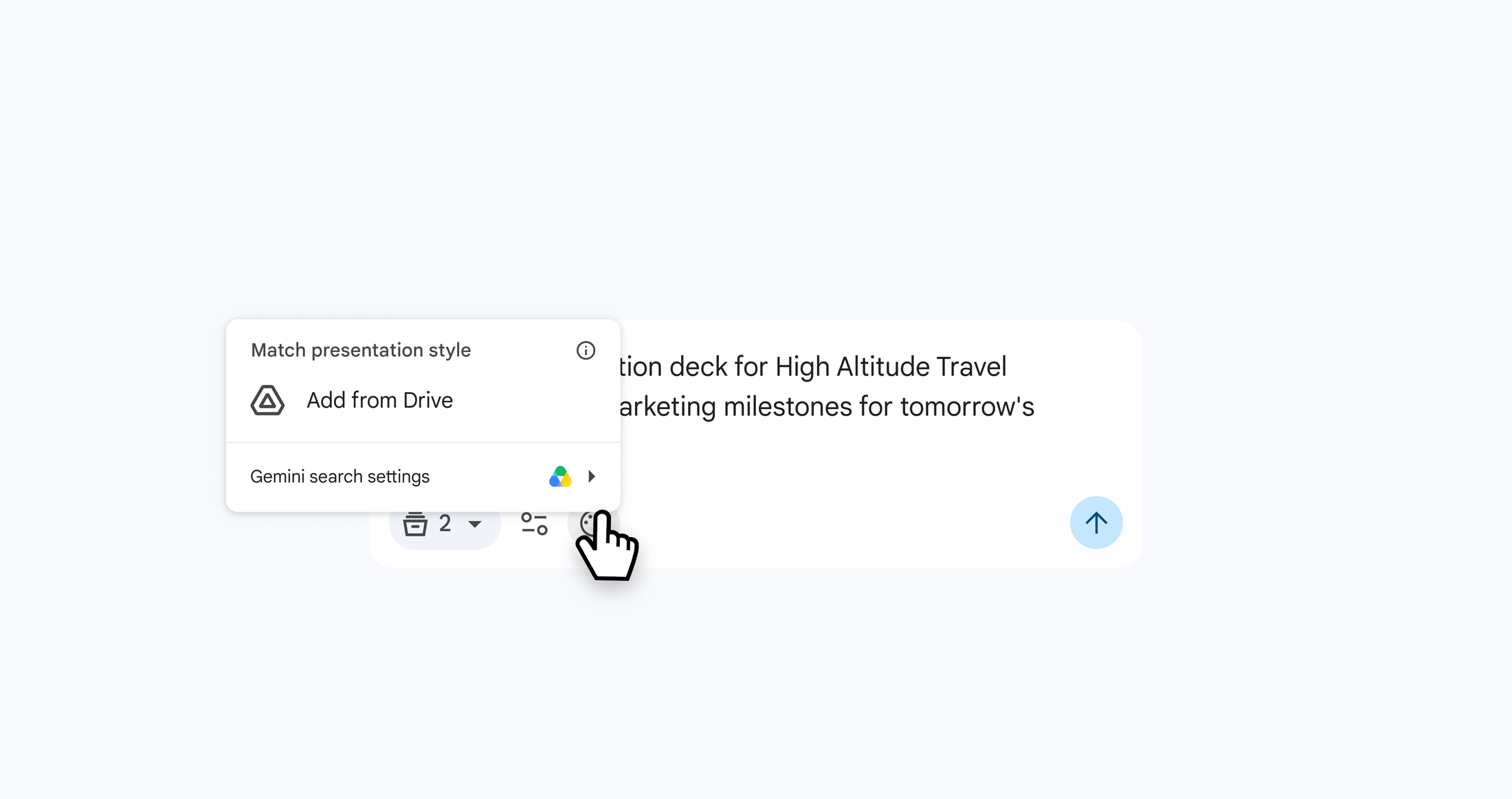
Gemini can leverage your rich work context and files as a style reference
During the creation process, Gemini may ask questions about your desired length, tone, and focus to properly tailor your slides. It will even automatically suggest other relevant files from Google Drive to include as contextual references.
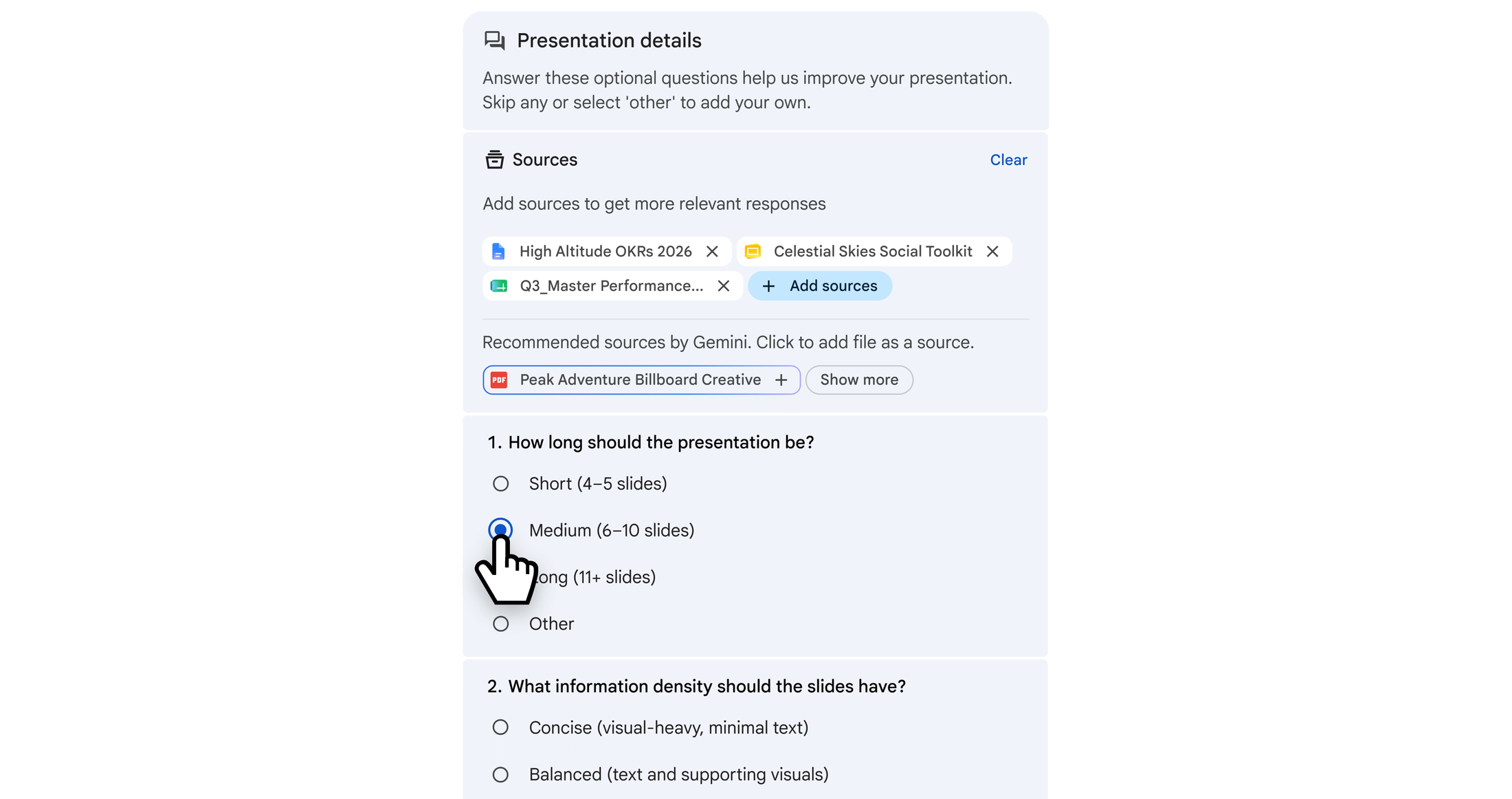
Gemini guides you through the process, asking questions and making suggestions
Gemini turns all of those inputs into a clear, structured outline for you to review. This interactive setup lets you guide the output before a single slide is built, ensuring it aligns perfectly with your goals. Once you approve, Gemini works behind the scenes to generate your deck and notify you as soon as it’s complete.
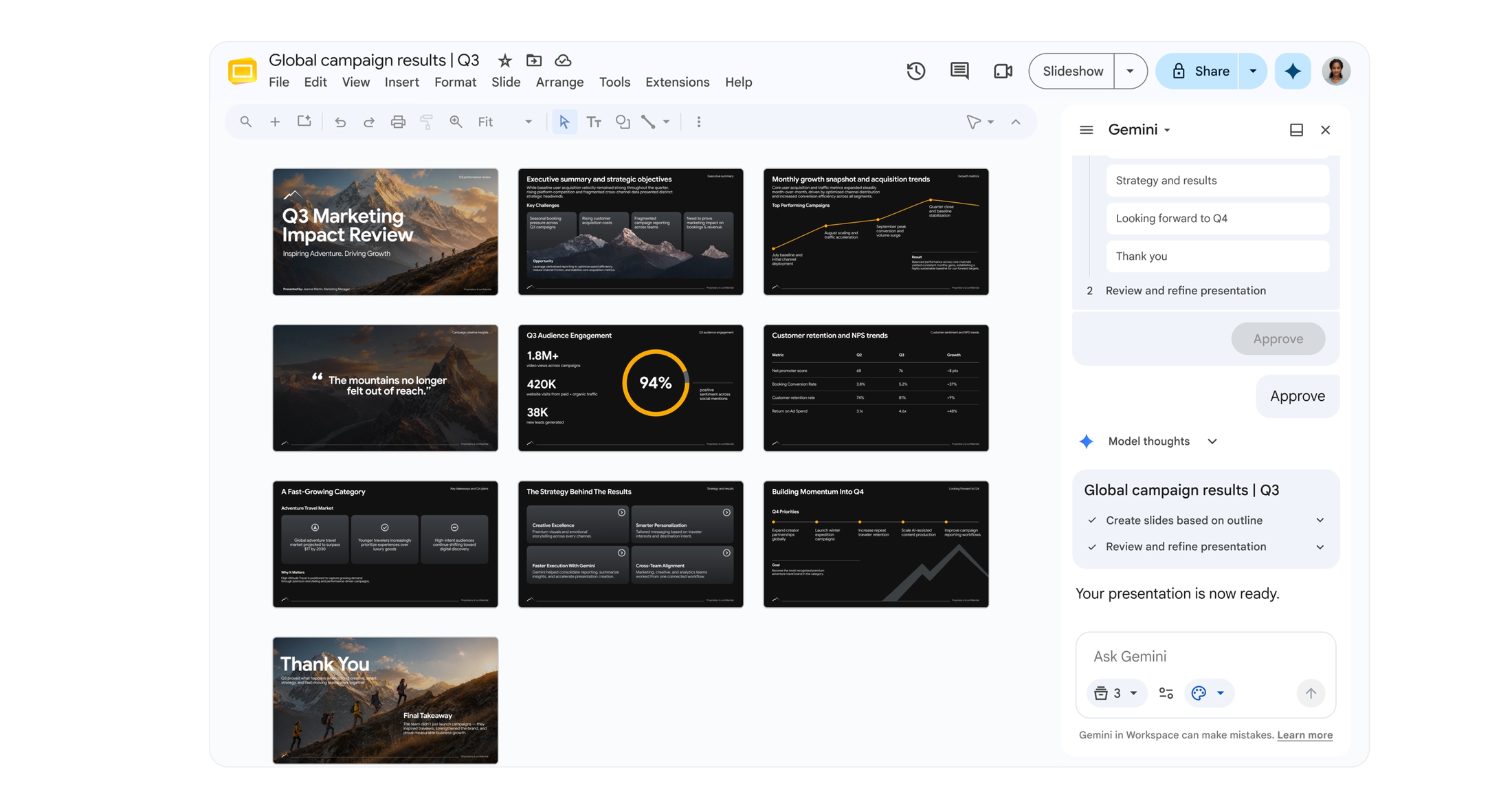
Gemini guides you through the process, asking questions and making suggestions
Collaborate with Gemini to refine your presentation
Every slide created with Gemini is completely editable, keeping you in full control. You can direct Gemini to adjust layouts, swap color schemes, or update generated charts on any slide without having to select individual elements or make tedious manual adjustments.
You can also ask Gemini to rewrite text on specific slides to make it more professional or concise. Whether you are tweaking bullet points or overhauling entire blocks of text, you can iterate dynamically alongside Gemini.
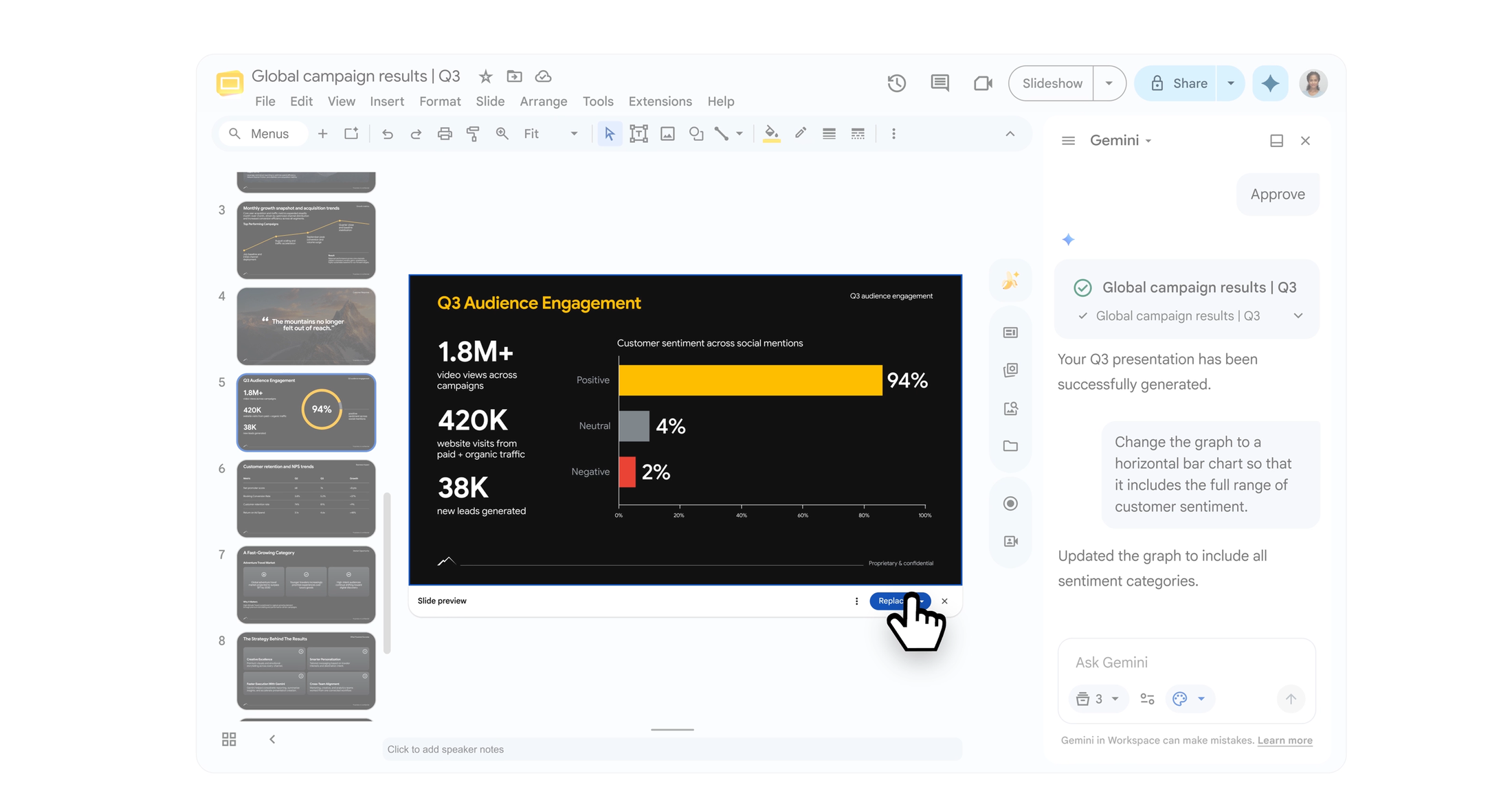
Edit any slide with natural language
Get started today
Creating presentations with Gemini in Google Slides is available to Google Workspace customers on Business and Enterprise Standard and Plus plans, or through a Google AI Pro or AI Ultra subscription. All features will launch initially in English only.
We’re excited to see how you’ll use these capabilities to build your next presentation. Get started at https://slides.new.