January Workspace Drop: SOTA AI avatars in Vids, deeper insights in the Gemini app, and new app integrations in Chat

The Google Workspace Team
Try Google Workspace at No Cost
Get a business email, all the storage you need, video conferencing, and more.
SIGN UPWelcome to our January Workspace Drop! This month’s new AI features offer you more personalized insights and help you improve your team’s workflows.
Here’s what’s new:
- Level up video creation with Veo 3.1, custom templates, and styled captions in Google Vids.
- Tap into deeper, more relevant AI insights with new Workspace integrations in the Gemini app.
- Streamline your team’s workflows with new apps for Google Chat.
Level up video creation with Veo 3.1, custom templates, and styled captions in Google Vids
We’re bringing our most realistic AI avatars yet to Google Vids, now powered by our state-of-the-art video generation model, Veo 3.1. This update allows you to generate high-quality avatars faster with heightened expressions, smoother lip-syncing, and steadier framing for a truly professional look. With our upgraded avatars, you can engage viewers more effectively across training materials, internal announcements, customer support walkthroughs, and more without ever using the camera or re-recording.
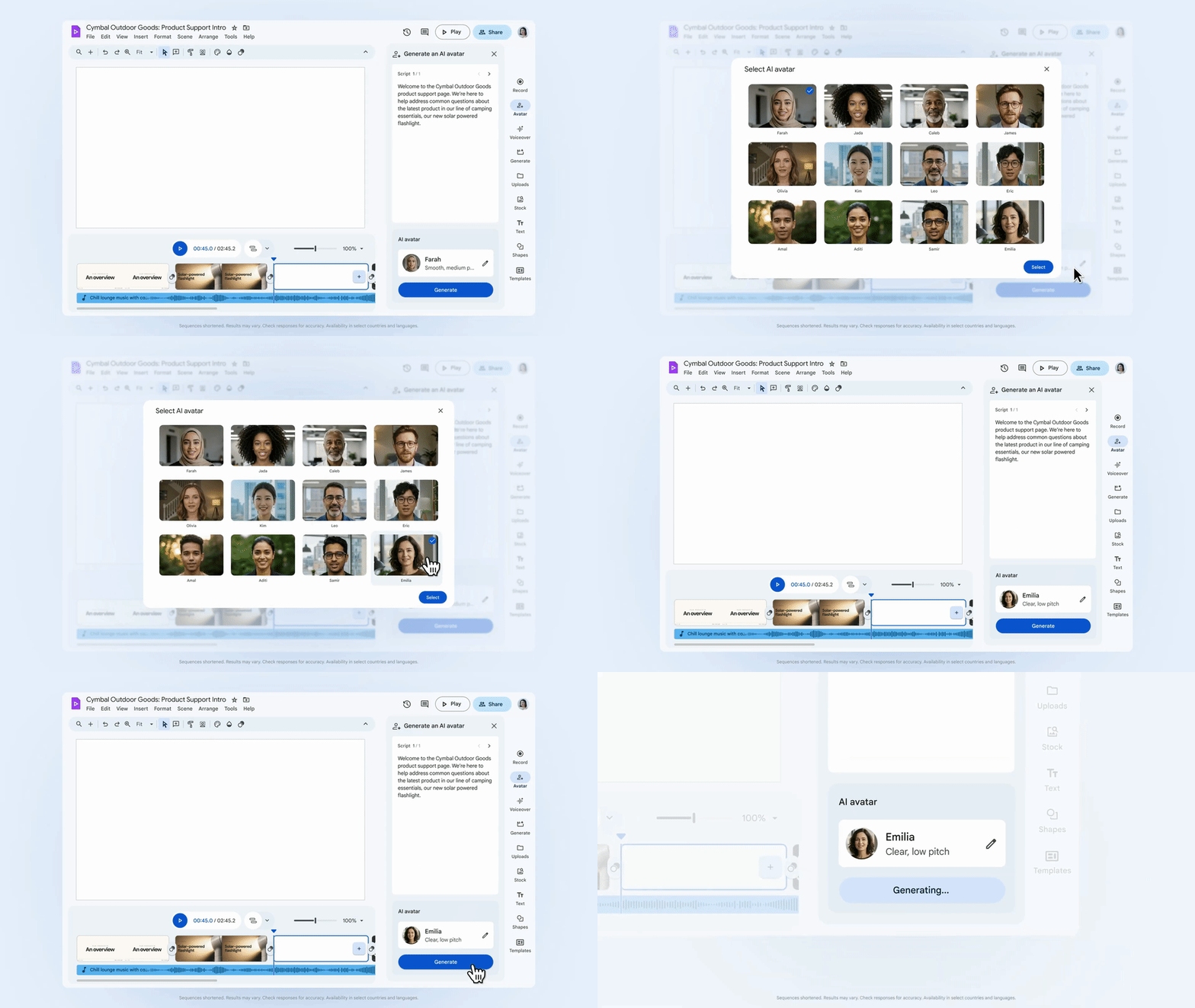
Bring professional-grade avatars to your Vids workflows.
The Ingredients to Video feature in Vids is also getting an upgrade to help you create professional, on-brand video content with ease. Powered by Veo 3.1, Ingredients to Video can now generate portrait-sized clips while still delivering realistic audio and maintaining consistency of objects, characters, and backgrounds. Whether you are bringing office photos to life or animating product shots, this update makes it easier to size your videos for sharing on social channels.
Need your videos to stay on brand? Just like in Google Slides, Forms, and Sites, admins can now configure which default templates appear directly in Vids through the admin console. Default templates give admins more control over organizational branding and users a professional, pre-approved starting point directly in the templates sidebar. We’ve also added styled captions generated from your video’s content to help you create high-quality content more efficiently.
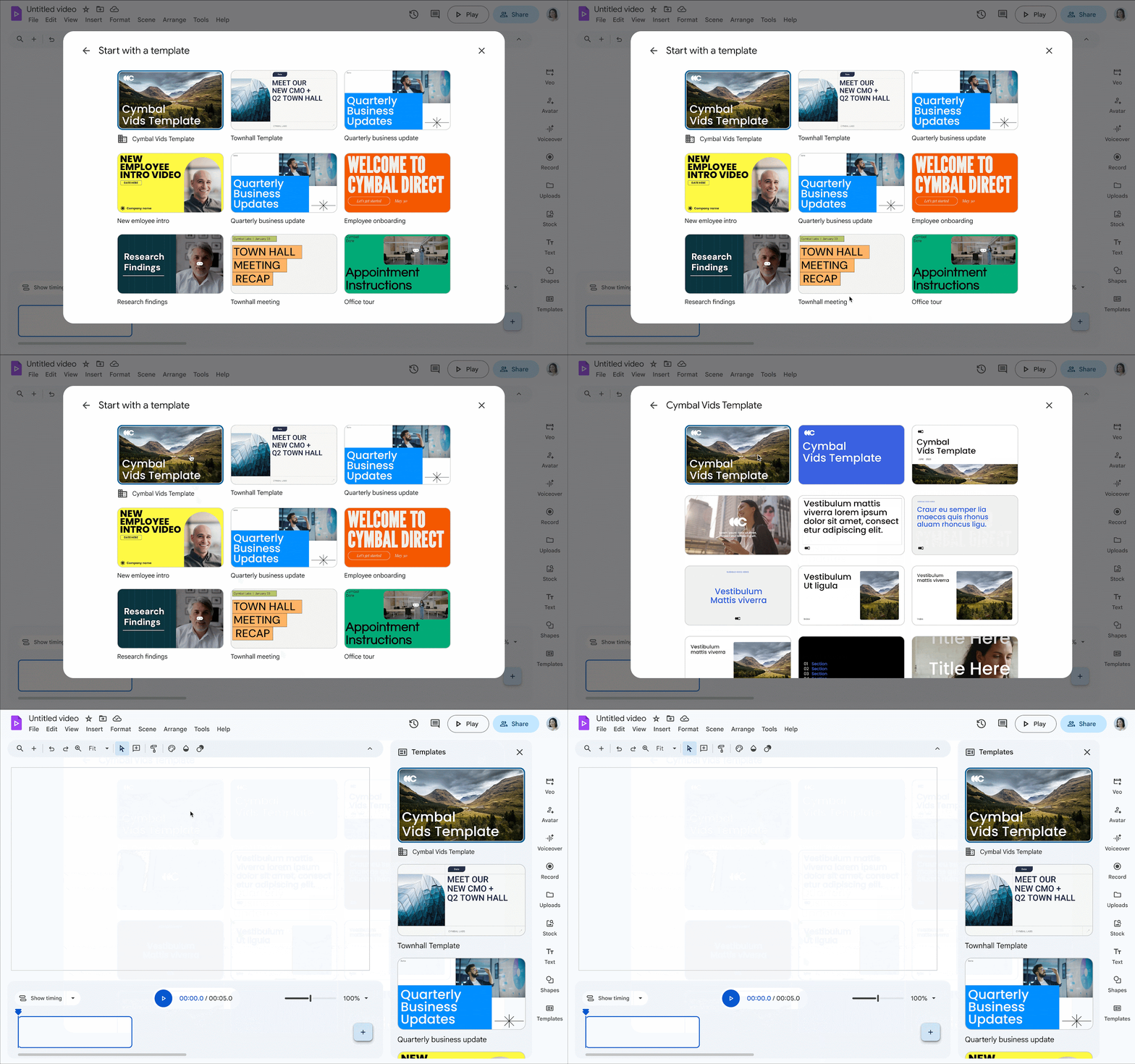
Create high-quality, branded videos with custom templates in Vids.
Tap into deeper, more relevant AI insights with new integrations for Deep Research in Workspace and Google Chat in the Gemini app
In the Gemini app, you can now ask Deep Research to analyze information from Gmail, Chat, Drive, and Calendar in addition to web sources, making answers more relevant to your work. You can also now select Chat as a source in the Gemini app. Need to know what decisions were made for “Project Blueprint” last week? Just ask Gemini. It securely bridges your chat history and documents to answer based on your private work information, not just what's available online.
Streamline your team’s workflows with new apps for Google Chat
We’re introducing new apps for Google Chat to connect your essential business tools directly into Chat, so you can catch notifications, stay informed, and automate tasks without switching context.
- Manage projects and tasks in Asana with real-time previews and inline notifications
- Bring rich visual collaboration into your team spaces with Figma and Miro
- Stay on top of relevant news and updates with the new Feeds app
- Check leave balances and submit time-off requests in seconds with the improved Workday app
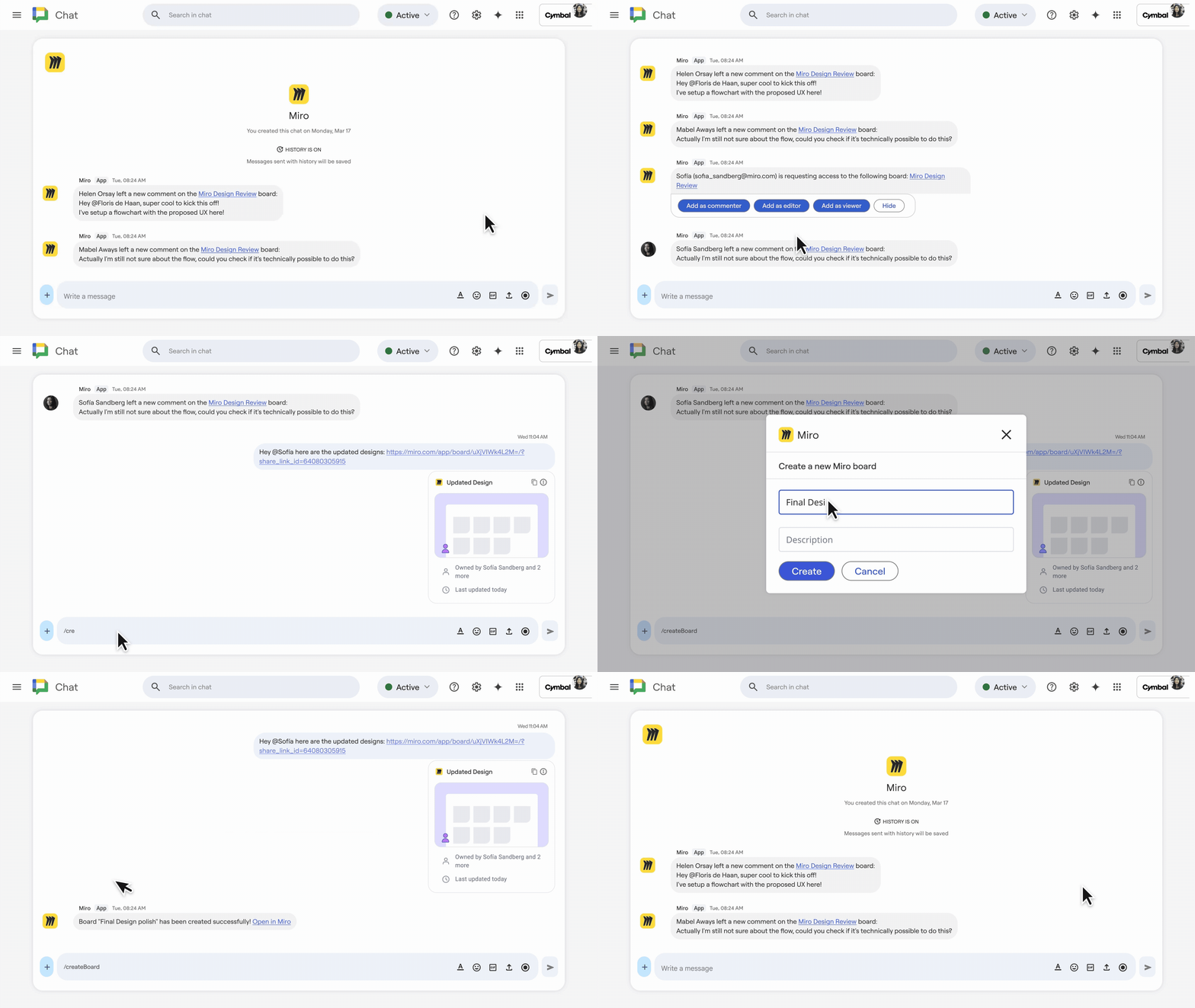
Integrate powerful visual collaboration tools with the new Miro app for Google Chat.
Get started today
These updates are rolling out to Google Workspace customers now. Give them a try and see how they help you and your team. As always, you can learn more about unlocking the power of generative AI with Workspace.