July Workspace Drops: Create engaging presentations, draft docs faster, and work on-the-go
The Google Workspace Team
Try Google Workspace at No Cost
Get a business email, all the storage you need, video conferencing, and more.
SIGN UPWelcome to our July 2026 Workspace Drop! This month, we’ve rolled out new features to help you:
- Create engaging videos and presentations with Gemini in Slides and Vids
- Get to your final draft faster by actioning comments and creating visuals with Gemini in Docs
- Stay productive on the go with Meet on Android Auto
Create engaging videos and presentations with Gemini in Slides and Vids
Creating presentations that resonate with your customers is incredibly powerful, but producing them at scale can feel like a full-time job. That’s why we launched the following enhancements to Google Slides and Google Vids avatars:
Create on-brand slide presentations in minutes, not hours: Stop starting from scratch. With our new deck generation feature in Google Slides, you can bypass hours of manual work and generate a complete presentation in a fraction of the time. Simply describe the presentation you want to create and reference any existing decks to instantly match your brand's formatting and style. Gemini then works in the background to gather context from your Google Docs, Sheets, PDFs, or previous decks, asking clarifying questions throughout to build a comprehensive plan. Within minutes, you’ll have a stunning, fully editable deck built directly around your needs.

Scale your presentations with Vids digital presenters: As a presenter, you’re probably familiar with the pain of presenting content over and over again, memorizing new scripts, or changing your script entirely to accommodate your audience. With Vids AI avatars, you can automatically storyboard slides or generate a script to turn your avatar into a digital presenter. And if you need to reach a wider audience, you can easily re-script your avatar at any time or generate AI voiceovers in eight languages, including Japanese, Korean, Spanish, and French.
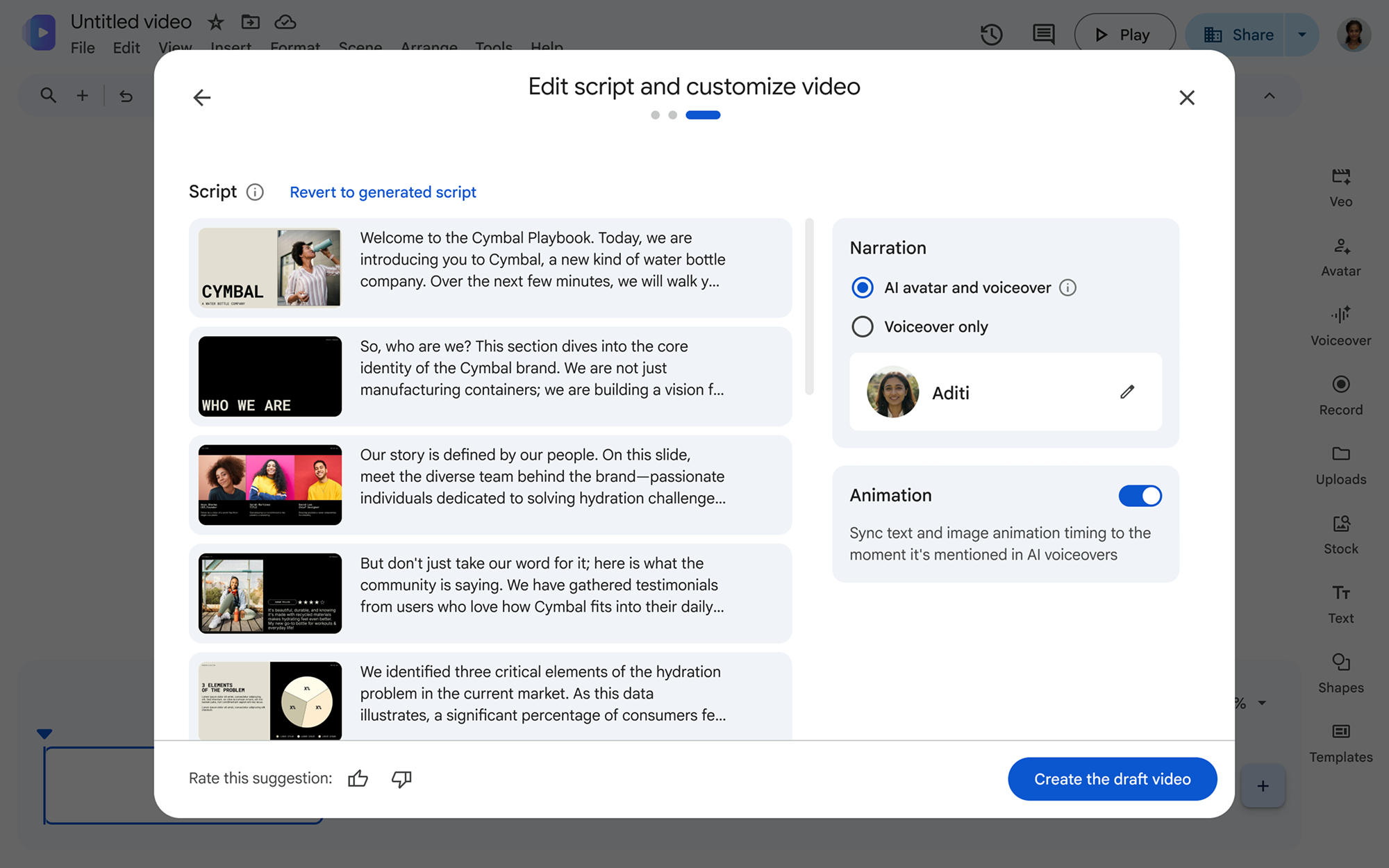
Turn your Slides into a video presentation complete with a drafted script.
Create with Gemini Omni Flash in Vids: With Gemini Omni Flash in Google Vids, you can now edit any video footage — from phone video to AI clips — using simple text prompts, giving you the flexibility to test, repurpose, or extend the life of your video assets. You can even generate new videos featuring avatars that look and sound just like you, but without the studio time or camera-ready setup.

Get to your final draft faster by actioning comments and creating visuals with Gemini in Docs
Let Gemini take action on your comments in Docs: Collecting feedback is essential for collaboration, but sifting through comment threads on a document can be time-consuming. To get you to a final draft faster, Gemini in Docs helps you synthesize comment threads, create and respond to comments, and quickly incorporate feedback by suggesting document edits that you can accept with a click.

Bring documents to life with rich visuals in Docs: Let’s say you want to support your writing with visuals but don’t have time to create them from scratch. Gemini in Docs now allows you to create and edit images, diagrams, and infographics with natural language prompts. By understanding the context of your document, Gemini generates relevant visual summaries, adjusts styling, and updates multiple visuals at once — all without ever leaving Docs or relying on external tools.
Stay productive on the go with Meet on Android Auto
Join Google Meet on Android Auto: With Google Meet’s new Android Auto integration, you can check your upcoming meeting schedule and join calls via hands-free audio with a single tap. You can also make and receive direct audio calls in the “History” tab, letting you dial anyone without taking your eyes off the road.
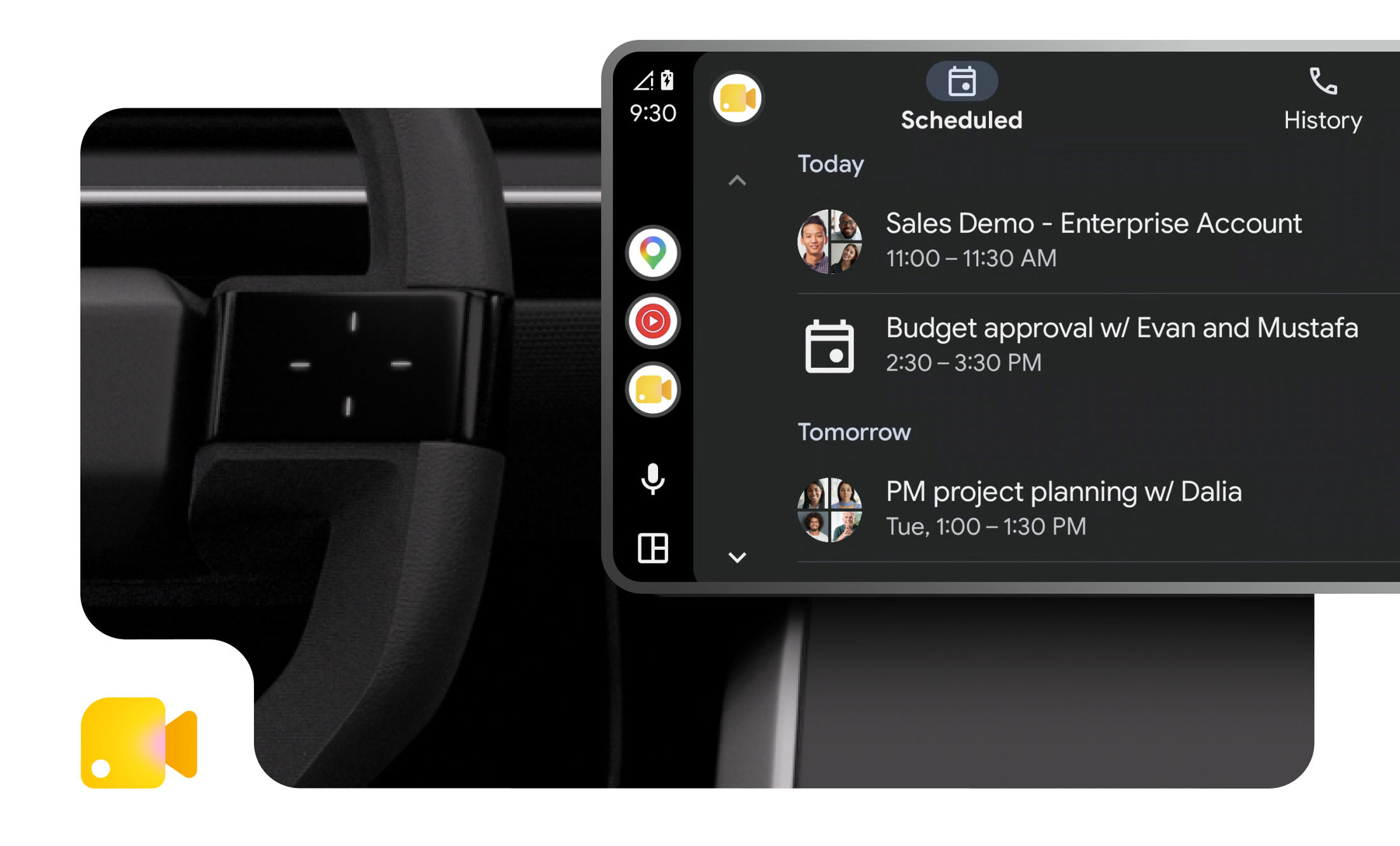
Join meetings from your car with Google Meet on Android Auto.
Additional features with expanded availability
Alongside this month's additions, we’re also expanding availability and language support to several recently introduced features:
- We’re expanding data regions support to the Gemini app, giving admins granular control over where your organization’s AI data is processed and stored geographically (EU or US).
- Gemini in Docs is now expanding support to 11 more languages, including Mandarin, Dutch, Malay, Hebrew, Polish, Turkish, Czech, Indonesian, Swedish, Danish, and Norwegian in addition to our previously eight supported languages.
Get started today
These updates are rolling out to Google Workspace customers now. Learn more about unlocking the power of generative AI with Workspace.