Workspace Drop: New easy ways to create and share videos with AI in Google Vids

The Google Workspace Team
Try Google Workspace at No Cost
Get a business email, all the storage you need, video conferencing, and more.
SIGN UPWelcome to the latest edition of Workspace Drops. This month, we’re delivering enhancements to Gemini across the Workspace apps to help you:
- Deliver on-brand videos at scale with avatar updates and Lyria 3 in Vids.
- Simplify meeting coordination with group scheduling in Gmail.
- Get in-meeting assistance in more languages with Ask Gemini in Google Meet.
- Resume past conversations with Gemini in your Workspace apps.
Deliver on-brand videos at scale with avatar updates and Lyria 3 in Vids
In December we announced our most realistic and highest quality avatars yet, powered by Veo 3.1. Avatars in Google Vids let you scale your on-screen presence, delivering engaging and on-brand messaging without the hassle, time, or expense of traditional studio production.
Customize avatars to match your brand: Rolling out today, this major update lets you create custom avatars to better reflect your company’s identity and appeal to your audience. This includes fine-grained controls for your avatar’s appearance, apparel, and setting. Whether you need a distinguished avatar in a tuxedo for a formal gala invite or a relaxed speaker in a company-branded zip-up for a team all-hands, your avatars can now look the part.
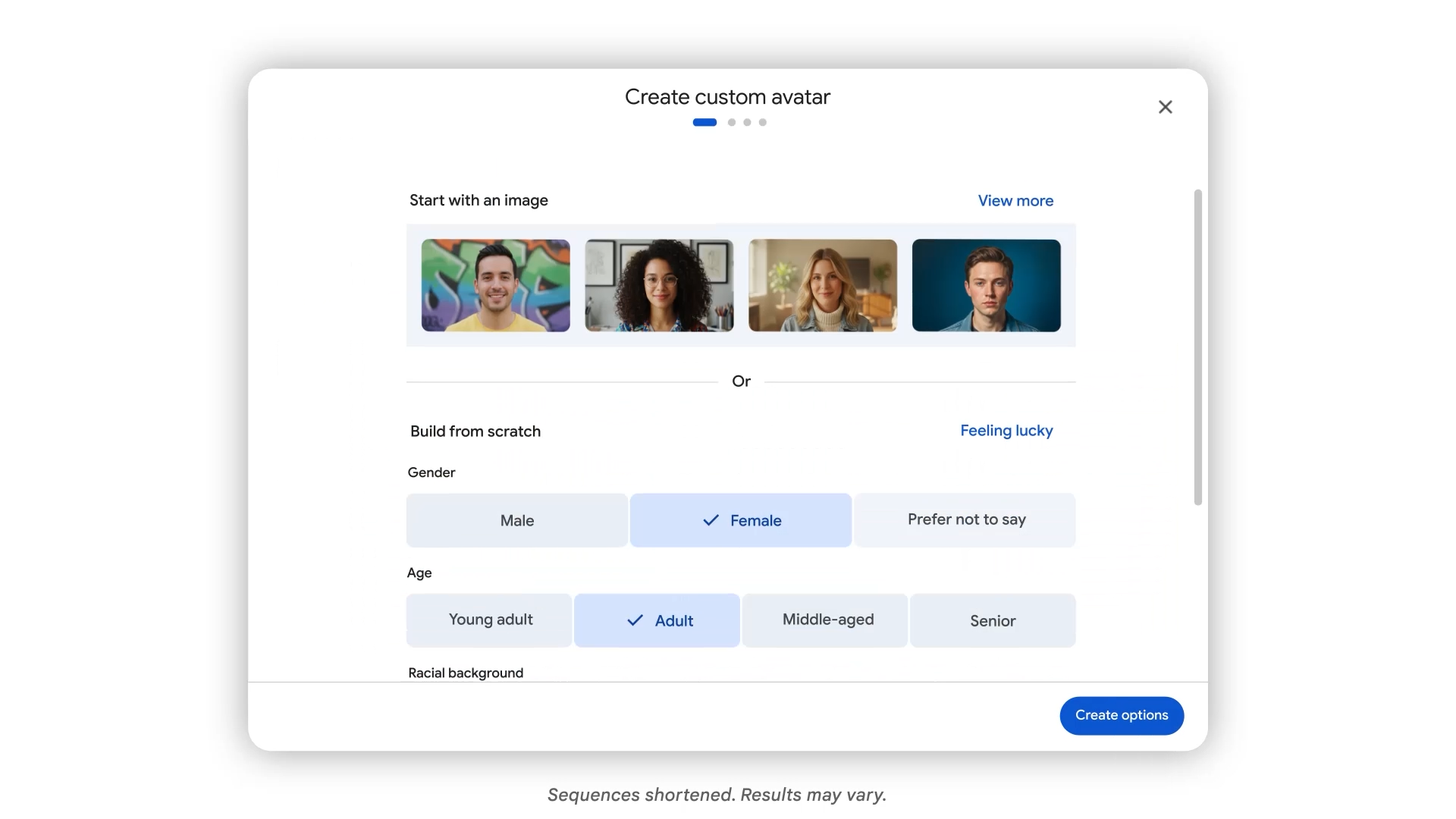
Direct avatars with precision: Also rolling out today, you can now move beyond static narrators and take full directorial control to create more engaging clips of your avatar. Using Veo 3.1, you can place avatars into specific scenes and have them interact directly with objects. Upload an image of your product and a relevant backdrop to showcase your brand while maintaining a consistent face and voice across every frame. Starting today, users on Google AI Ultra or AI Ultra Access have access to 1,000 Veo generations per month.

Connect with cartoon avatars: Engage your audience with our new 2D and 3D cartoon-styled avatars. These expressive options create an approachable and relatable speaker, making them perfect for delivering lighthearted project recaps or keeping learners focused on complex educational concepts.

Cartoon avatars in Google Vids.
Bridge language barriers: To help you reach a global audience, we’ve expanded language support for AI avatars and voiceovers. You can now generate these in seven additional languages: French, German, Italian, Japanese, Korean, Portuguese, and Spanish. Pitch to global clients or update a worldwide workforce in their native language with complete consistency.
Record your screen in a snap: Quickly record your screen from any browser window using the new Google Vids Screen Recorder Chrome extension. Instead of having to open Google Vids to access recording functionality, you can now initiate a recording with a single click right from the Chrome extensions toolbar.
Create custom music to match the mood of your videos: Give your videos more energy with custom music that perfectly matches your video’s tone. Powered by Google’s advanced music generation models, Lyria 3 and Lyria 3 Pro, you can now generate everything from short clips (around 30 seconds) to longer tracks (up to three minutes) for your projects. Whether you need an upbeat intro for a product pitch or an ambient background for a marketing recap, you can easily create a track that hits the right note.

Simplify meeting coordination with group scheduling in Gmail
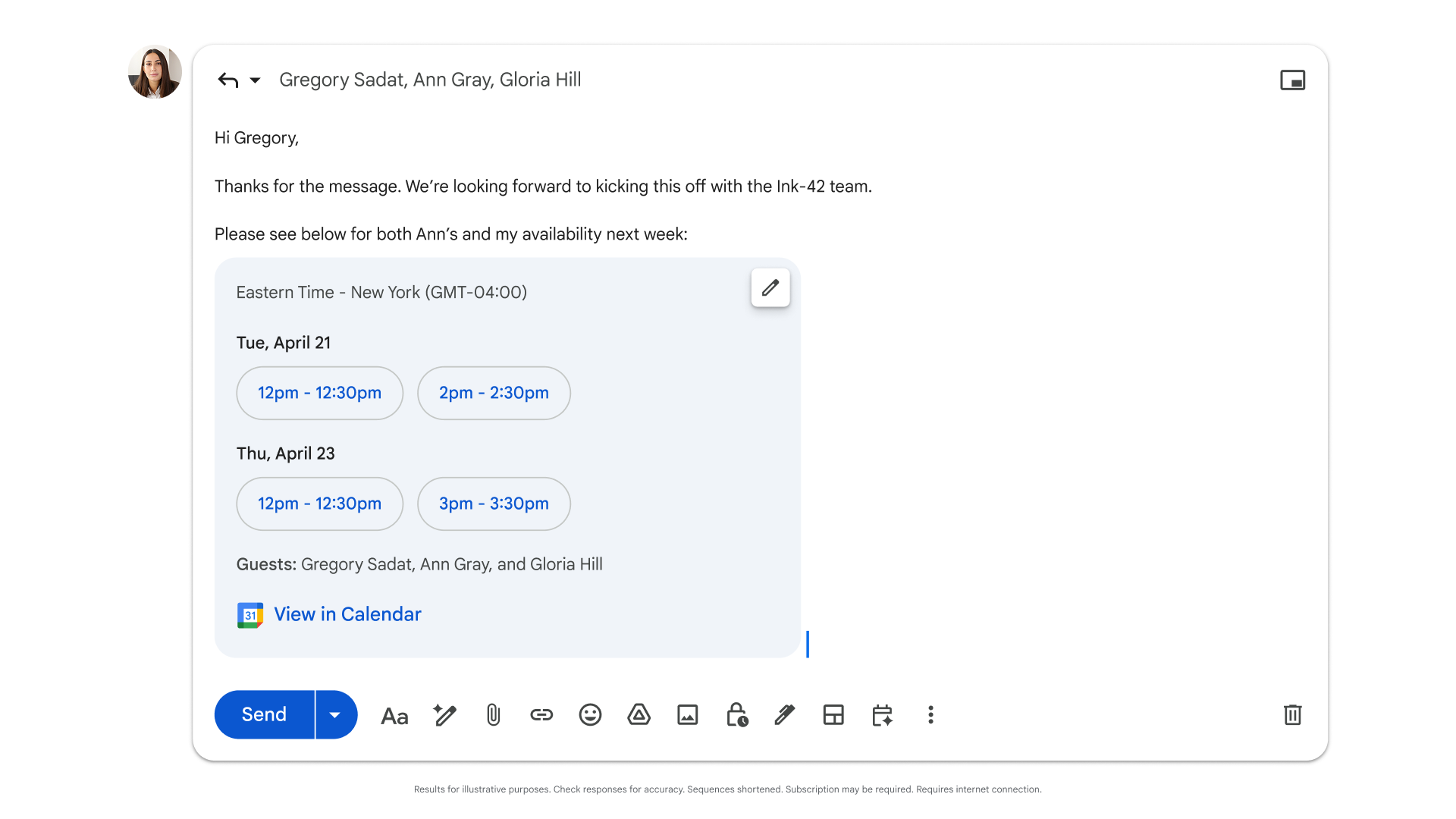
Finding time to meet with groups requires a lot of coordination. Previously limited to one-on-one scheduling, Help me schedule in Gmail can now help schedule meetings for groups. When Gemini detects you’re trying to set up a meeting, it surfaces a button in your toolbar to suggest times that work for you and your colleagues. With Help me schedule, you can focus on preparing for your meetings instead of managing logistics.
Get in-meeting assistance in more languages with Ask Gemini in Google Meet
Ask Gemini in Meet is expanding language support to include French, German, Italian, Japanese, Korean, Portuguese, and Spanish. Now, even more users can rely on Gemini as their personal in-meeting assistant. Whether you need to catch up on what you missed in the conversation or grab action items, Gemini answers your questions privately in your preferred language — so you can stay focused on the meeting without interrupting the flow of the conversation.
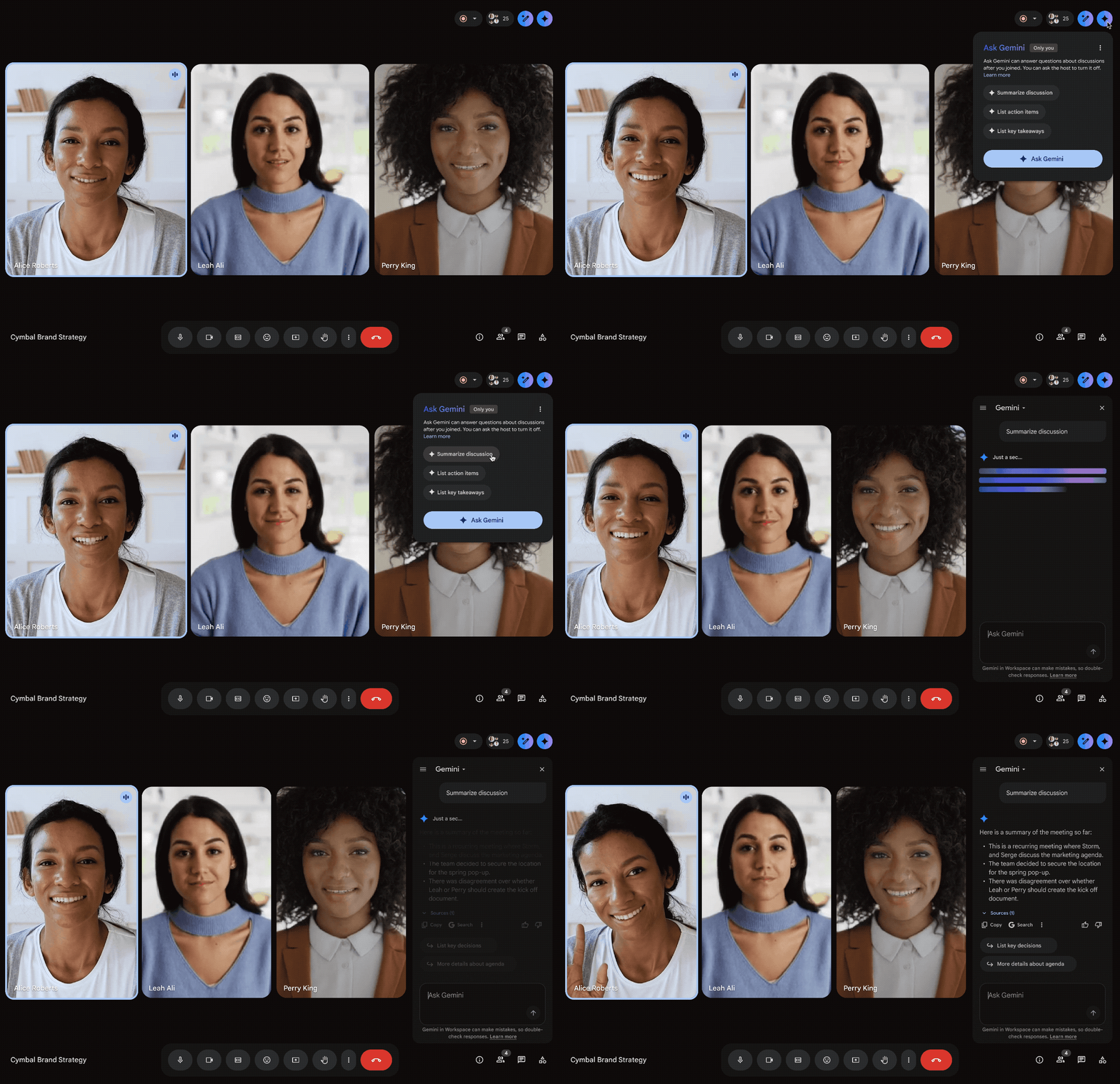
Use Ask Gemini in Meet in your preferred language.
Resume past conversations with Gemini in your Workspace apps
Now, Gemini in the side panel of Gmail, Docs, Sheets, Slides, Drive, and Chat includes conversation history, letting you easily review previous responses and pick up where you left off. Administrators retain full control to ensure data management aligns with your organization’s policies, but your chat history will remain entirely private to you within each app.
Get started today
These updates are rolling out to Google Workspace customers now. As always, you can learn more about unlocking the power of generative AI with Workspace.