Simplify the move to Google Workspace with new migration and interoperability features
Ashish Gupta
Senior Product Manager, Google Workspace
Luke Camery
Director of Product Management, Google Workspace
Try Google Workspace at No Cost
Get a business email, all the storage you need, video conferencing, and more.
SIGN UPGoogle Workspace isn't just a suite of tools; it can be a competitive edge for modern organizations. Built on a cloud-native architecture with simplicity, security, and reliability at its core, Workspace is built-in with Gemini to help teams get work done and boost collaboration — no matter where they are.
We know that making the move to a new platform can be a big undertaking and includes concerns about data migration costs, potential disruption during the transition, and maintaining cross-platform collaboration.
At Google Cloud Next '26, we unveiled a smoother path to Workspace. We introduced powerful new features that make data migration faster and less expensive, while also supporting smoother cross-platform collaboration for all your productivity apps, from Microsoft Teams to Office.
Migrate your data to Workspace
Organizations often struggle with migrations because of high costs, operational disruptions, and low data fidelity. We’re making the process easier on all fronts.
To help with data migration, we launched data import, a new service in Workspace. Since it’s a cloud-native tool, it doesn’t incur cloud hosting fees. And because it’s built into the Workspace admin console, there’s no need for installation or cloud infrastructure setup. With data import, migrating your entire organization from Microsoft 365 to Workspace — including complex legal and finance teams — is now up to five times faster.
With extensive support for Microsoft 365, the data import tool handles everything from Teams migrations to the transfer of encrypted files and emails. Data import can even handle all your metadata, such as Outlook rules, calendar settings, and sensitivity labels.

Migration planner complements data import by providing clear migration timelines before you close the deal.This lightweight, client-side utility prioritizes privacy by running locally, ensuring no data is visible to Google until you decide to go ahead with the migration. This allows implementation partners and customers to perform quick, friction-free environment scans during the pre-deal phase. It provides accurate, data-driven migration timelines and optimized execution plans early in the deal cycle. Once you’re ready to go live, the migration planner will produce a one-click migration plan for you to run.

Break down organizational silos with Microsoft 365 interoperability
Our journey toward seamless interoperability began in 2019 with the launch of Office editing mode. Since then, we’ve evolved Workspace to become your primary hub for productivity, regardless of what tools or file formats your organization previously used. We’ve significantly deepened our integration across Microsoft Office, Teams, and Outlook, allowing you to stay within Workspace even if some of your collaborators are still using Microsoft tools. Today, we’re excited to unveil the next wave of interoperability features designed to break down organizational silos:
- Office editing mode in Gmail (Available in beta in June ‘26): We know that Gmail is the primary entry point for your external collaborators to send you Office content, which is why we’re making it easier than ever to manage those versions without ever leaving your inbox. We’re improving Office file editing directly within Gmail, for faster replies and smoother collaboration.

Advanced Word compatibility (Available in beta in June ‘26): To support .DOCX-reliant professionals, like lawyers and engineers, we’re investing in enhanced Google Docs and Word interoperability. Starting in June, we’ll support captions, cross-references, and small caps — native features and shortcuts that enhance legal workflows. We’ll also be launching conversion improvements all throughout 2026, including character spacing and fixing missing content.

- Redlining in Docs (Available in Q4 ’26): We will refine the comment and suggestion workflows to support tasks such as contract redlining. By combining these updates with our advanced Word compatibility features, legal departments will be able to execute the entire drafting and redlining process within Docs. They can stay productive regardless of the software used by external partners.
- Performance improvements in Google Sheets (GA): Performance improvements in Sheets make it faster to import, analyze, and manage your data at scale.
- Get started faster: You can now open and start working in large spreadsheets (1M+ cells) up to 30% faster.
- Rapid data analysis: You can now filter large spreadsheets (1M+ cells) up to 60% faster.
- Easier formatting: You can now apply conditional formatting to large spreadsheets (1M+ cells) up to 60% faster.
- Doubled Sheets capacity (Available in beta): Users can access doubled cell limits in Sheets, from 10 million cells to 20 million cells.
- Expanded charts and pivot tables capabilities in Sheets (Available in Q4 ’26): New chart and pivot table enhancements help you transition your analytical workload to Sheets and streamline data analysis to help you unlock insights faster.
- Solve optimization problems in Sheets (GA): Gemini in Sheets can intuitively handle the hardest analytical tasks and advanced optimization problems, reducing the need for third-party solutions like Microsoft Excel Solver or complex manual formulas.
- Sheets canvas (Available in alpha): Sheets canvas transforms static Sheets data into custom, on-the-fly mini-apps, like a dashboard, heat maps, or Kanban boards — no coding required. Because canvas is grounded in your data, anything you do, like dragging a task or updating a value, syncs back to your sheet automatically. Sheets canvas allows your business to go above and beyond your existing Excel workflows, or where you previously leveraged Excel add-ins, by allowing your users to envision entirely novel charts and other visualization types.
- Macro converter (Available in alpha in Q2 ‘26): Effortlessly transition Excel-based files and processes to Sheets by having Gemini convert legacy VBA scripts to Apps Script.
- Embedded audio and video in Google Slides (Available in beta in June ‘26): You can now import and play embedded audio and video directly in Slides. This feature not only brings a new way of working to Slides, but also provides compatibility with Microsoft PowerPoint.
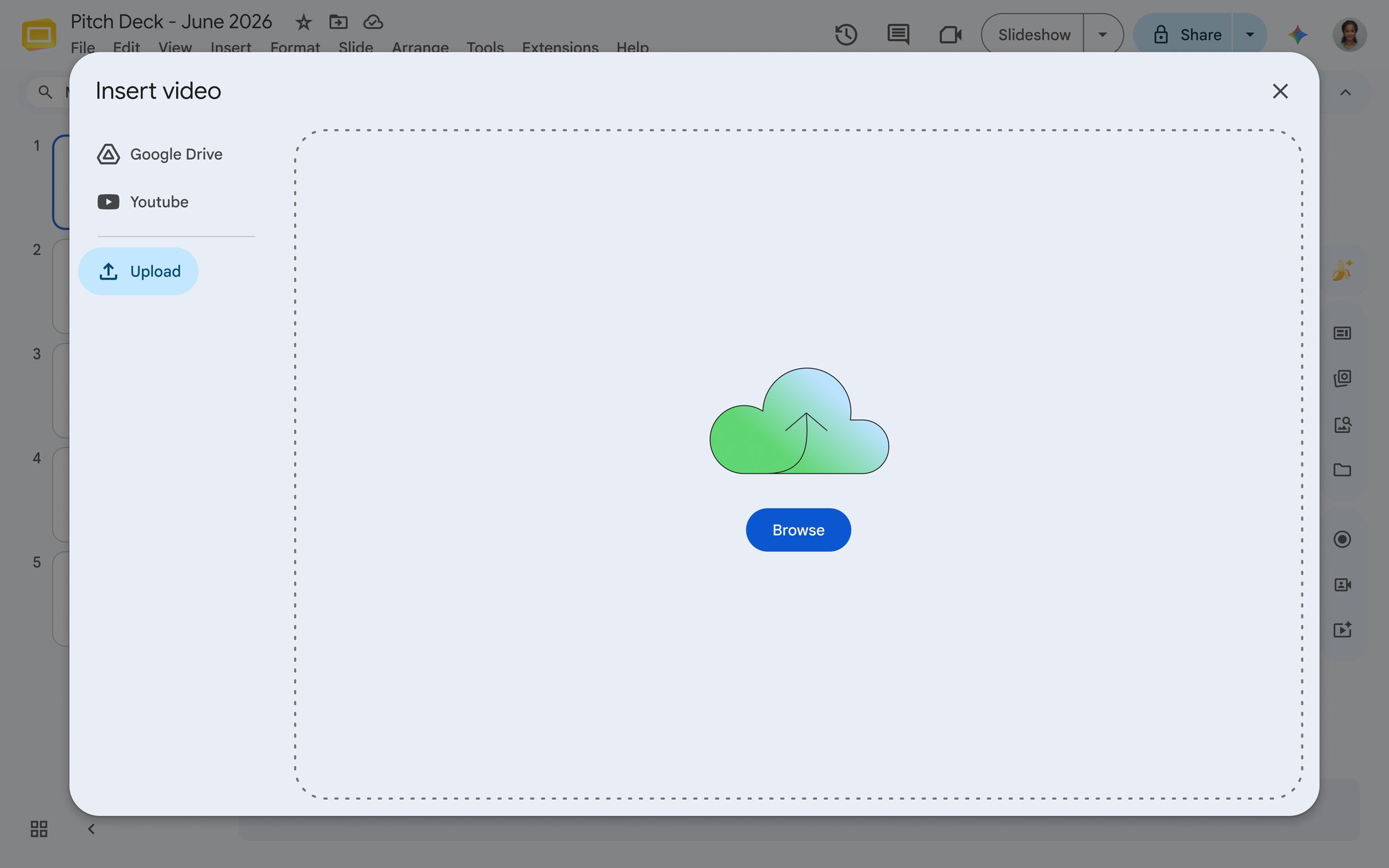
- Slides performance (Available in Q3 ’26): Import and export slides up to 5x the size, including high-resolution embedded media.
- Workflow approvals (GA): Lightweight approval tools and API support to streamline cross-application business processes.
- Workspace Studio (GA): Replace Microsoft Power Automate with Workspace Studio to automate workflows across the entire Workspace suite.
- Google Meet hardware interoperability (GA): Meet hardware supports one-touch join or direct guest join for Teams, Zoom and more.
- Guest accounts (GA): Securely invite external users to collaborate with full Workspace functionality, but govern these external users like they are internal.
Get started today
To get started with data import and the many new interoperability features, visit the Google Workspace admin console.
To get started with migration planner, visit the migration planner utility on GitHub. You can download the tool, and log in with source credentials to automatically calculate timelines, batch users, and generate a full plan.
Finally, see all these announcements in action by watching the migration, adoption, and interoperability Next’ session.