How I’m using Workspace Studio and Gemini to streamline my day
Laura Mae Martin
Executive Productivity Advisor, Google
Try Google Workspace at No Cost
Get a business email, all the storage you need, video conferencing, and more.
SIGN UPLaura Mae Martin, Google’s executive productivity advisor, answers your questions about how to work smarter with Google Workspace. If you missed our last post, check out The 5-minute data dashboard: Visualize and analyze with Google Sheets.
Today’s question comes from Gwen, an account manager, who asks: “I have a lot on my plate and not enough time to get to it all. Can Gemini help me be more efficient and take things off my plate?”
Gwen, I see you (and your very full plate). The short answer: yes. With Workspace Studio, you can start handing off some of the work to Gemini.
Meet your behind-the-scenes MVP
Think of Workspace Studio as your no-code command center. It’s designed to manage AI-automated flows and it lets you build AI automations too — your own team of task specialists that support you 24/7. It connects your Workspace apps so they can take action behind the scenes without you having to ask Gemini to start a task.
Workspace Studio’s real value shines in multi-step flows that span multiple applications. It can make Docs talk to Gmail, and Gmail talk to Sheets automatically. Instead of prompting Gemini to find an invoice in your email, you can set up a flow so Workspace Studio does it by default. It can detect an invoice, extract the data, and log it into a Sheet for analysis automatically.
And if you’re already using skills in Gemini, Workspace Studio connects with them too. They can plug directly into your flows, adding their specialized instructions to make your automations smarter and faster.
Workspace Studio in action
Here’s how I use Workspace Studio to streamline my workday, with some flows running on a set schedule and others kicking off when specific events happen.
Starting my day with a road map. I get a daily briefing with unread emails, open tasks, and a calendar preview. My game plan comes together before my second sip of coffee.
Keeping my to-do list up to date. I have Gemini pull action items straight from my emails and add them to my to-do list. With so much to do, having a list I know is complete means nothing falls through the cracks.
Making meetings count. Before every meeting, Gemini sends me a Chat message with the need-to-know details from linked Docs and our Chat history so I can jump right in. Afterward, it automatically drafts a follow-up email to keep the momentum going.
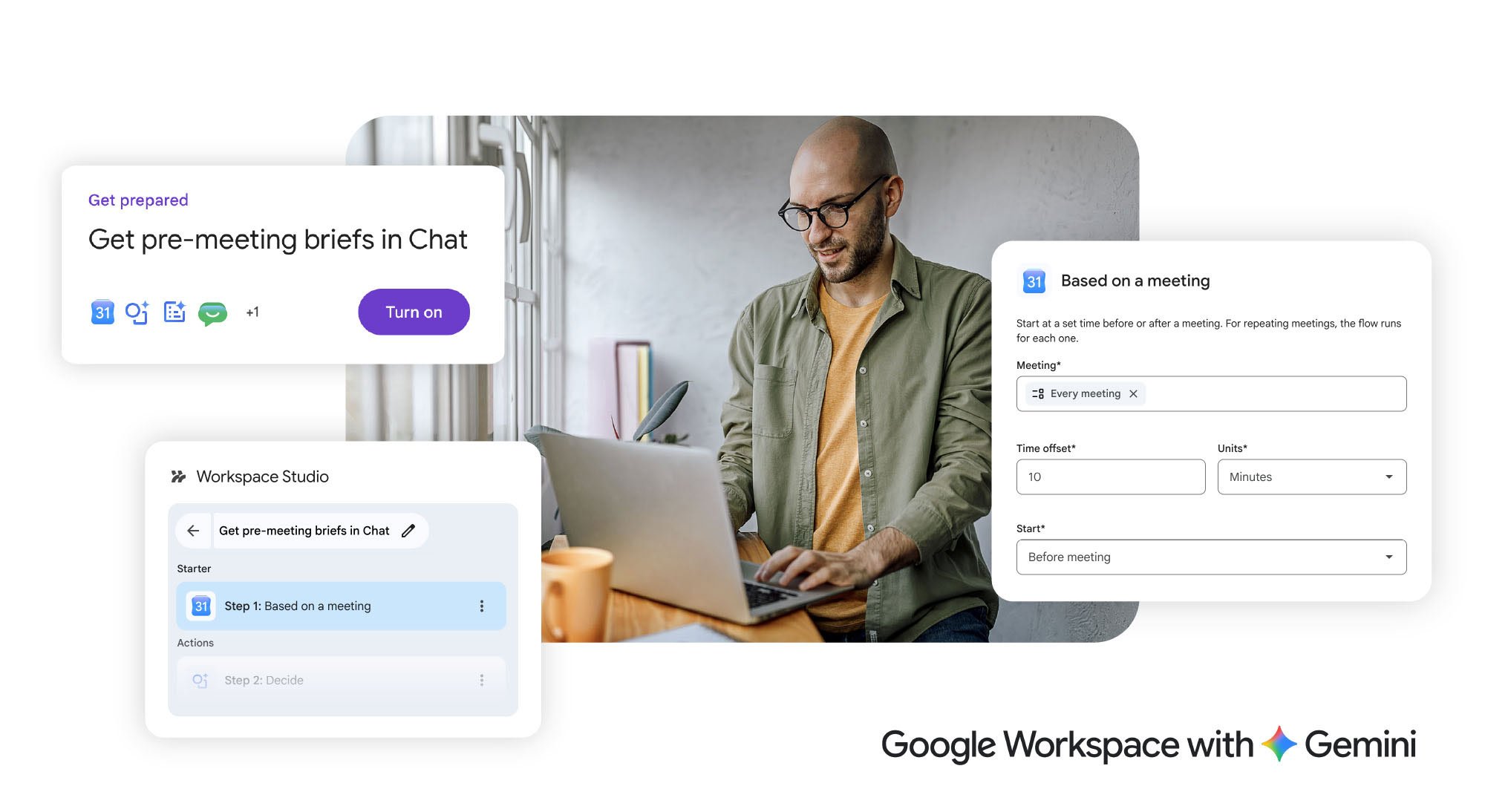
Less juggling, more doing. Workspace Studio connects tools and keeps work flowing.
Never missing a commitment. Whenever I tell someone, “I’ll look into that,” in a Meet, Gemini catches the transcript and creates a reminder. I stay accountable to my team without having to write everything down.
Eliminating the status hunt. Every Friday, Gemini scans our department trackers in Sheets and flags where work is blocked. I get a clear view of where to step in without micromanaging my team.
No code, no problem
The best part: Workspace Studio is straightforward to get started. If you can describe the flow in plain English, you can build it — no technical expertise needed. It’s productivity minus the friction.
Put Workspace Studio to work for you and watch your plate get lighter, without dropping a thing


