Teach Gemini your team’s know-hows with skills in Google Workspace

Ali Douvre
Product Manager, Workspace Studio
Try Google Workspace at No Cost
Get a business email, all the storage you need, video conferencing, and more.
SIGN UPEvery team and process has that one go-to person — the pro who knows all the ins and outs and best practices for how to do a certain task, like assemble marketing assets, generate client decks, or fill out those TPS reports — because they’ve learned all the rules and guidelines and understand the historical context particular to the company. Scaling this institutional knowledge across your organization would normally mean time-intensive training and resources.
But now, you can leverage Google Workspace skills, which are reusable prompts that guide Gemini in Workspace to use your team’s rules, templates, and reference files to automate processes. With skills in Workspace, you can capture that individual know-how and turn it into a powerhouse of automation for your organization.
Create and collaborate on skills together
Building shared expertise is a team sport: you bring everyone’s learnings together and refine your processes. Workspace now brings real-time collaboration to skills, enabling anyone to craft a new skill in Google Docs with the skill builder tool, then invite their team to comment and iterate on it together. When your team is ready to use it, anyone with access to the document can easily add and enable the skill in Workspace Studio with a couple of clicks.
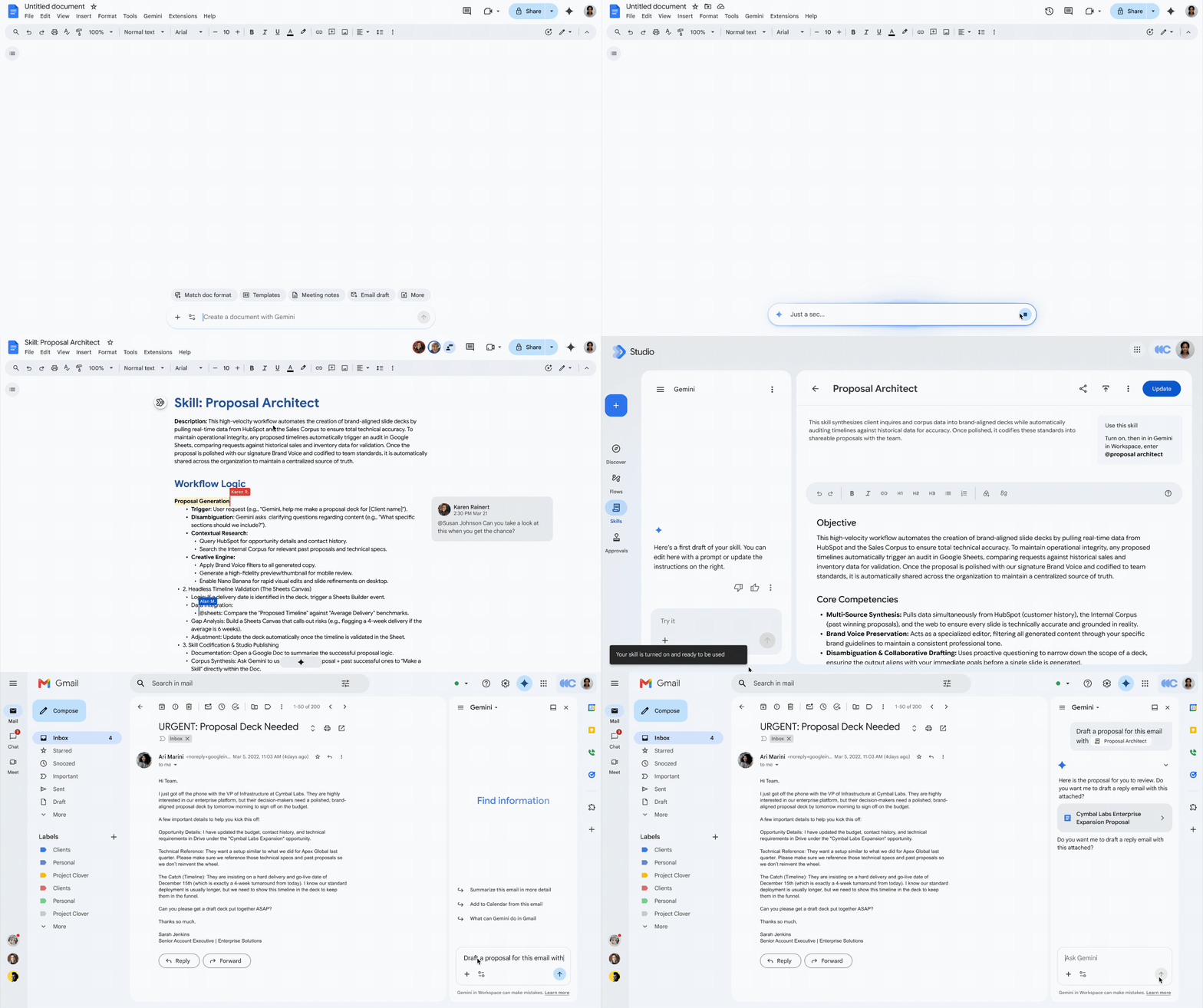
Use the skill builder in Google Docs to craft and share new skills with your team.
You can create skills to streamline any repetitive tasks across your Workspace content and the web, bridging the gap between static knowledge and dynamic execution. Skills are great for generating:
- Brand consistency: Maintain approved tone, voice, and visual identity across email drafts and files.
- Standardized templates: Format proposals, contracts, and project trackers to exact specifications.
- Status updates: Keep updates aligned in your preferred format in ongoing meeting notes, messages in Google Chat, and files without re-uploading them to the Gemini prompt.
For example, you might create a new skill to automate invoice reviews — a task that’s currently done by one overworked team member. It can easily compare new invoices against the latest ones stored in your inbox, as the skill identifies discrepancies and reduces the tedious effort required to catch billing errors.
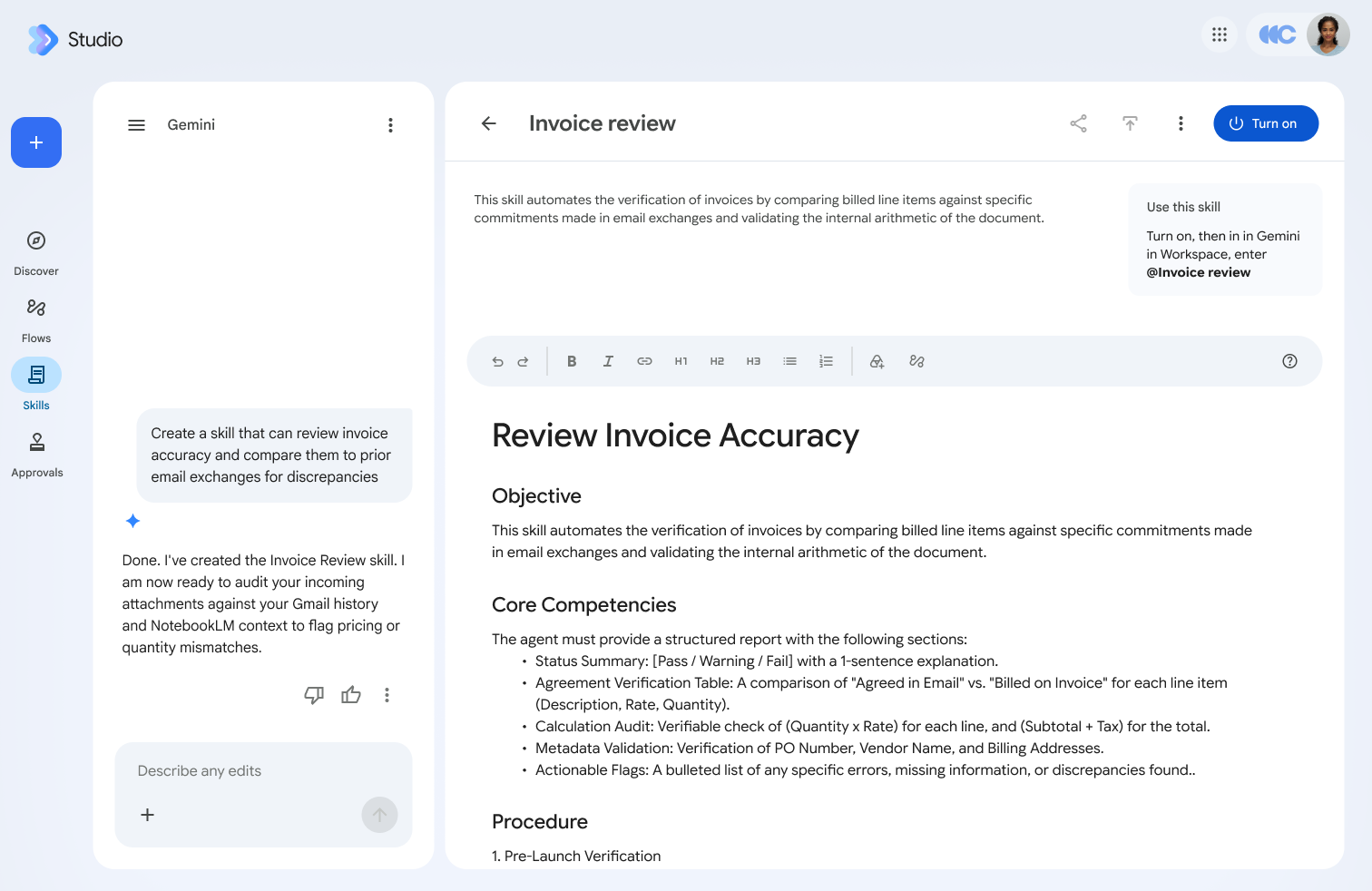
Create a skill to automate the verification of invoices.
Or, create a skill to help build consistent proposal decks:

Create a skill from an existing document.
You can also choose from templated skills to ensure all your documents are on brand, including emails, blog posts, and more.
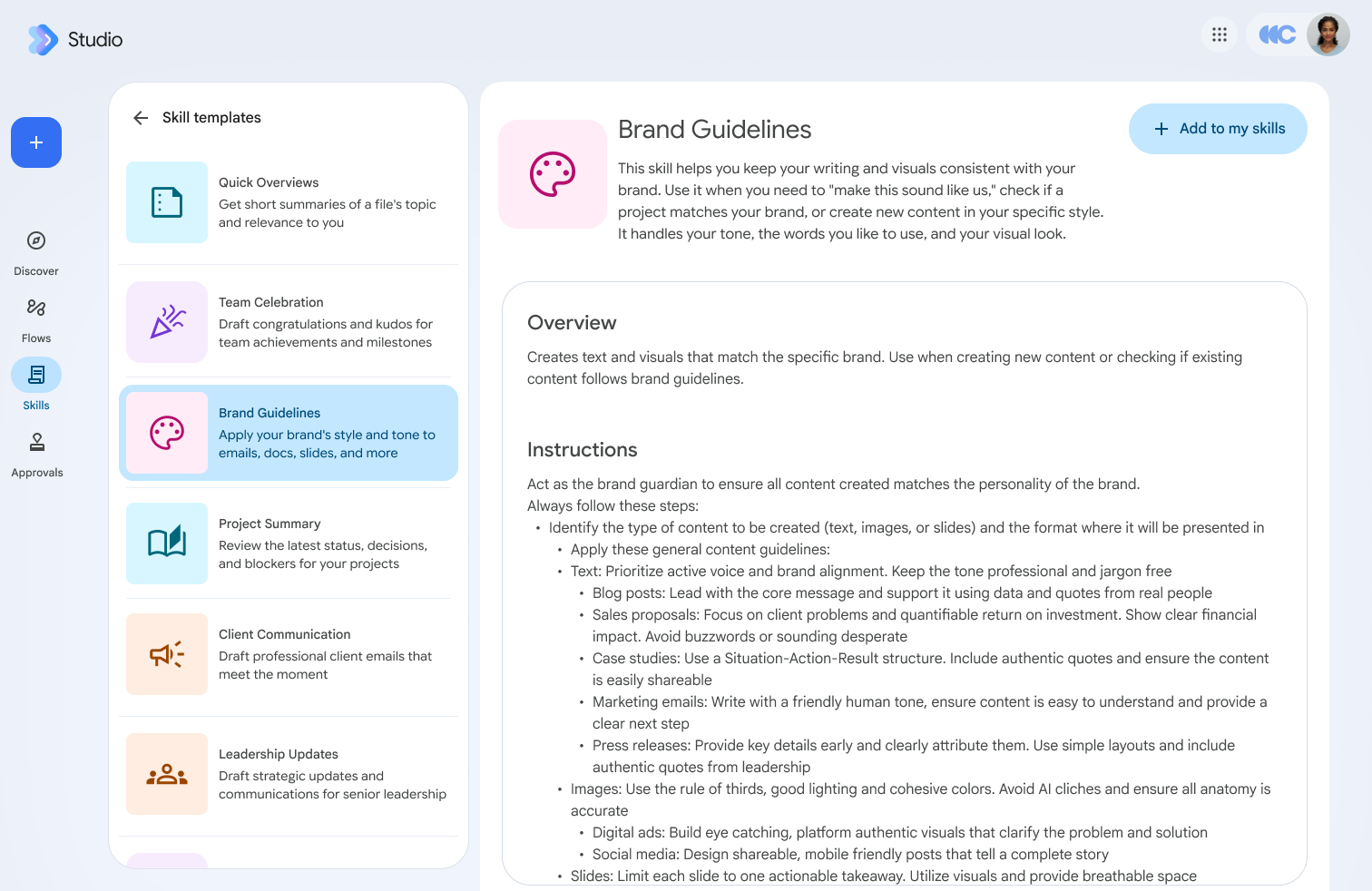
Select from a list of templated skills, including a skill to maintain brand consistency across email drafts and files.
Build, test, and manage skills in Workspace Studio
To further refine and test your skills, use Workspace Studio, your centralized control room for delegating work using AI. Here is how Workspace Studio streamlines skill management:
- Create and refine: Build custom skills manually or with Gemini.
- Real-time testing: Validate skill outputs immediately before rolling them out broadly.
- Centralized governance: View, edit, and share skills across your entire organization while maintaining security policies.
Access skills across every Workspace surface with multi-layered data protection
Skills are deeply embedded across Workspace surfaces where you already work. Here’s how:
- Gemini in Workspace: @ mention your skills directly in the Gemini side panel within Gmail, Docs, Slides, Drive, and Ask Gemini in Chat.
- Flows in Workspace Studio: Connect skills to your Workspace Studio flows.
- Drive: Upload popular external skills from the web into Drive and reference them in Workspace Studio to create your own copy.
Coming soon:
- Marketplace: Publish your skills to Google Workspace Marketplace to allow others to discover your know-how.
- Admin console: Administrators can curate, manage, and distribute verified organizational skills across departments. Administrators will be able to manage their organization’s skills across both Gemini Enterprise and Workspace in Agent Registry. Learn more about the built-in security controls in Workspace Studio.
Get started today
Try skills in Workspace to scale your team’s own particular know-how. Or see them in action here:

Skills in Workspace are available to organizations whose administrators have enabled the Gemini Beta setting in the Admin console. See our Help Center for more information about this setting and the full list of available features.